#
Connect X-Sitter with Amazon Seller Central
#
Authorise app
Switch to the module in the X-Sitter Marktplätze > Amazon > Authorisierung
Click on the button Worker-App autorisieren.
If you do not see the link, you are still missing an authorisation. Please contact an admin.
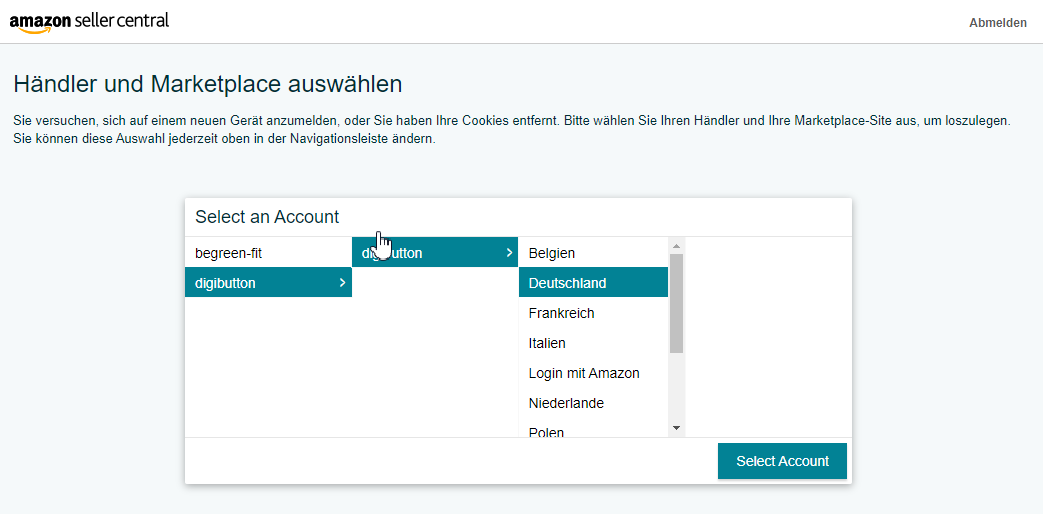
You will now be redirected to your Seller-Central where you can first select your account and the corresponding marketplace:
#
Rights overview
To be able to manage all your products and orders smoothly, we need a lot of rights. These are displayed in the second step:
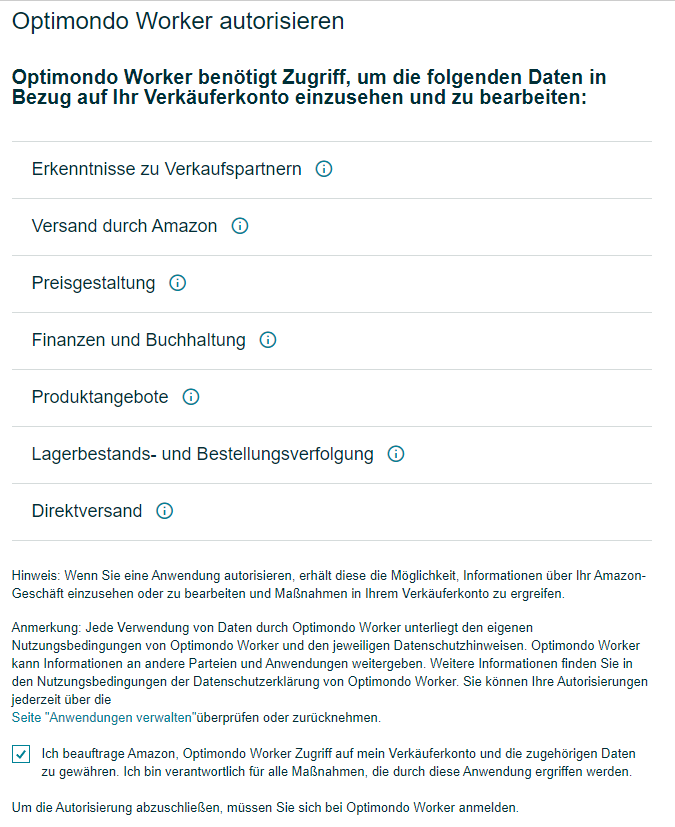
Tick the box "I commission Amazon..." and click the button at the bottom right.
#
Conclusion
Once all the details have been entered, you will receive the information that we are ready to start with you.