
Brands and manufacturers
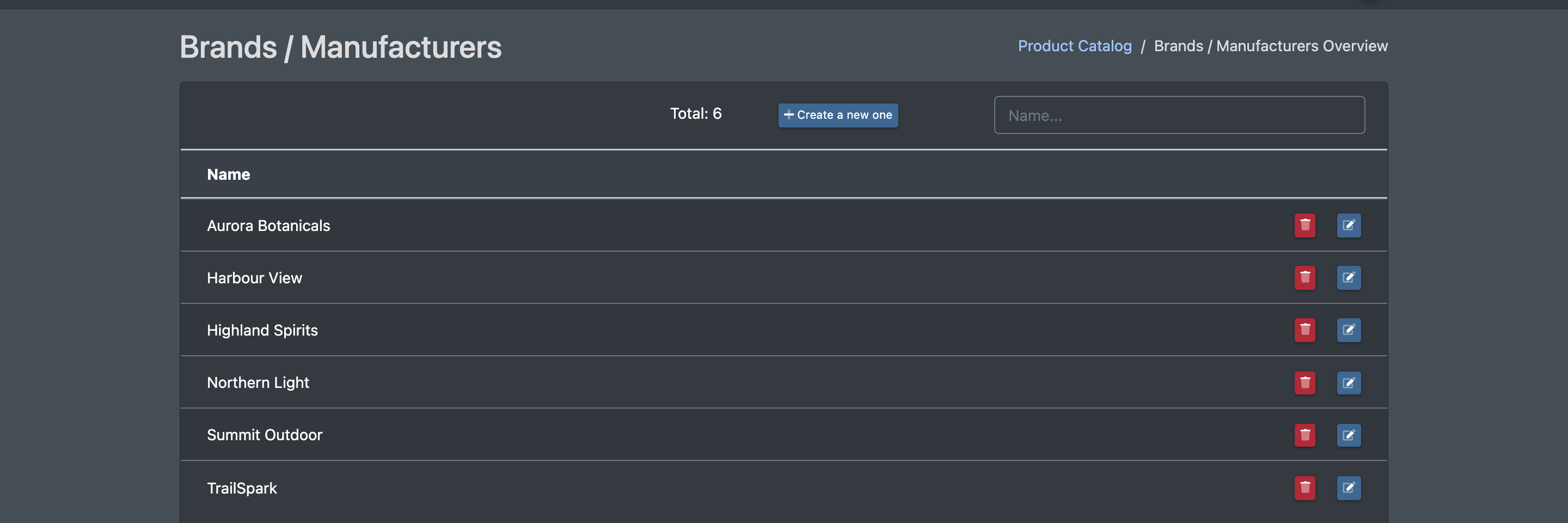
Here you maintain the brands or manufacturers of your articles – including the manufacturer address (needed for product safety and manufacturer information) and the WEEE registration numbers for electrical and electronic devices. The brands are used in your articles and are passed on to marketplaces.
Before you start
- To see the list, your user needs the permission for brands. To create or edit brands, you need the additional edit permission. Ask your administrator if something is missing.
Step by step
Create a brand
- Go to Catalogue › Brands / Manufacturers (Katalog › Marken / Hersteller). The page Brands / Manufacturers Overview (Marken / Hersteller Übersicht) opens. Use the Name... field to search.
- Click Create a new one (Neu Anlegen). The form Create brand / manufacturer (Marke / Hersteller anlegen) opens.
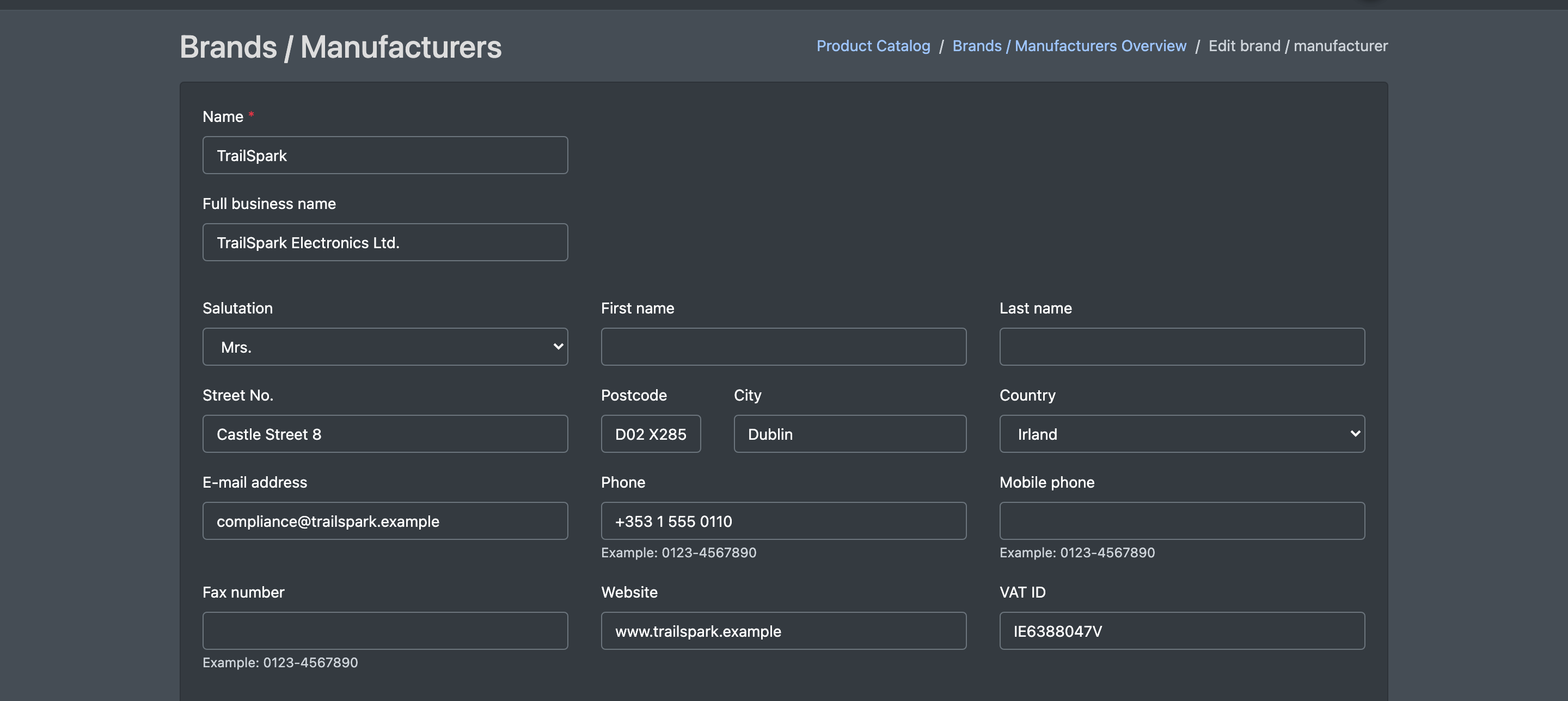
- Enter the Name and the address of the manufacturer (see the table below).
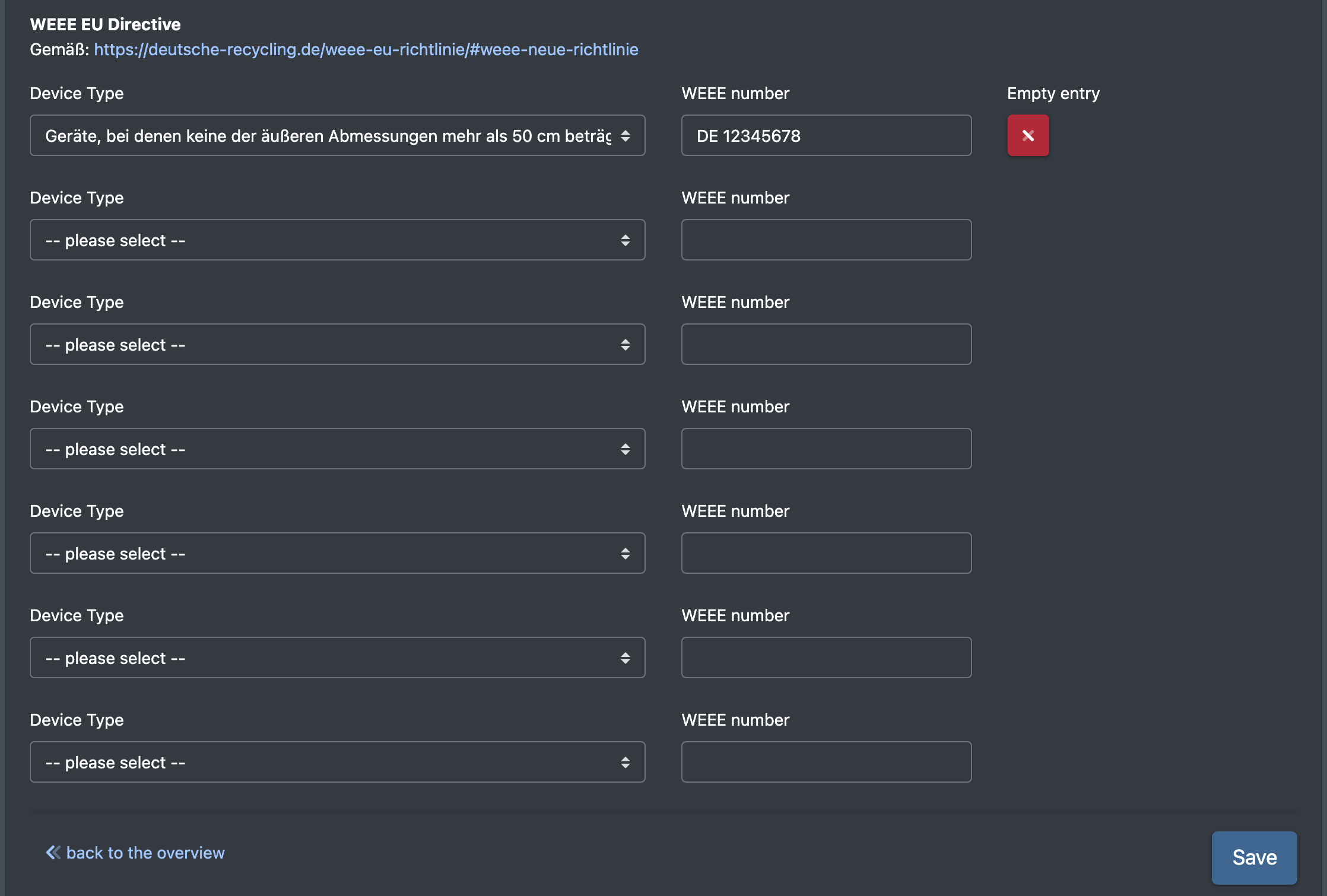
- If the brand makes electrical devices, fill in the WEEE EU Directive (WEEE EU Richtlinie) section.
- Click Save (Speichern). You see "Brand / manufacturer has been successfully created".
Edit a brand
Click the brand in the overview, change the values and click Save. You see "Brand/Manufacturer Successfully Updated".
Delete a brand
Click the delete symbol in the overview and confirm Delete manufacturer?! (Hersteller löschen?!). You see "The manufacturer has been removed".
Fields and options
Name and address
WEEE EU Directive
The section has one row per device category. In each row you choose a Device Type (Geräte Typ) and enter the WEEE number (WEEE Nummer) for it. The device types are:
- for all types (Für alle Typen)
- heat exchangers (Wärmeüberträger)
- screens, monitors and devices with a screen surface larger than 100 cm²
- lamps (Lampen)
- large devices (at least one outer dimension larger than 50 cm)
- small devices (no outer dimension larger than 50 cm)
- small IT and telecommunication devices (no outer dimension larger than 50 cm)
Use Empty entry (Eintrag leeren) to clear a row.
Good to know
- Marketplaces use the brand and manufacturer details when your articles are transferred.
- Because the address is linked through the name, check the address after renaming a brand.