
Record VAS
Record value-added services you performed for a client, e.g. 1.5 hours of repacking, so they appear on the next statement.
Warehouse staff record value-added services (VAS) directly for a client – for example 1.5 hours of repacking for a certain order. The price is calculated automatically from the VAS template and appears on the next client statement.
Before you start
- Your user needs the permission to record VAS – ask your administrator. The same permission allows deleting recorded services.
- At least one VAS template exists for the client, or a global template, see VAS templates.
- The client is an active client of yours, see Clients.
Step by step
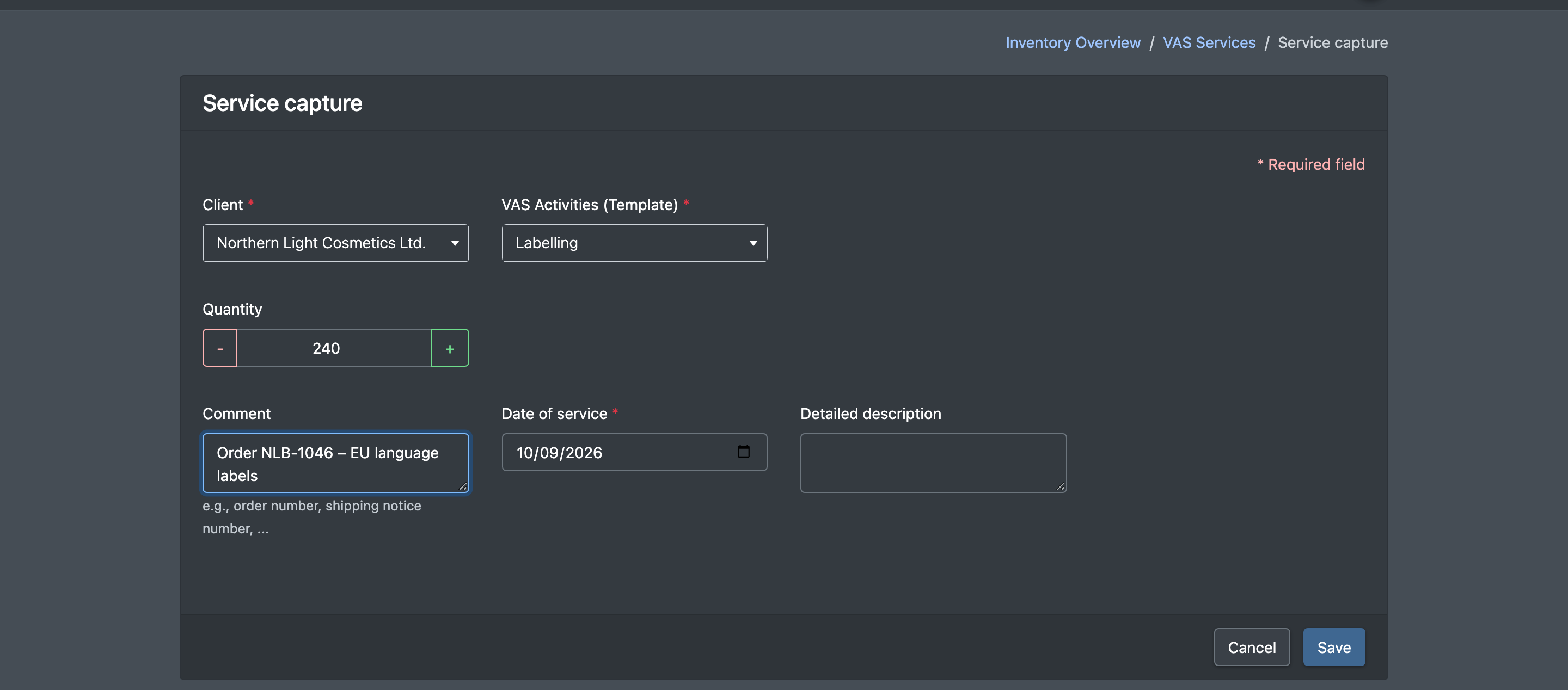
- Open WMS › VAS Entry (WMS › VAS Erfassen). You can also click Record service (Leistung erfassen) in the list of recorded VAS.
- Choose the Client (Mandant). The field VAS Activities (Template) (VAS Tätigkeit (Vorlage)) then loads the matching templates – the client's own templates and the global ones.
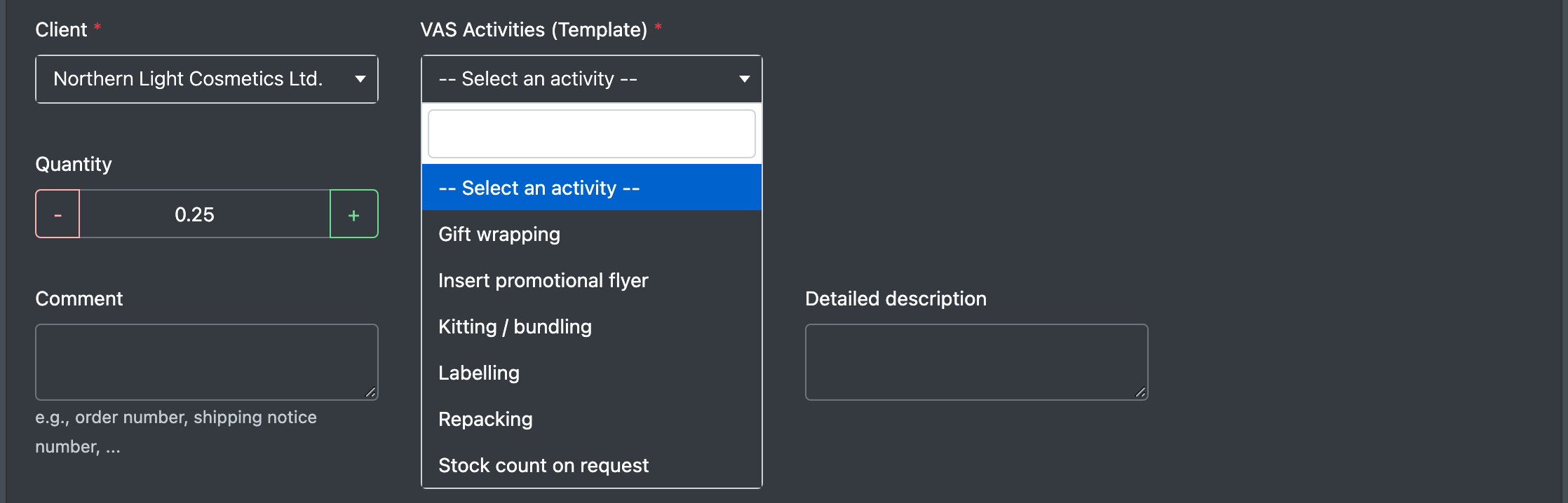
- Choose the activity under VAS Activities (Template).
- Enter the Quantity (Menge) – in steps of 0.25, minimum 0.25 (e.g. 1.5 for one and a half hours).
- Optionally choose a Billing Category (Abrechnungs-Kategorie) – otherwise the category of the template is used – and enter a Comment (Bemerkung), e.g. the order number or advance notice number.
- Check the Date of service (Datum der Leistung). The default is today.
- Click Save (Speichern). You are taken to the list VAS Services Recorded (Erfasste VAS Leistungen).
Fields and options
How the price is calculated
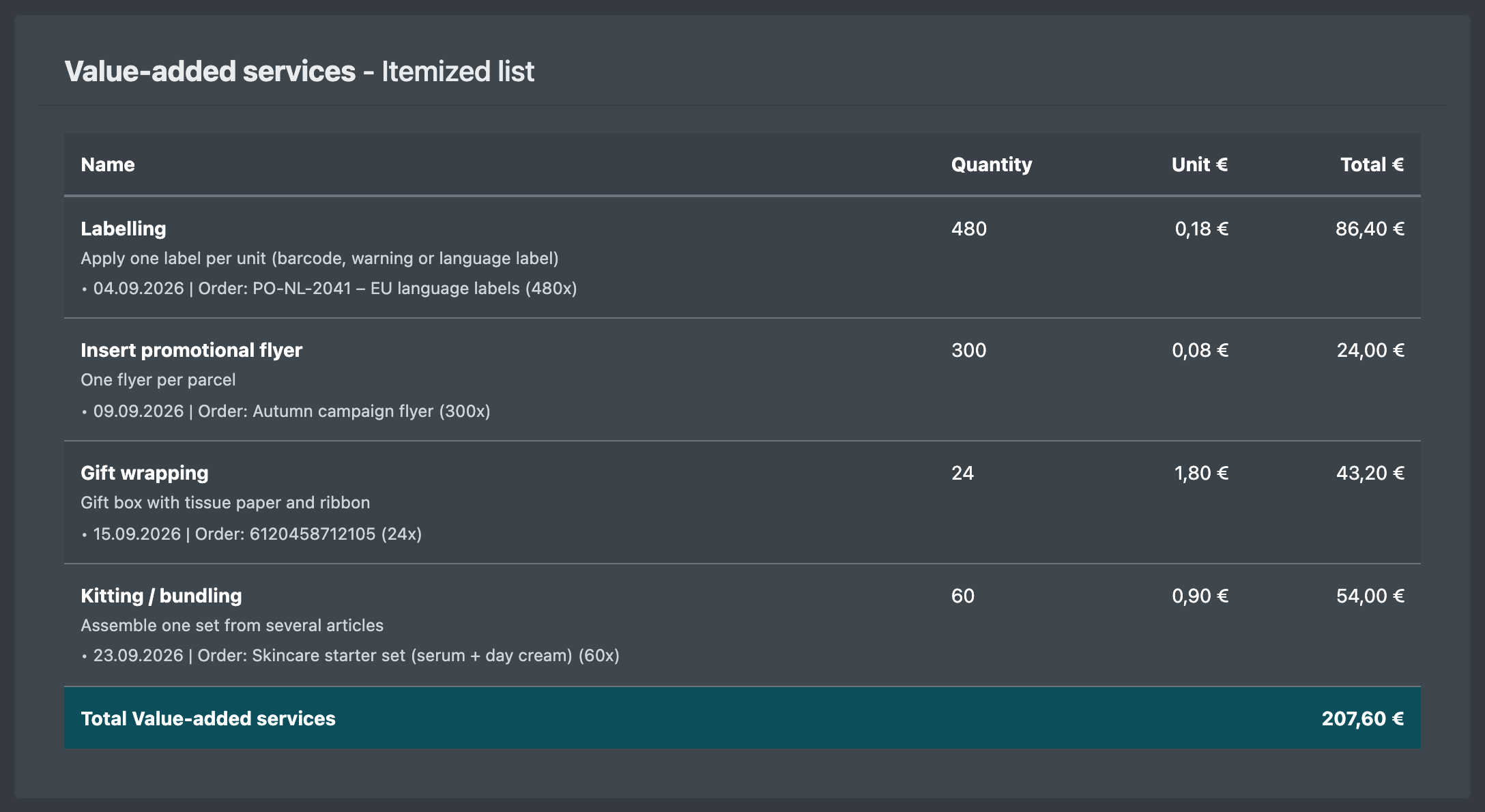
- Total costs = standard cost of the template × quantity. The template name is used as the item name; the template description appears on the statement.
- When you edit a recorded service and save it again, it is recalculated with the current template price.
- On the statement, each service appears as its own line; services with the same name and unit price are combined.
Good to know / Troubleshooting
Tip: always enter the order or advance notice number in Comment. Your client then sees in the detailed breakdown which order the service belongs to.