
VAS templates
Define value-added services such as labelling or repacking with a standard price per unit, and view all recorded services.
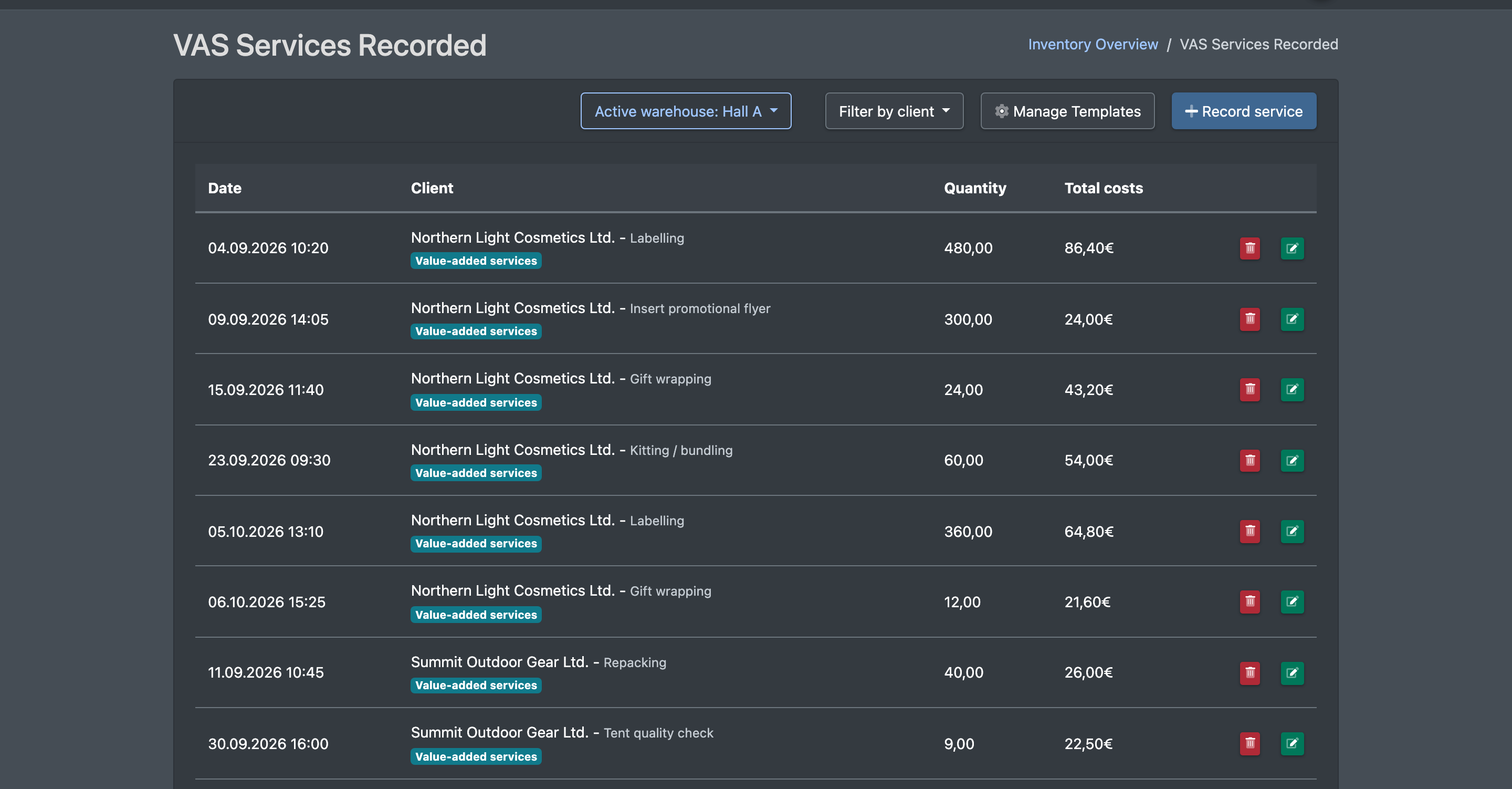
VAS (value-added services) are additional services such as labelling, repacking, kitting or special work. In VAS templates (VAS Vorlagen) you define the activity and its standard cost per unit. The list VAS Services Recorded (Erfasste VAS Leistungen) shows all services your team has recorded – these are charged on the client statement.
Before you start
- Your user needs the permission for the VAS list in the cost settings. To manage templates, you also need the permission for the VAS templates – only then is the Manage Templates button shown. Ask your administrator.
- Recommended: Service categories are set up.
Step by step
Create a VAS template
- Open WMS › Settings › Cost settings › VAS (WMS › Einstellungen › Kosteneinstellungen › VAS).
- Click Manage Templates (Vorlagen verwalten). The list VAS Templates (VAS Vorlagen) opens.
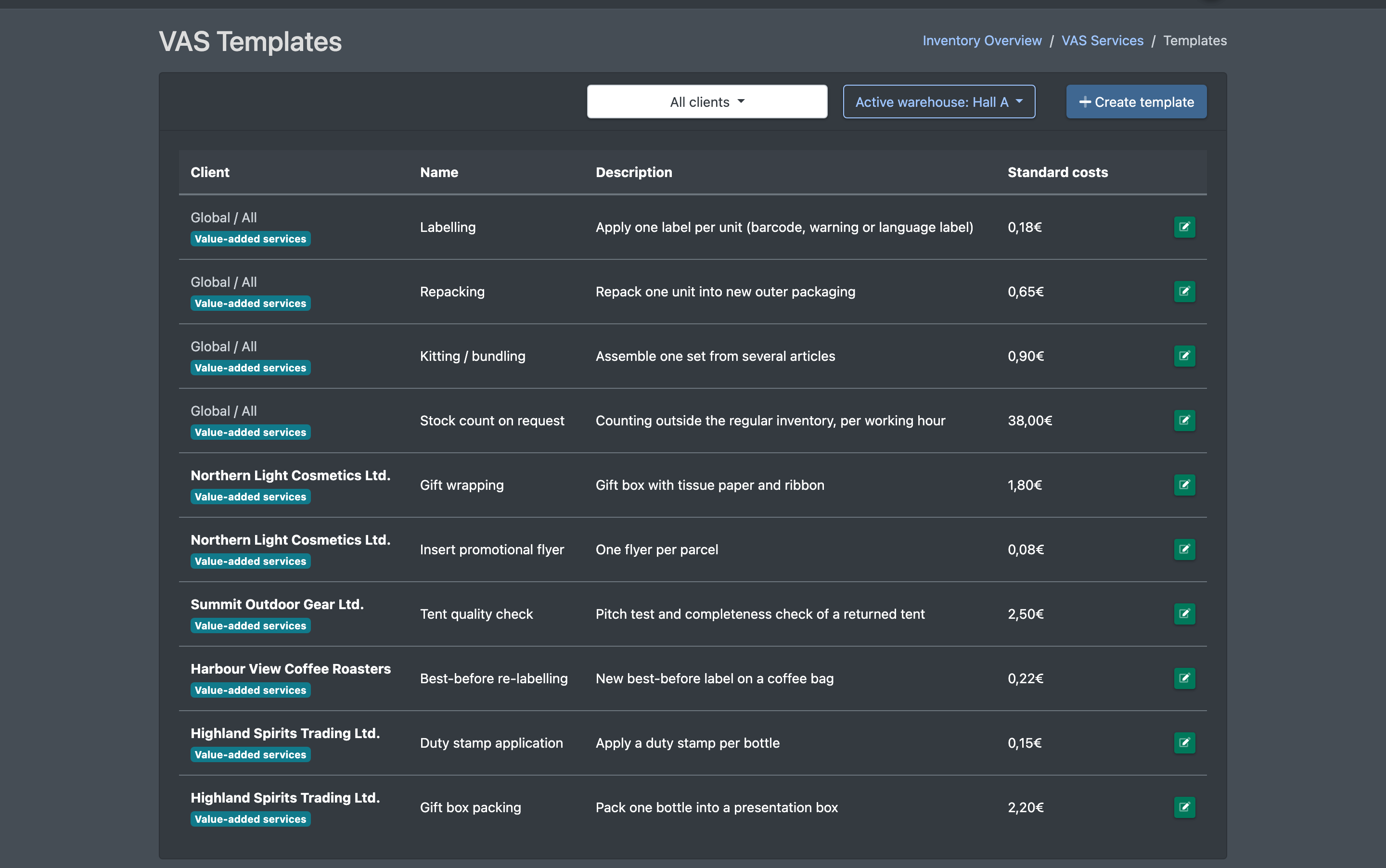
- Click Create template (Vorlage erstellen).
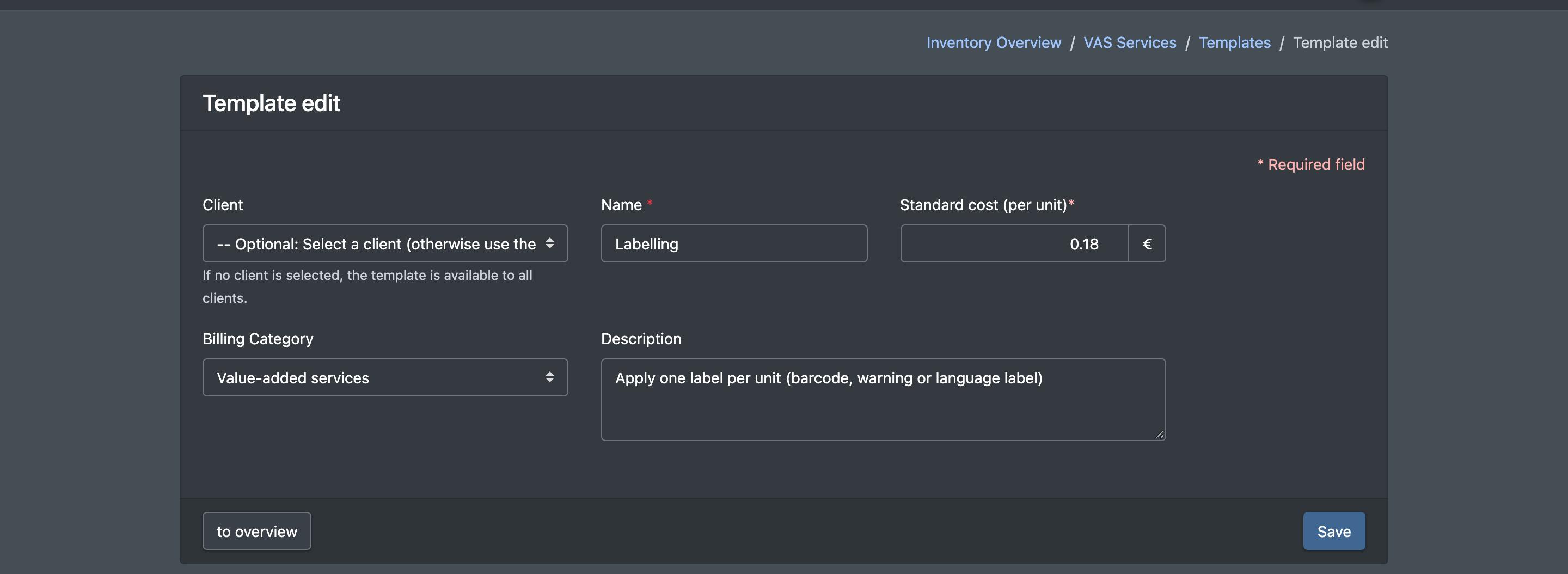
- Optionally choose a Client (Mandant). If you leave it empty, the template is global and available for all clients.
- Enter the Name (Bezeichnung), optionally a Description (Beschreibung), the Standard cost (per unit) (Standardkosten (pro Einheit)) and the Billing Category (Abrechnungs-Kategorie).
- Click Save (Speichern).
Edit or delete
- Click the pencil button in the template list to change a template, or the trash can button to delete it ("Should the entry really be removed?").
- In the list of recorded services, you can edit and delete recorded services in the same way.
Record services
Services are recorded via WMS › VAS Entry (WMS › VAS Erfassen) or the button Record service (Leistung erfassen) in the list, see Record VAS.
Fields and options
How VAS are charged
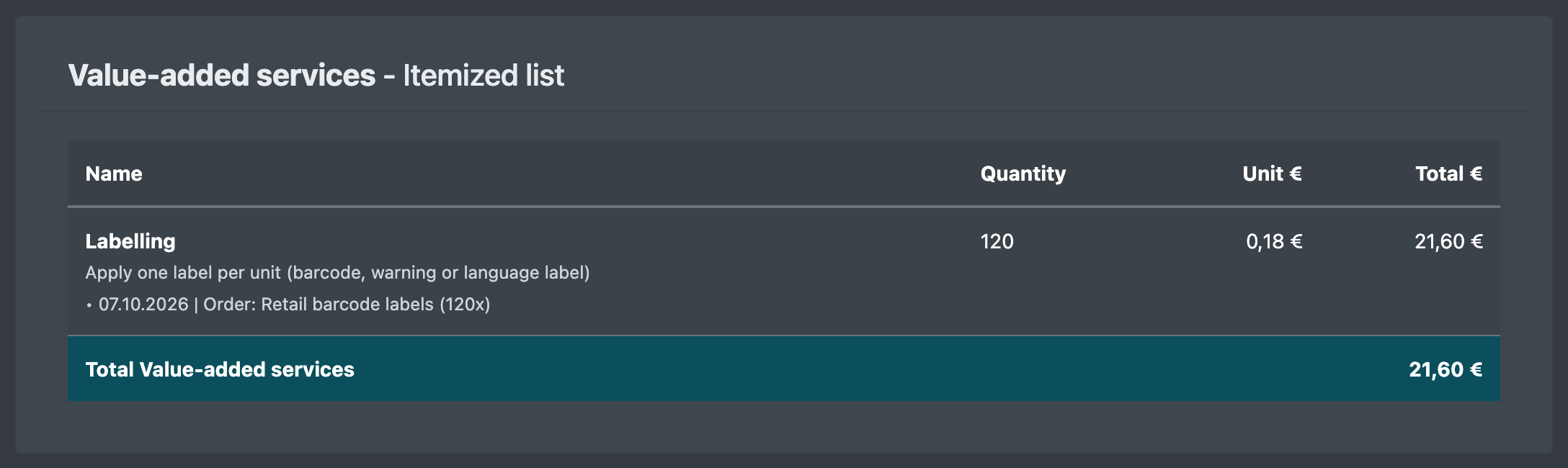
- The total cost of a recorded service = standard cost of the template × quantity.
- On the client statement, every service whose Date of service lies within the billing period is charged (unit price = total costs ÷ quantity). Services with the same name and unit price are combined.
- VAS templates have no validity period – the date of the service decides.
Good to know / Troubleshooting
warning Price changes
Changing the price of a template does not change services that have already been recorded. A recorded service is only recalculated with the current template price when you open and save it again.