
Invoice items
Set up fixed amounts per client, such as a monthly base fee, for every statement or for manual selection.
Invoice items (Rechnungs-Positionen) are fixed amounts per client, for example a monthly base fee or a system flat rate. They are either added automatically to every client statement or offered for selection when you create the statement under New position (Neue Position).
Before you start
- Your user needs the permissions for the invoice items in the cost settings – ask your administrator.
- The client is an active client of yours, see Clients.
Step by step
- Open WMS › Settings › Cost settings › Invoice items (WMS › Einstellungen › Kosteneinstellungen › Rechungs-Positionen).
- Click Create position (Position anlegen).
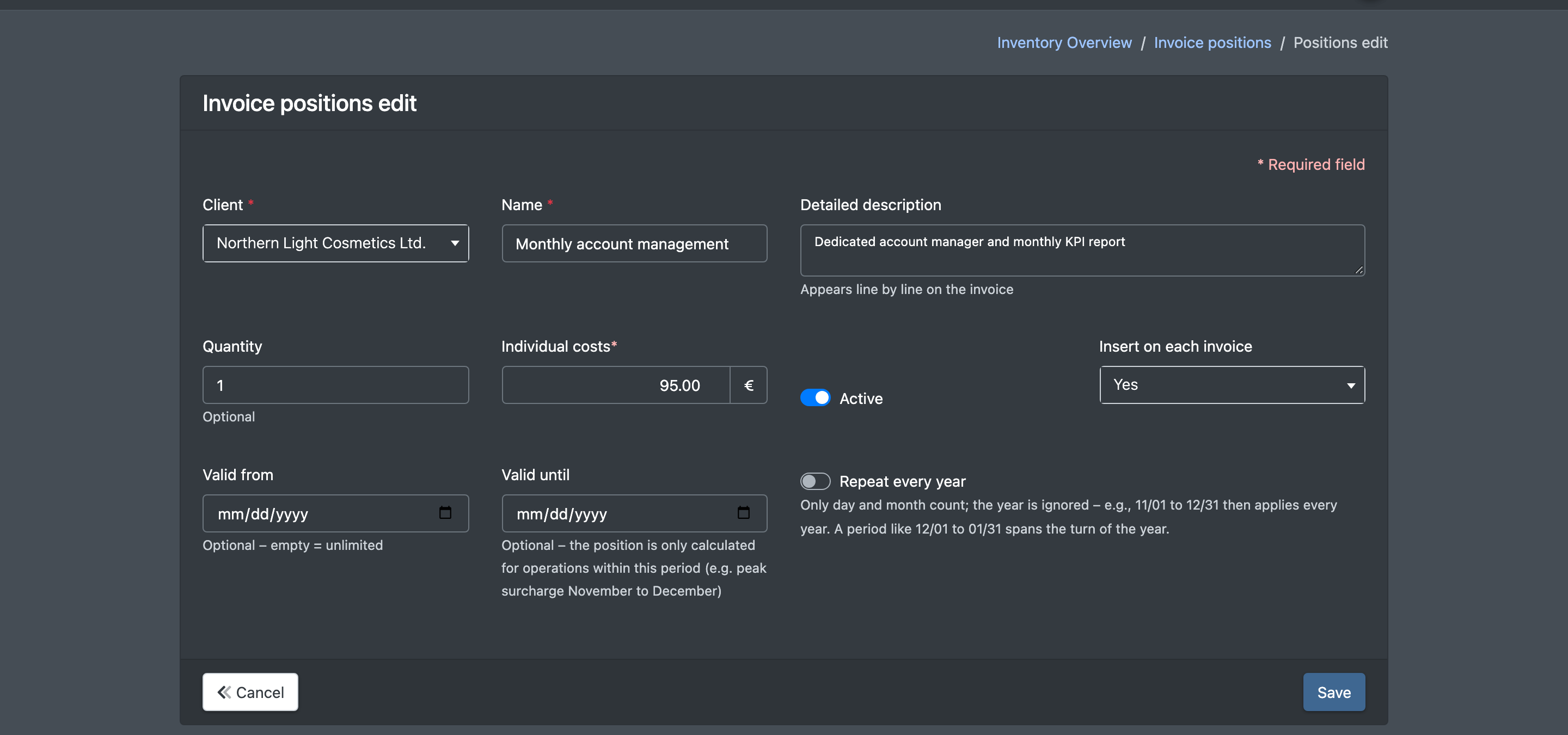
- Choose the Client (Mandant) and enter a Name (Name).
- Optionally enter a Detailed description (Detailbeschreibung) – it appears line by line on the invoice.
- Enter the Quantity (Menge, optional, default 1) and the Individual costs (Einzel-Kosten).
- Tick Active (Aktiv) and choose Insert on each invoice (Auf jeder Rechnung einfügen): Yes (Ja) or No (Nein).
- Optionally set a validity period and click Save (Speichern).
Fields and options
How invoice items are used
- Yes – on every statement: the item is added as a fixed line with quantity × individual costs whenever you open the client statement and the validity period overlaps the billing period.
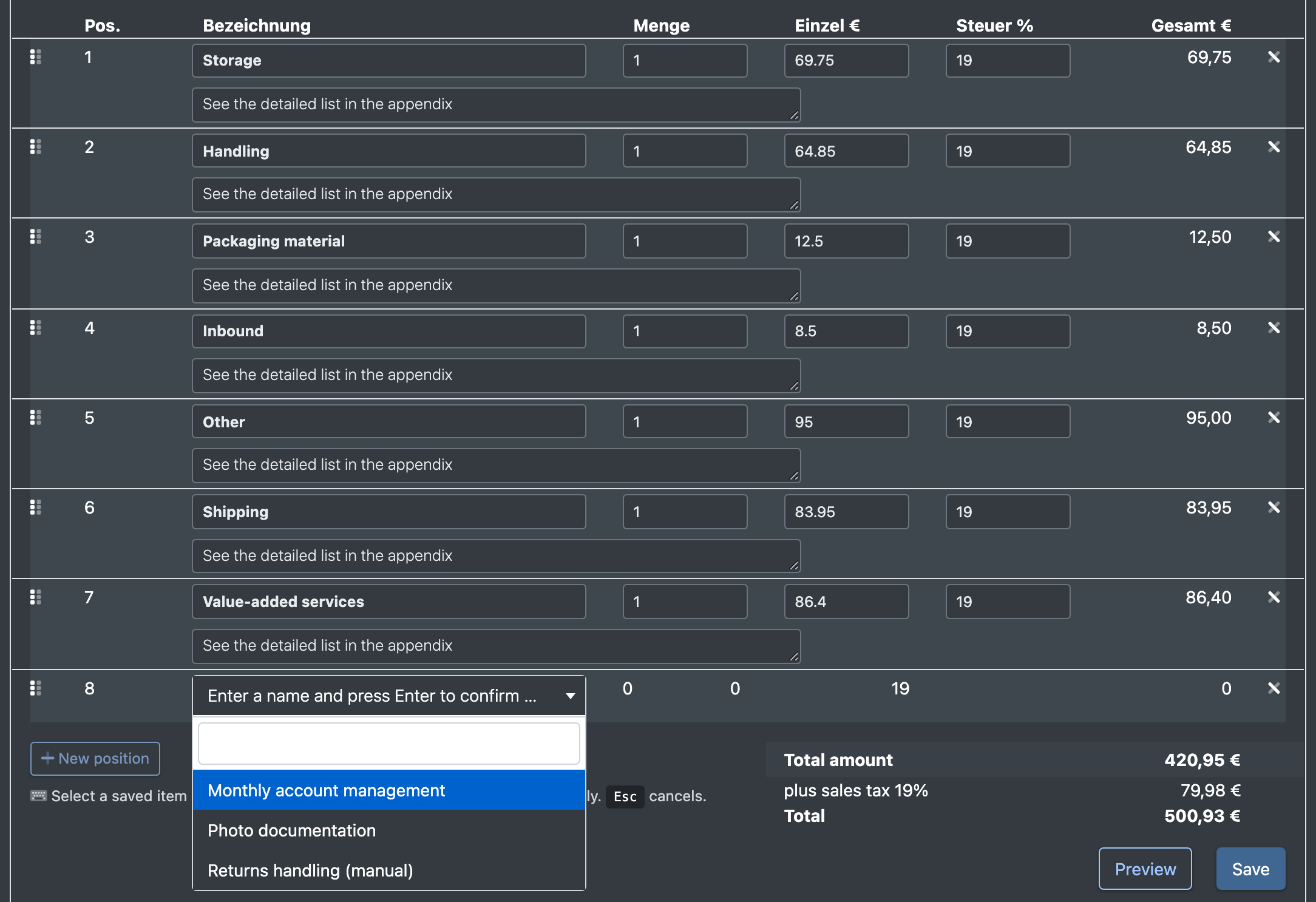
- New position on the statement: the selection lists all active invoice items of the client in the selected warehouse – regardless of "Insert on each invoice". Name, description, quantity and price are copied into the statement, where you can still change them.
Example
- "Monthly base fee", quantity 1, 99.00 €, Insert on each invoice: Yes → appears automatically on every monthly statement.
- "Inventory count (hourly)", quantity 1, 45.00 €, Insert on each invoice: No → you add it manually in the months in which an inventory count took place and adjust the quantity.
Good to know / Troubleshooting
- To stop charging an item, untick Active or set Valid until.
- Use Duplicate (Duplizieren) in the list to copy an item for another client. The copy is inactive until you activate it.