
Validity period of cost templates
Limit a cost template to a date range, e.g. for a peak surcharge or a price change from a fixed date.
Every cost template can optionally apply only for a certain period. Typical examples:
- a peak surcharge from November to December,
- a price change from a fixed date: the old template gets a Valid until date, the new one a Valid from date.
The validity period is available in Order costs, Unloading costs, Storage space costs, Article costs, Material costs, Pallet costs, the Shipping cost matrix and Invoice items.
Before you start
- You need permission for the cost template you want to change (see the page of the respective cost type).
Step by step
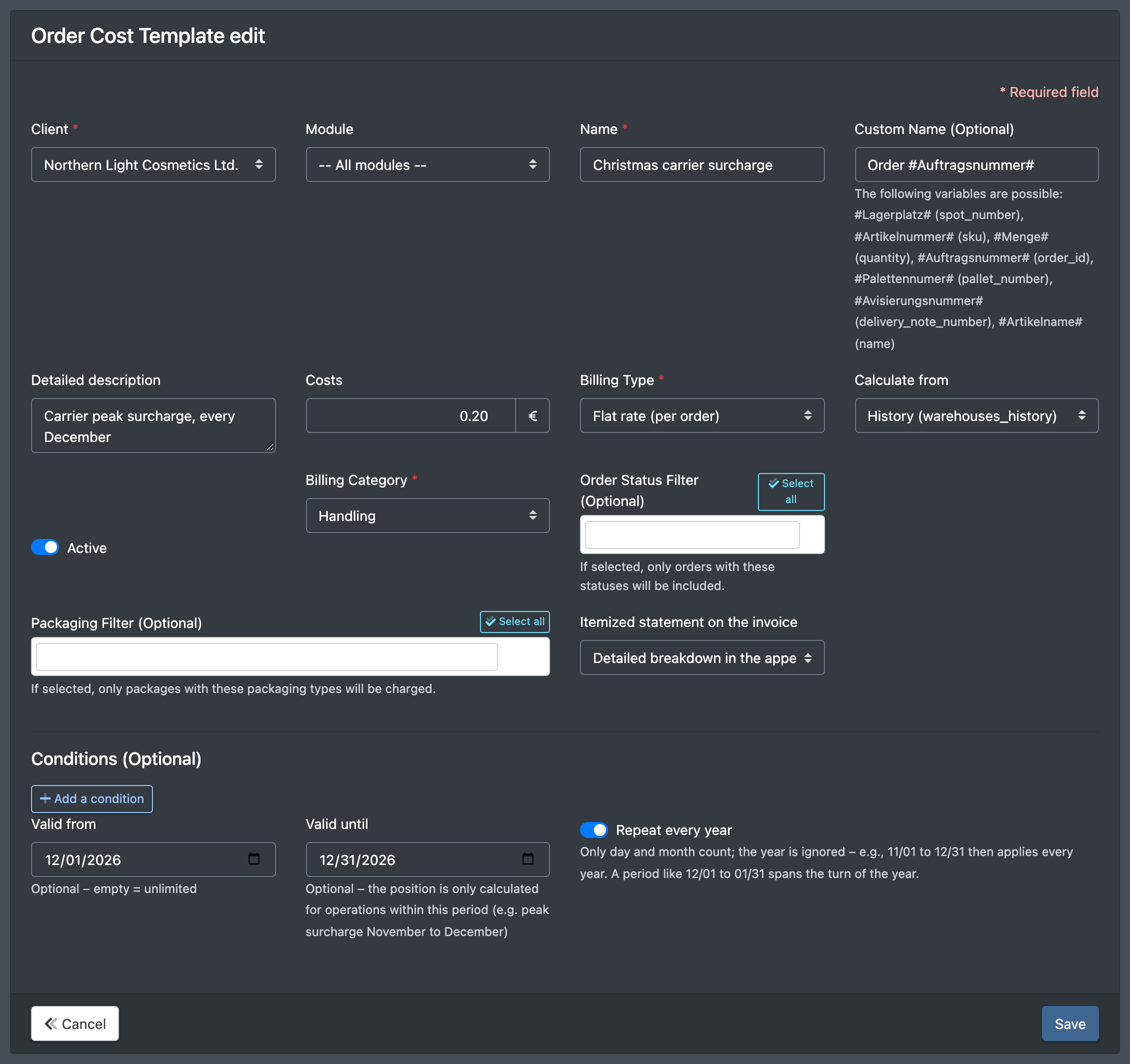
- Open the cost template you want to limit, or create a new one.
- Set Valid from (Gültig von) and/or Valid until (Gültig bis). Both dates are inclusive. Leave a field empty for "unlimited".
- Optional: switch on Repeat every year (Jedes Jahr wiederholen) if the period should come back every year (see below).
- Click Save (Speichern).
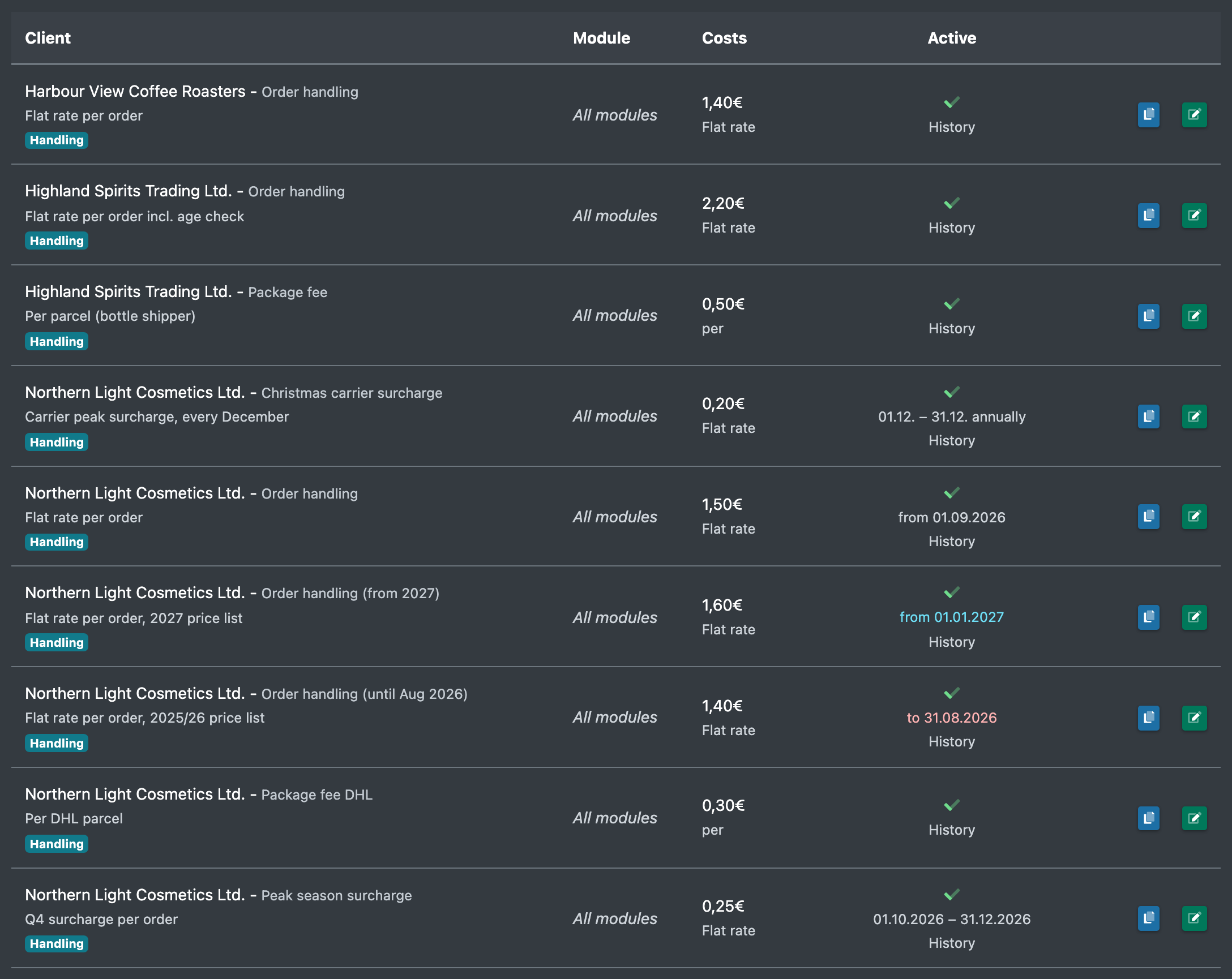
In the template list, the period is shown below the Active (Aktiv) icon.
Fields and options
If you accidentally enter a "Valid from" date after the "Valid until" date, X-Sitter swaps the two dates when saving (not for yearly periods, where a period across the turn of the year is intended).
Colours in the list
How the period affects the statement
- If the validity period lies completely outside the billing period, the template is skipped.
- Time-based costs (Storage space costs, time-based Article costs) are only calculated for the overlapping days.
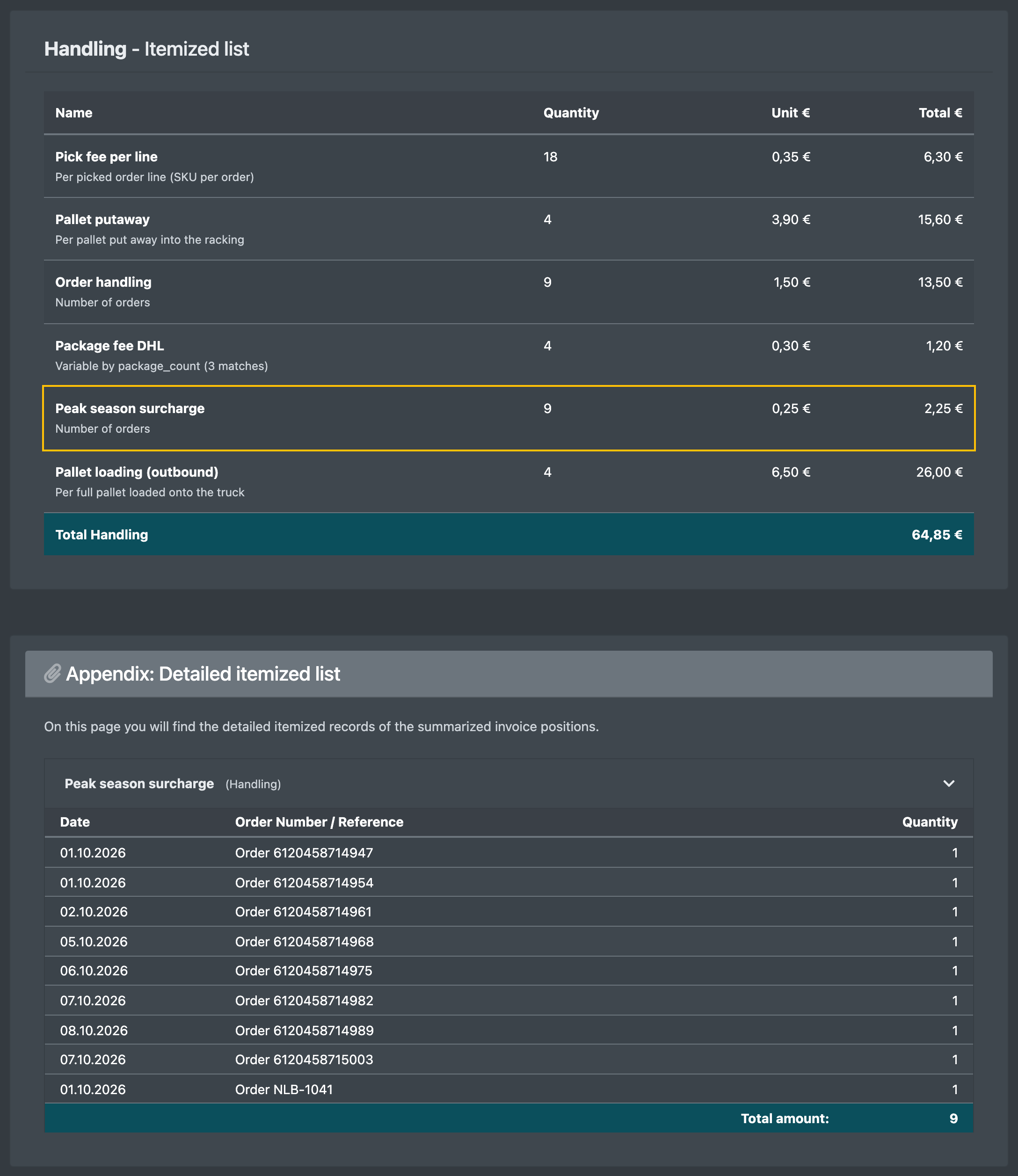
- Event-based costs (orders, advance notices, material movements, shipping labels, pallets) only count events whose date lies within the period.
- Invoice items with "Insert on each invoice" only appear if their validity period overlaps the billing period.
- Recorded VAS have no validity period – the Date of service decides.
Example: price change from 1 January
- In the list, click Duplicate (Duplizieren) next to the current template. X-Sitter creates an inactive copy named "Copy - …" and opens it.
- In the copy, enter the new price, set Valid from to 1 January and switch on Active. Save.
- Open the old template, set Valid until to 31 December and save.