
Article costs
Article costs (Artikelkosten) are the most flexible cost type. They charge services based on stock movements (e.g. putaway, transfer, goods issue), order lines, picklist lines or pallets – for one specific article or for all articles of a client. You can convert quantities into units such as cartons or pallets and restrict the charge with conditions.
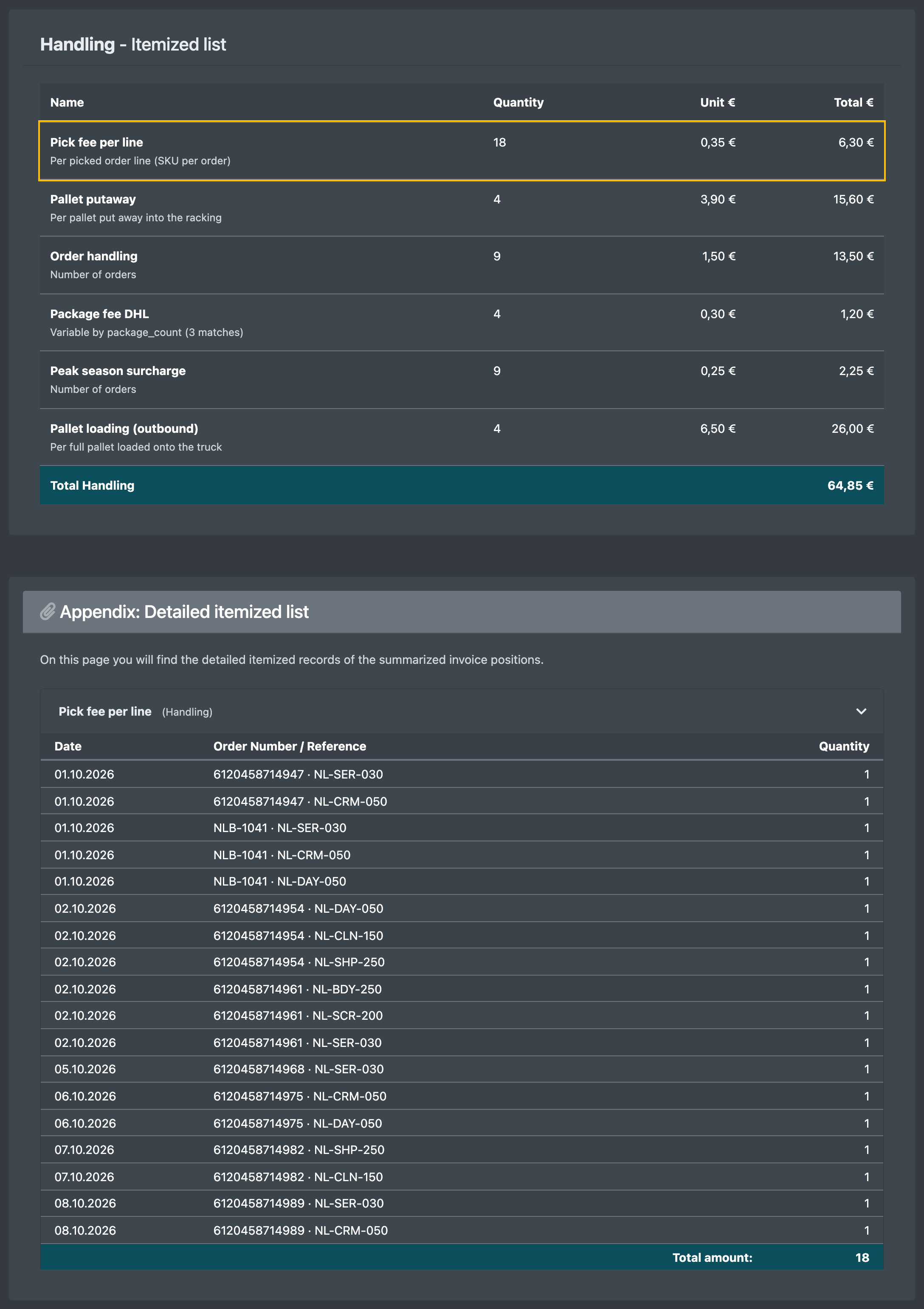
Typical uses: a handling fee per item put away, a pick fee per order line, a fee per carton picked, or a fee per pallet shipped.
Before you start
- Your user needs the permissions for the article costs in the cost settings – ask your administrator.
- The client exists, see Clients.
- A Billing Category is required, see Service categories.
- The stock movement reasons you want to charge (the Action) are maintained in the warehouse settings in the field Stock movement / reason (Lagerbewegung / Grund), see Warehouse settings. The form contains a direct link to this field.
- The quantity units and loading units (e.g. carton, pallet) are maintained in the Warehouse settings.
- For Dynamic picks: the articles have the attribute "units per box" maintained, see Edit an article.
Step by step
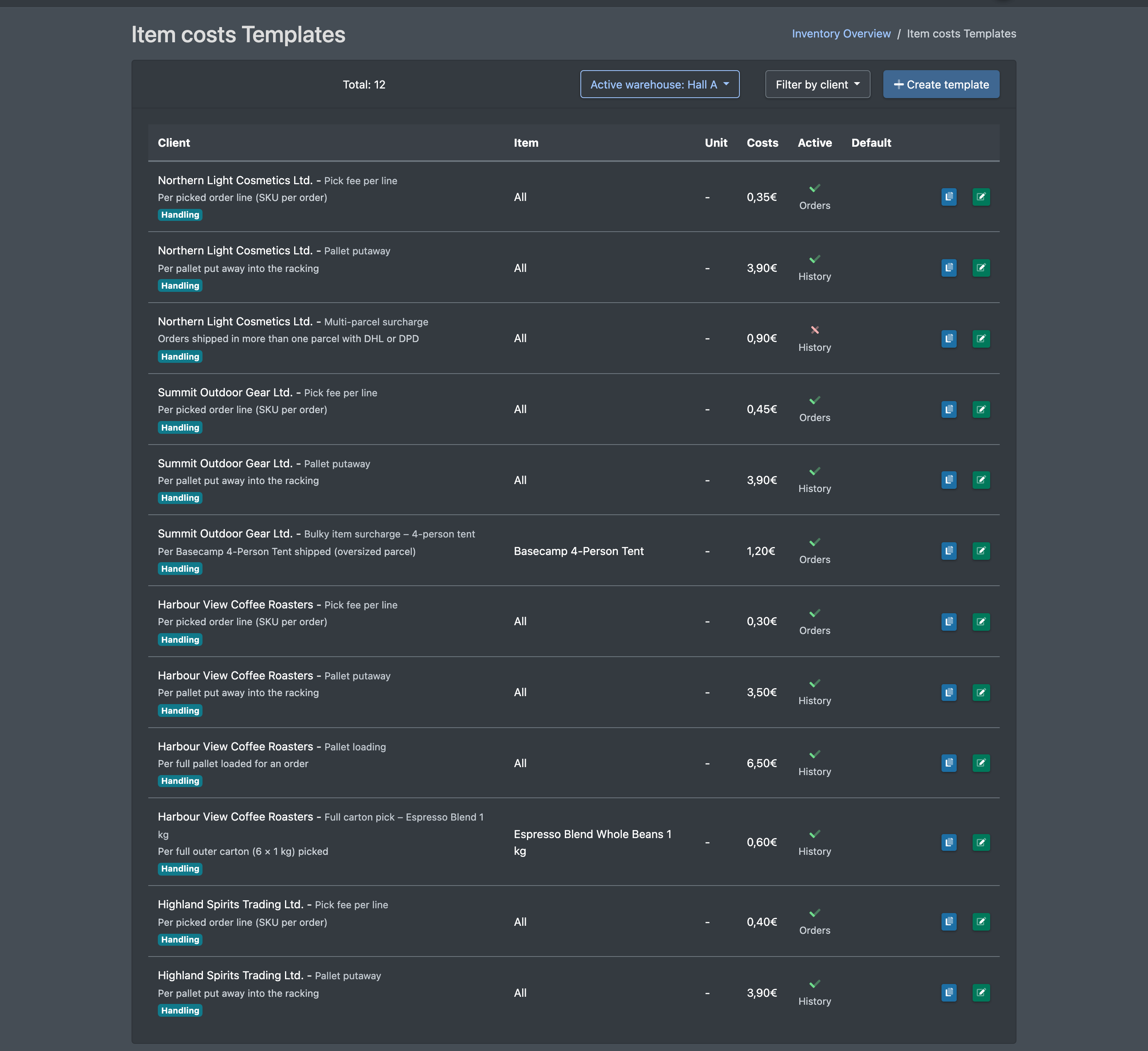
- Open WMS › Settings › Cost settings › Item costs (WMS › Einstellungen › Kosteneinstellungen › Artikelkosten).
- Click Create template (Vorlage anlegen).
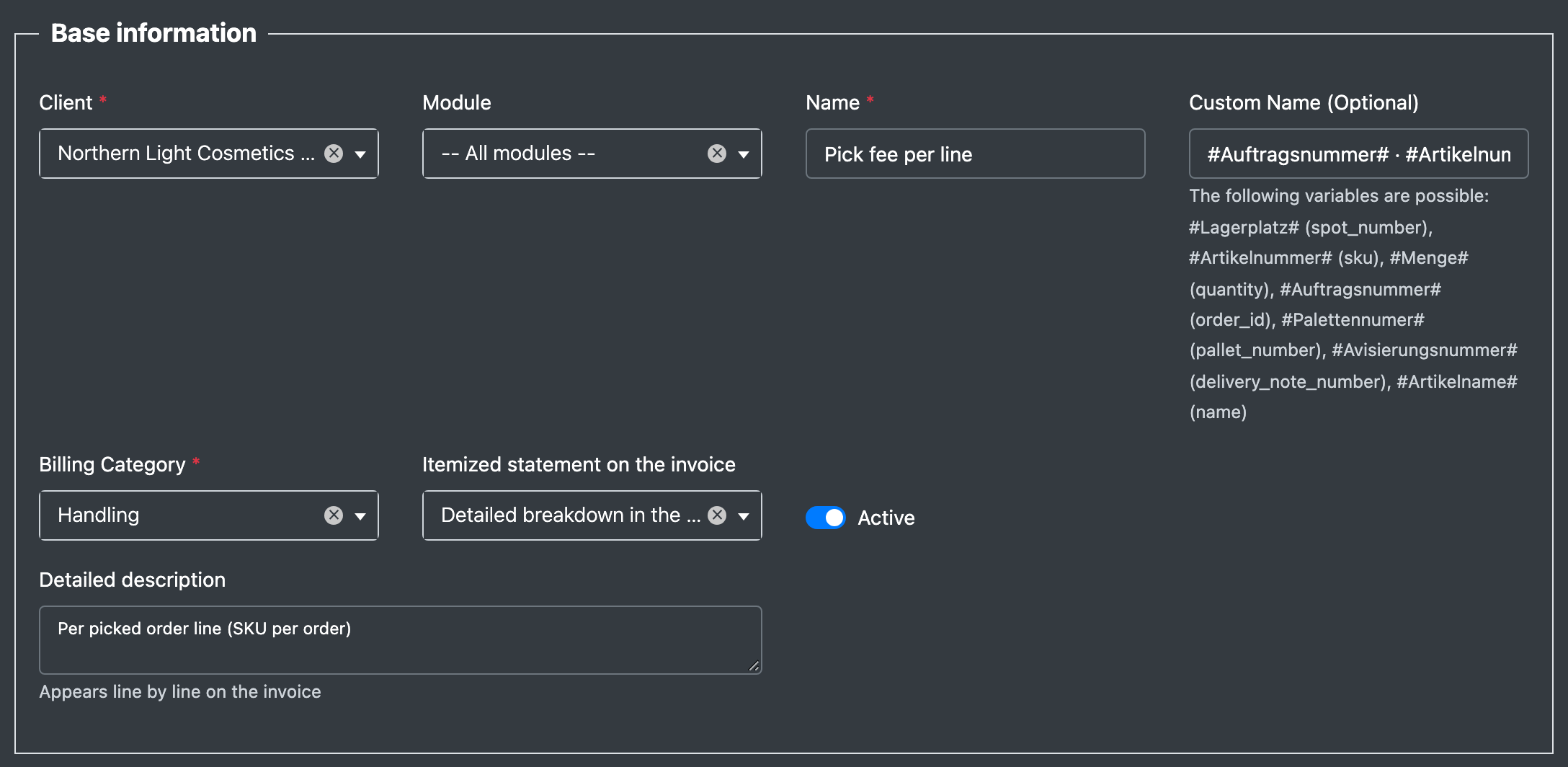
- Section Base information (Basisdaten): choose the Client (Mandant) and optionally a Module (Modul), enter a Name (Name) and optionally a Custom Name (Individueller Name). Choose the Billing Category (Abrechnungs-Kategorie) and the Itemized statement on the invoice (Detail-Darstellung auf Rechnung), tick Active (Aktiv). Optionally enter a Detailed description (Detailbeschreibung) – it appears line by line on the invoice.
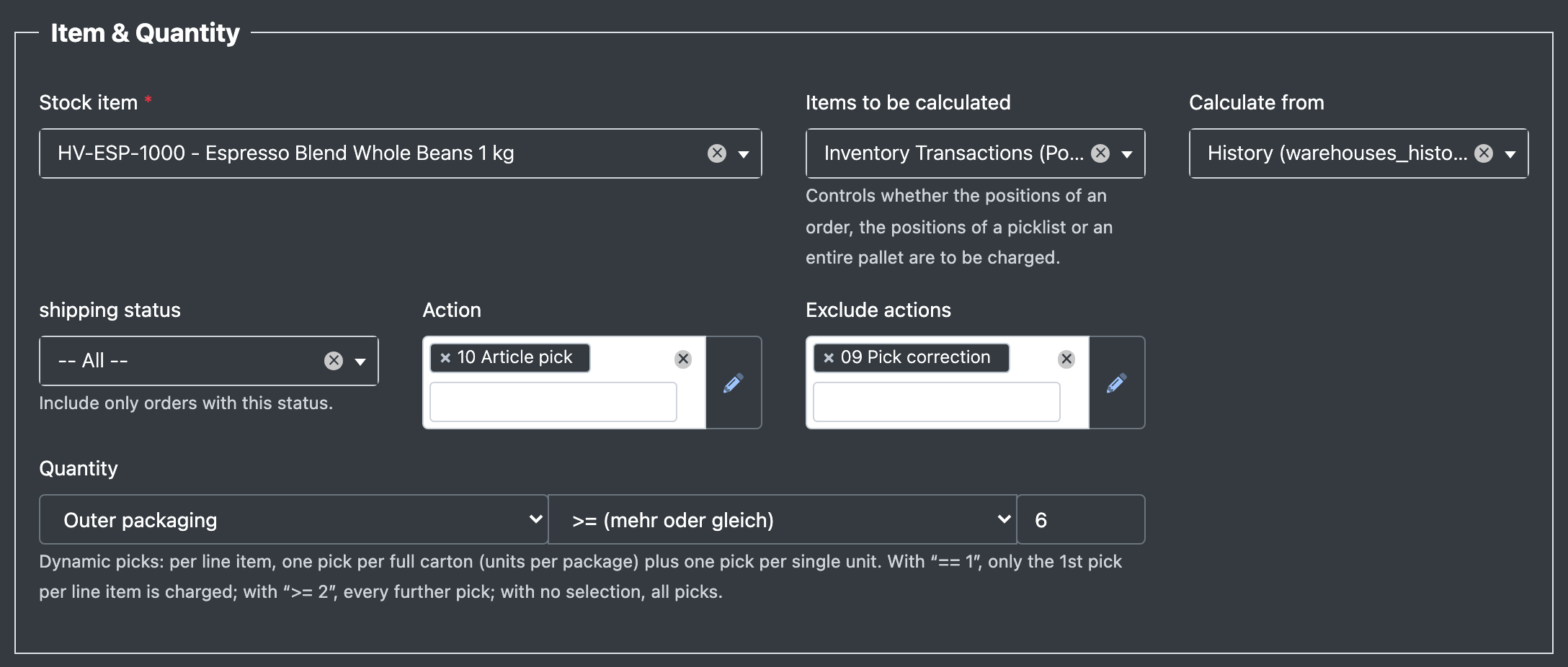
- Section Item & Quantity (Artikel & Menge): choose the Stock item (Lager Artikel) or All (Alle), the Items to be calculated (Zu berechnende Positionen), Calculate from (Ermitteln aus), optionally a shipping status (Versandstatus), the Action (Aktion) and the actions to exclude (Aktionen ausschließen). Then define the Quantity (Menge) with unit, operator and number.
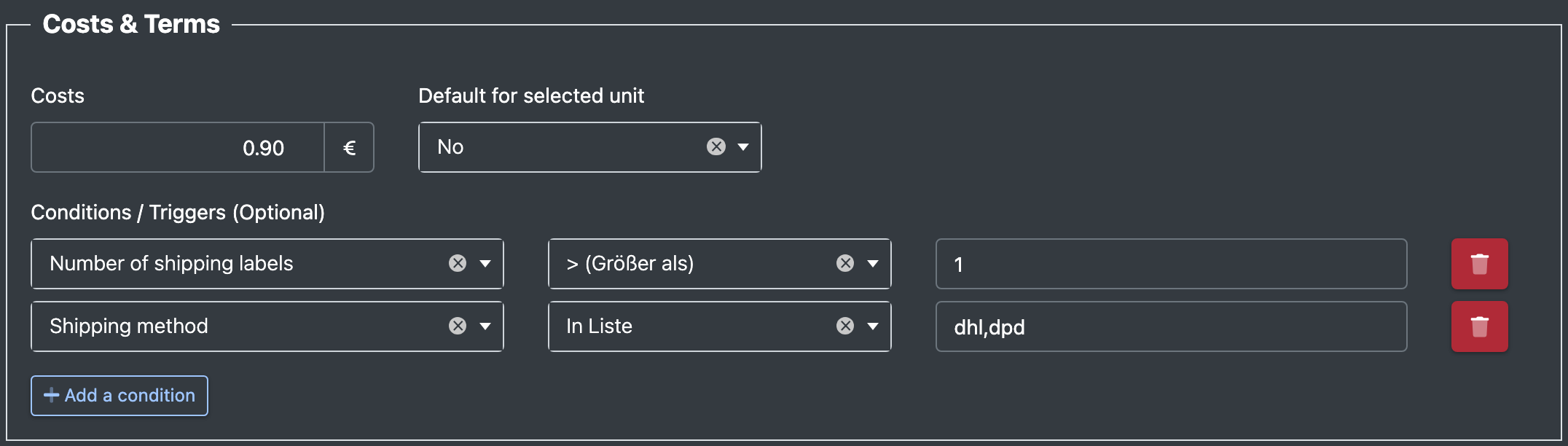
- Section Costs & Terms (Kosten & Bedingungen): enter the Costs (Kosten) and optionally add conditions under Conditions / Triggers (Optional) (Bedingungen / Auslöser).
- Optionally set a validity period and click Save (Speichern).
Fields and options
Quantity operators
Dynamic picks: per line, one pick is counted per full carton (units per box) plus one pick per single piece. With == 1 only the first pick per line is charged, with >= 2 every further pick, without an operator all picks.
How the charge is calculated
Depending on your settings, the statement uses one of these sources:
- Stock movements (history): the client's movements with the selected reasons in the billing period, grouped per order, article, day and reason. With Pallet, each pallet outbound movement counts once.
- Orders: orders and their lines with a delivery date in the billing period.
- Order lines (goods issue / packing): the lines from packing; "total" = piece quantity, "count" = number of lines.
- Picking list items: picked lines with the status picked, packed or shipped.
The Module filter excludes orders from other sales channels.
Good to know / Troubleshooting
- Use Duplicate (Duplizieren) in the list to create similar templates quickly. The copy is inactive until you activate it.