
Warehouse settings
The warehouse settings control how the WMS works in a warehouse: which storage place types and kinds exist, which booking reason a stock movement gets in the history, how picking works, which PDF templates are used for labels, delivery notes and invoices, how place numbers are built and which clients may see the warehouse.
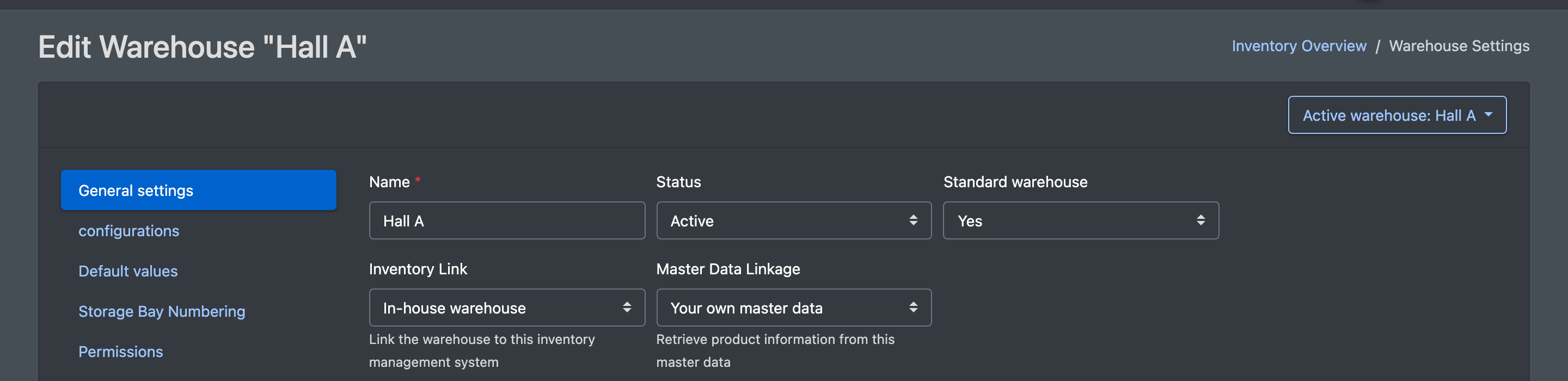
The settings always apply to the current warehouse (warehouse drop-down at the top right).
Before you start
- A warehouse exists – see Warehouses.
- Your user needs the permissions for WMS, Warehouse and Overview – ask your administrator.
- For the fields that select a PDF template, a matching template must exist under PDF documents. Otherwise the field shows "No template was found" (Es wurde keine Vorlage gefunden).
Step by step
- Open WMS › Warehouse › Overview (WMS › Lager › Übersicht) and click Settings (Einstellungen) in the row of the warehouse.
- Choose a tab and change the values.
- Click Save (Speichern). You see "All values have been saved" (Alle Werte wurden gespeichert).
- Lists such as Storage place types (Lagerplatz Typen), Stock movement / reason (Lagerbewegung / Grund) or Priorities (Prioritäten) are maintained with Edit (Bearbeiten). If a list is still empty ("not yet defined", noch nicht definiert), Set default (Standard setzen) fills it with the standard values.
Tab "General settings"
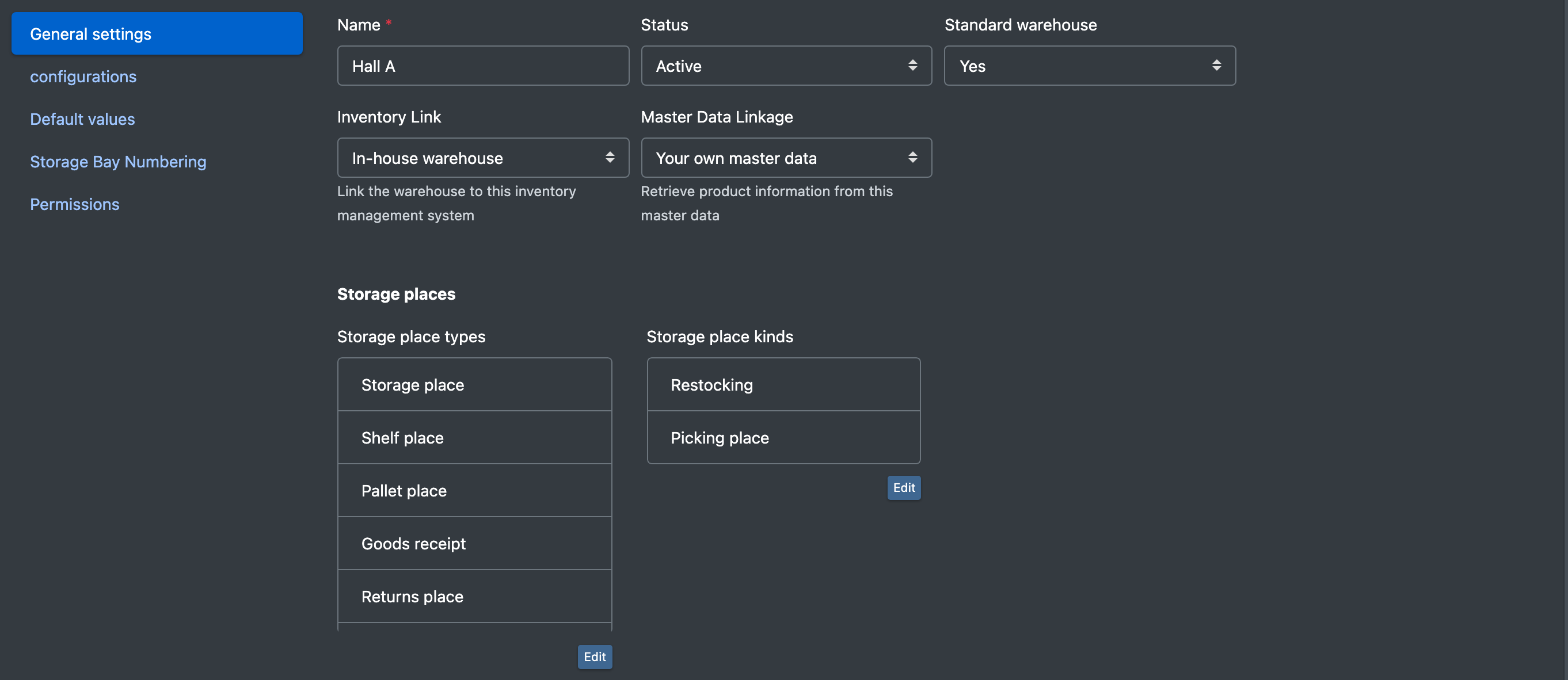
Tab "Configurations"
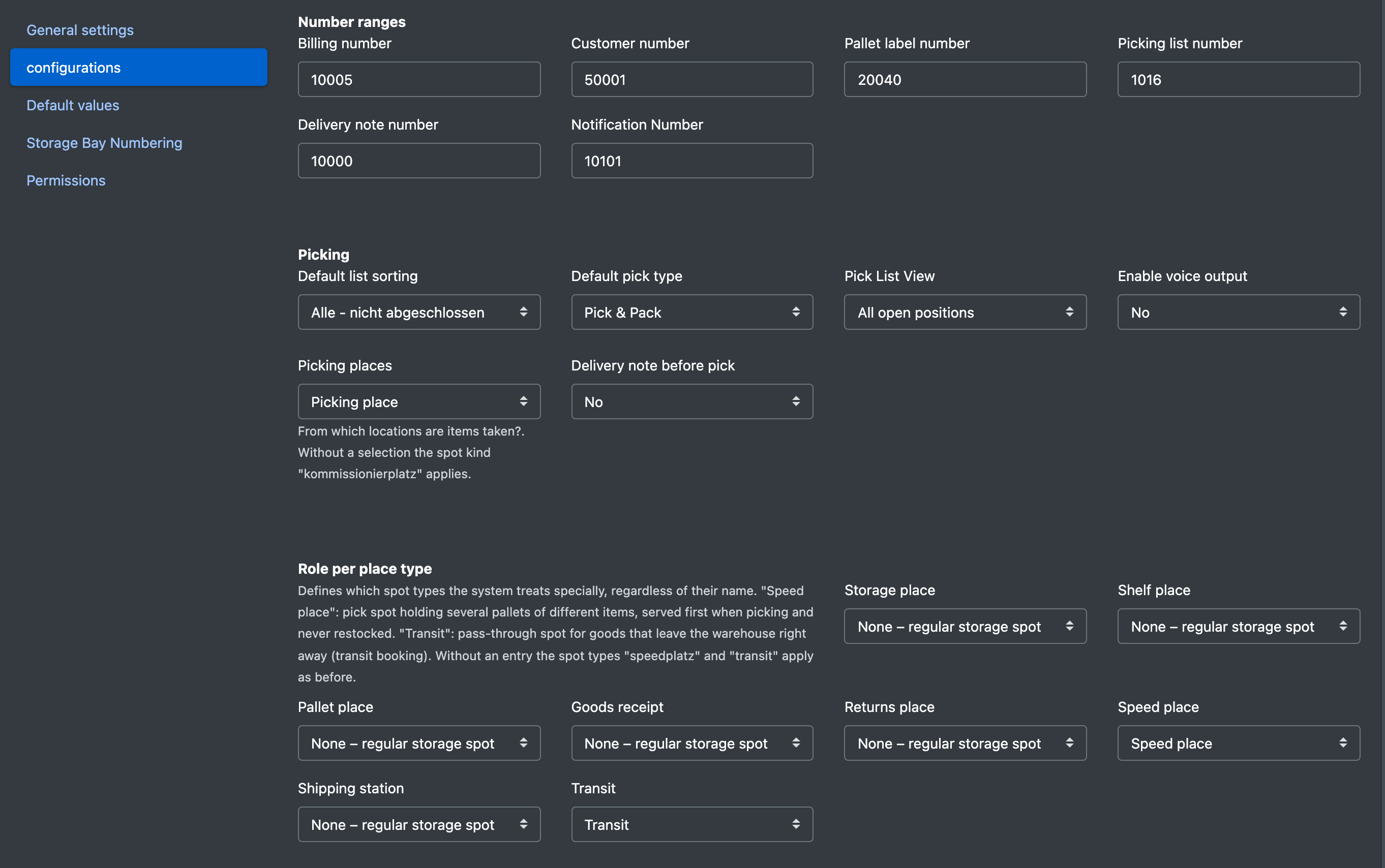
Tab "Default values"
Here you choose the booking reason that each process writes into the stock history: Goods receipt (Wareneingang), Article pick (Artikel Pick), Article packing (Artikel packen), Relocation (Umlagerung), Picklist correction (Picklist-Korrektur), Pallet putaway (Paletteneinlagerung), Shelf putaway (Fachboden-Einlagerung), Pallet loading (Paletten Verladung), Pallet restocking (Paletten NBV), Pallet transport (Paletten Transport), Remaining stock on restocking pallet (Restbestand auf NBV-Palette) and Inventory change (Inventuränderung).
You also set the default Priority (Priorität), the default Storage place type (Lagerplatz Typ) and the Default storage place width (Standard Lagerplatz Breite).
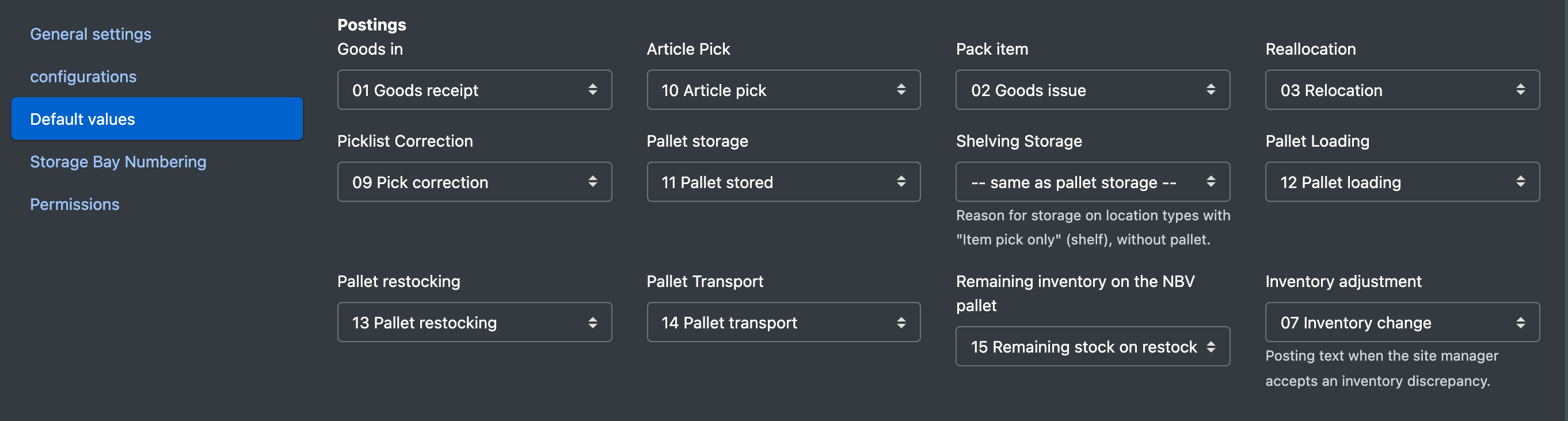
Shelf putaway is used for putaway on place types with "Article pick only" without a pallet. Leave it at "-- as pallet putaway --" (-- wie Paletteneinlagerung --) if you do not need a separate reason. Without any entry, the system uses the reason from your list that matches the purpose.
Tab "Storage place numbering"
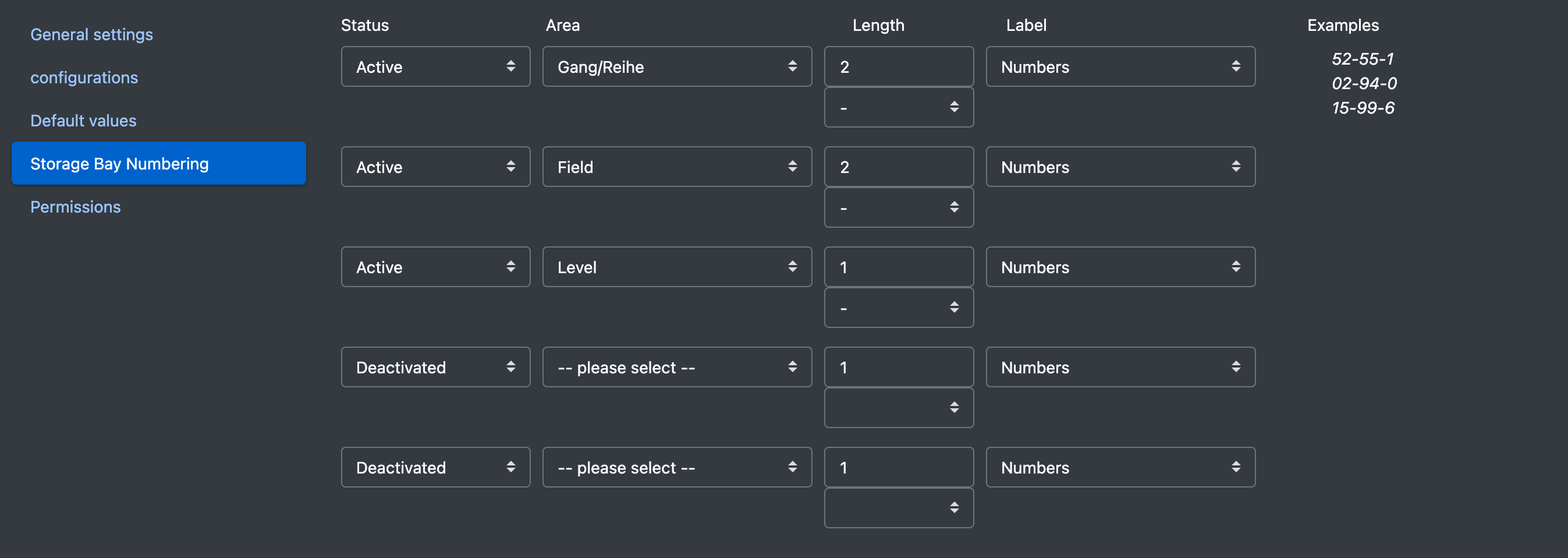
Define up to five segments of your place numbers. Per segment you set:
- Status (Status): Active / Deactivated
- Area (Bereich): e.g. hall, line, block, area, field, level, aisle/row, rack, shelf, width, compartment, box, depth
- Length (Länge): 1 to 5 characters
- Labelling (Beschriftung): Digits (Zahlen) or Letters (Buchstaben)
- Separator: space,
-,_,:,.or/
A preview on the right shows how the numbers will look. The Number assistant builds its places from this structure.
Tab "Releases"
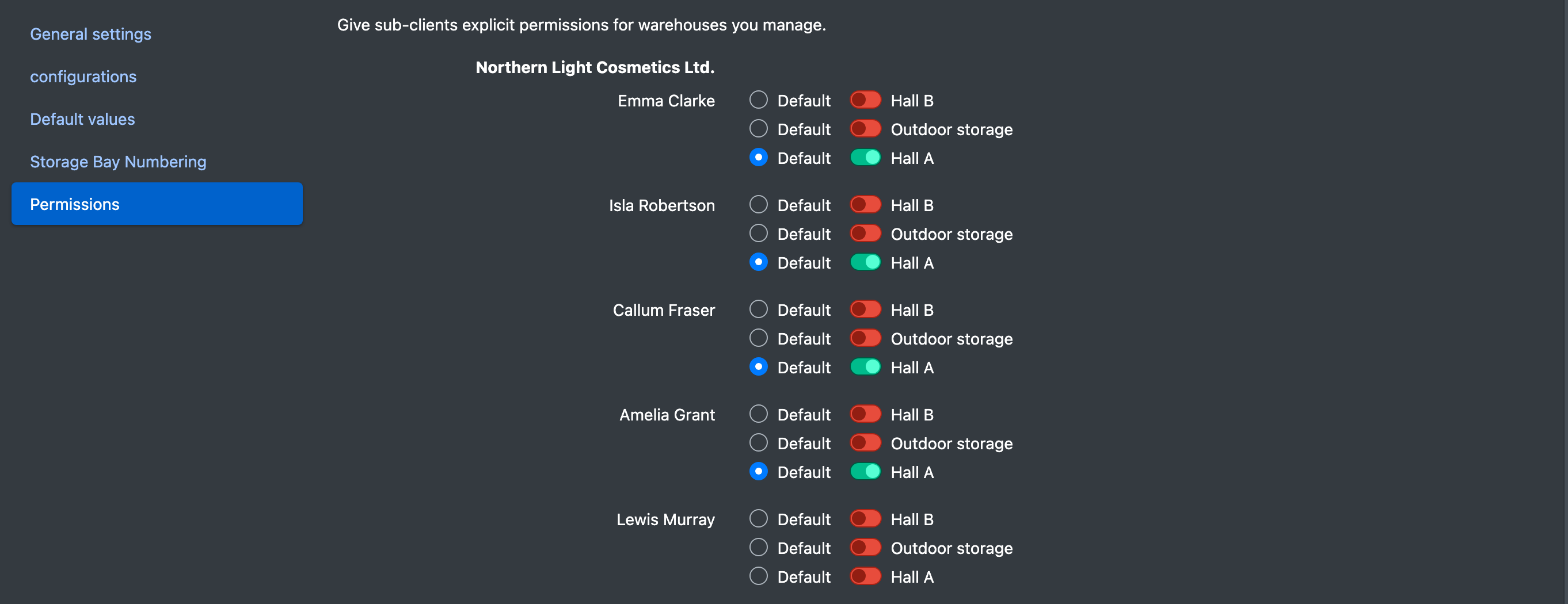
"Give clients explicit releases for warehouses you manage." (Gib Untermandanten explizite Freigaben für Lager die Du verwaltest.)
For every user of your clients you switch on the warehouses they may see and mark one of them as Default (Standard).
Good to know / Troubleshooting
- Where do I set the booking reason for shelves? Tab Default values › Shelf putaway.
- Why can't I move several pallets onto one place? Set Multiple pallets per place to Yes for that place type.