
Article history
See every stock movement in your warehouse – who booked how much of which article on which location, when and why
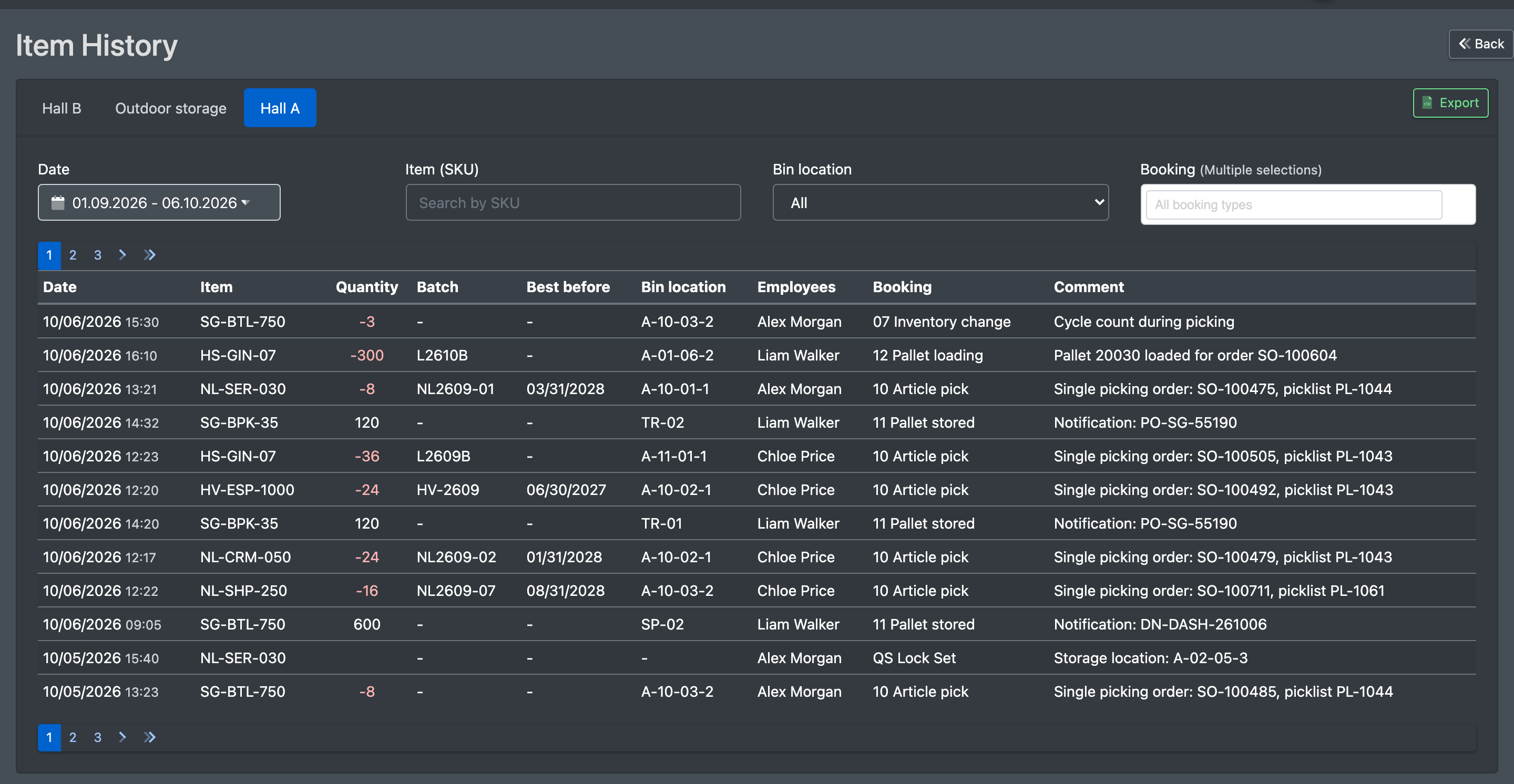
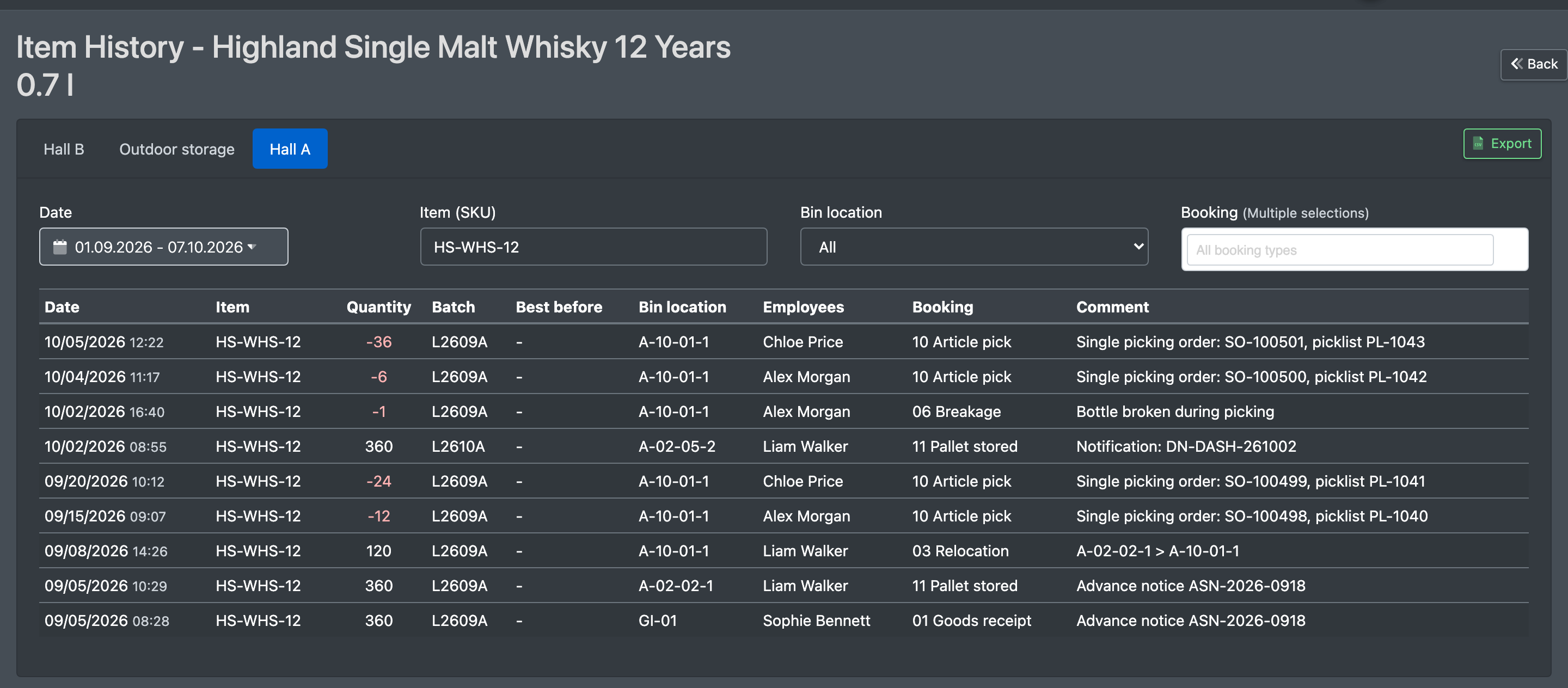
The article history lists all stock movements of your warehouse: putaways, picks, relocations, correction postings, cycle counts and more. Each entry shows date, article, quantity, batch, best-before date, storage location, employee, booking reason and note. It answers questions like "Who booked how much from location X, and when?".
Before you start
- Your user needs the permission for Item History (Artikel Historie). Ask your administrator if the menu entry is missing.
- Entries are created by the booking processes, for example Putaway, Relocation, corrections in the stock overview, Cycle count and Picking.
- The booking reasons come from the default values in the warehouse settings or from fixed texts such as "Zwischen-Inventur (Pick)".
Step by step
- Open WMS › Storage › Item History (WMS › Lager › Artikel Historie). Alternatively, click View history (Historie anzeigen) in the stock overview or the location list. The history then opens already filtered to that article or location.
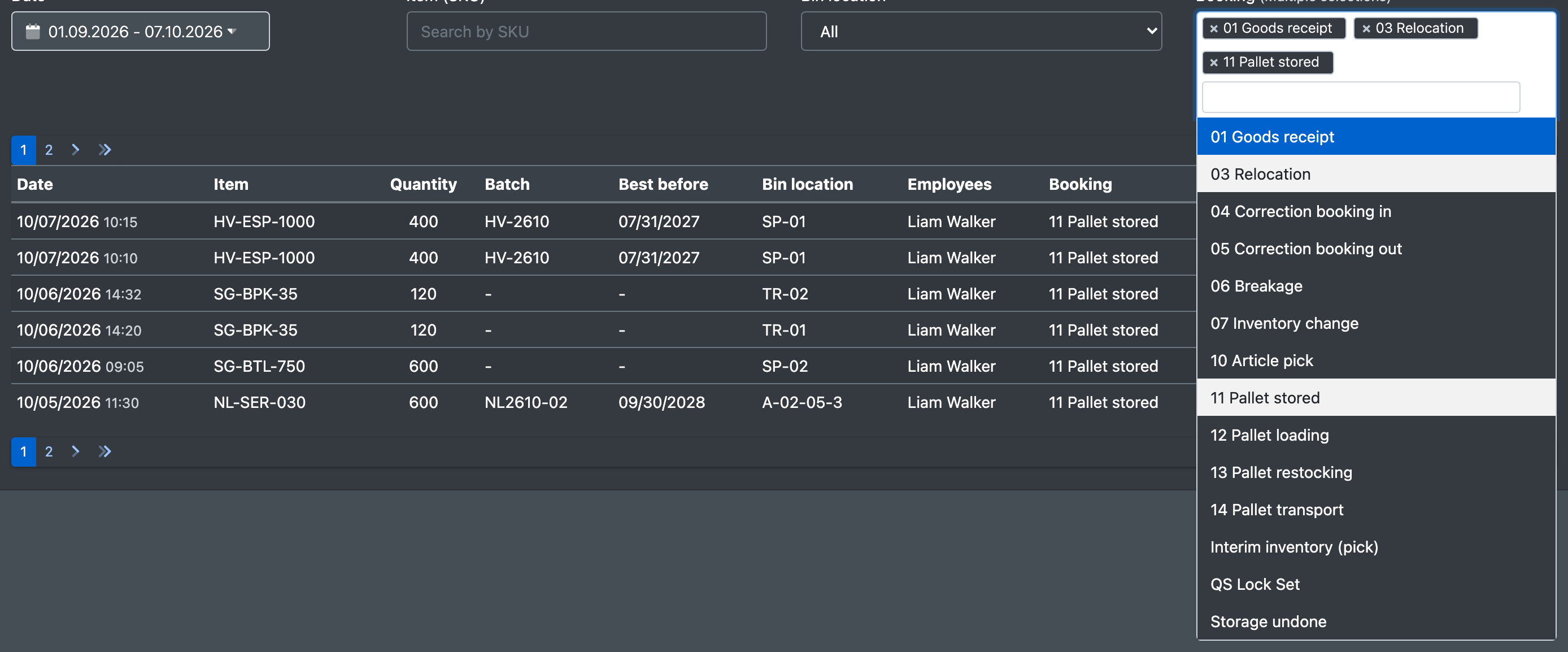
- Set the filters:
- Date (Datum): This Month (Dieser Monat), last month (Letzter Monat), a custom range (Eigener Bereich) or all time (Alle Zeiten)
- Item (SKU) (Artikel (SKU)) – search with Search by SKU (SKU Suchen)
- Bin location (Lagerplatz)
- Booking (Buchung) – All booking types (Alle Buchungsarten) or several types at once
- The entries load automatically ("Loading entries..." – Lade Einträge...).
- Click Export to download the filtered history as a CSV file (Gefilterte Historie als CSV exportieren).
Columns
Alcoholic articles: taxed or untaxed
For alcoholic articles the note shows how the booked pieces split into taxed and untaxed goods – the same figures as in the alcohol tax ledger:
- putaway and transfer at the scanner: "Notification: DN-DASH-261002 – of which 0 taxed / 60 untaxed",
- undone putaway: "Notification cancellation: DN-DASH-261002 – of which 0 taxed / 60 untaxed" (untaxed goods are taken back first),
- shipment at the packing station and at loading (taxed goods are used up first).
Picks and relocations have no tax status – the stock itself does not know it, the split is only fixed when the goods are shipped. Older entries, booked before X-Sitter recorded the tax status, do not have it either.

Good to know
- The article history is also the data source for the movement charts and the top sellers and slow movers on the warehouse dashboard.
- To check a stock difference, filter by the location and the article and look at the booking reasons.