
Pallet overview
Find pallets by pallet number, SKU or location, export them and clean up missing or faulty pallet labels
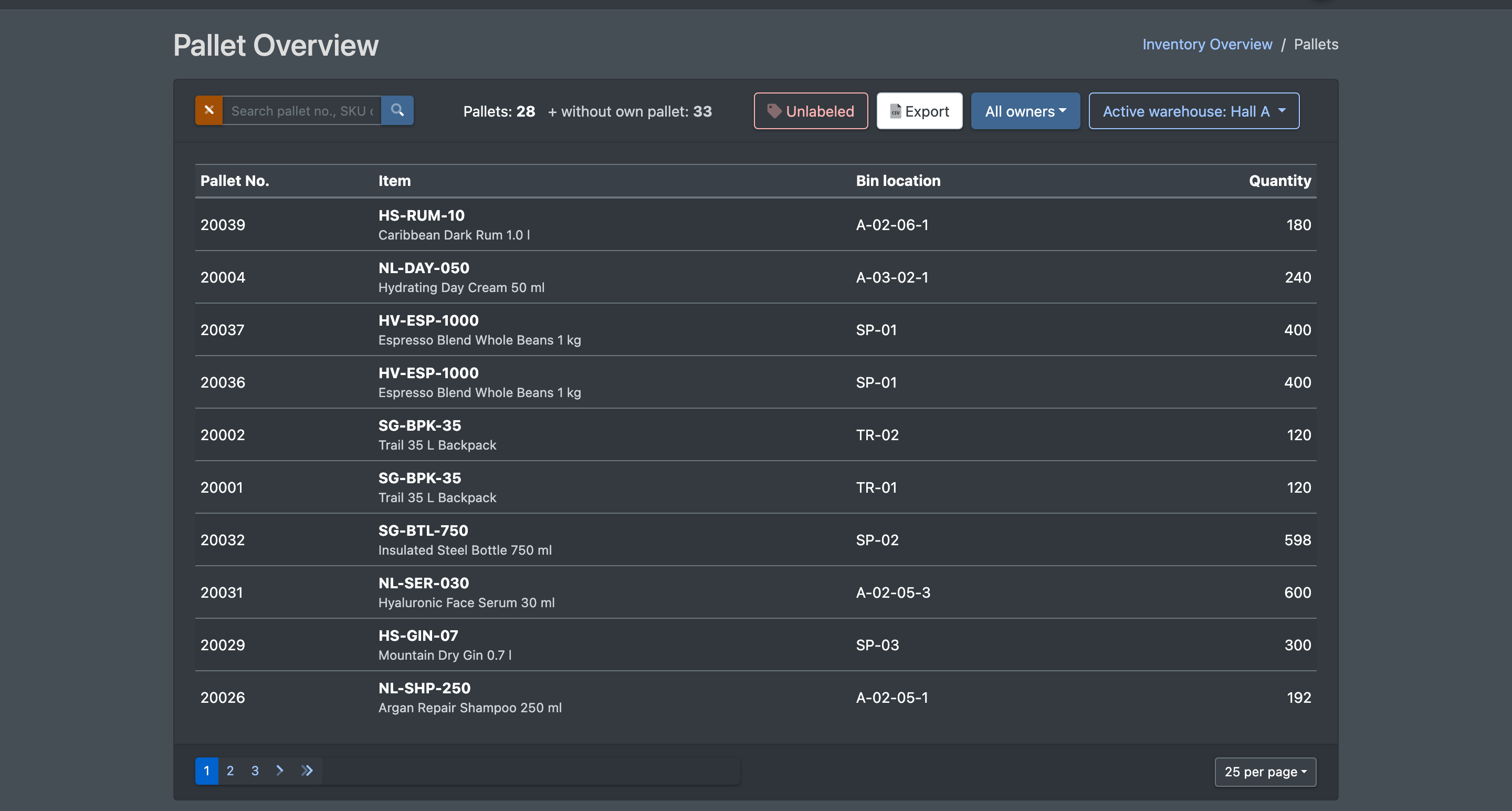
The pallet overview lists the pallets of the current warehouse with pallet number, article, storage location and quantity. Use it to find a pallet, to export the list and to tidy up: you can filter locations that hold pallet stock without a label and delete faulty labels.
Before you start
- Your user needs the permission for Pallet Overview (Paletten Übersicht). Ask your administrator if the menu entry is missing.
- Pallets are created during putaway on pallet locations, or when you move a partial quantity during a relocation.
Step by step
- Open WMS › Storage › Pallet Overview (WMS › Lager › Paletten Übersicht).
- Search in Search pallet no., SKU or storage location (Suche Paletten-Nr., SKU oder Lagerplatz) and filter by owner if needed.
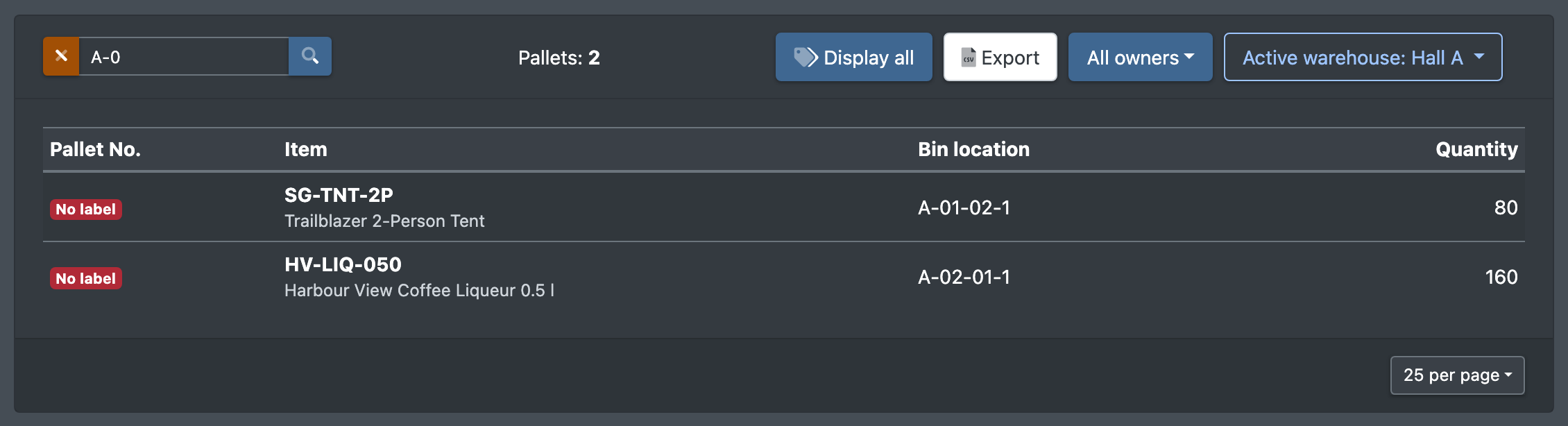
- Click Unlabeled (Ohne Label) to show only locations without a label (Nur Plätze ohne Label anzeigen). Display all (Alle anzeigen) shows all pallets again.
- Click Export to download the filtered view as a CSV file with pallet number, item number, article name, location, quantity and date added.
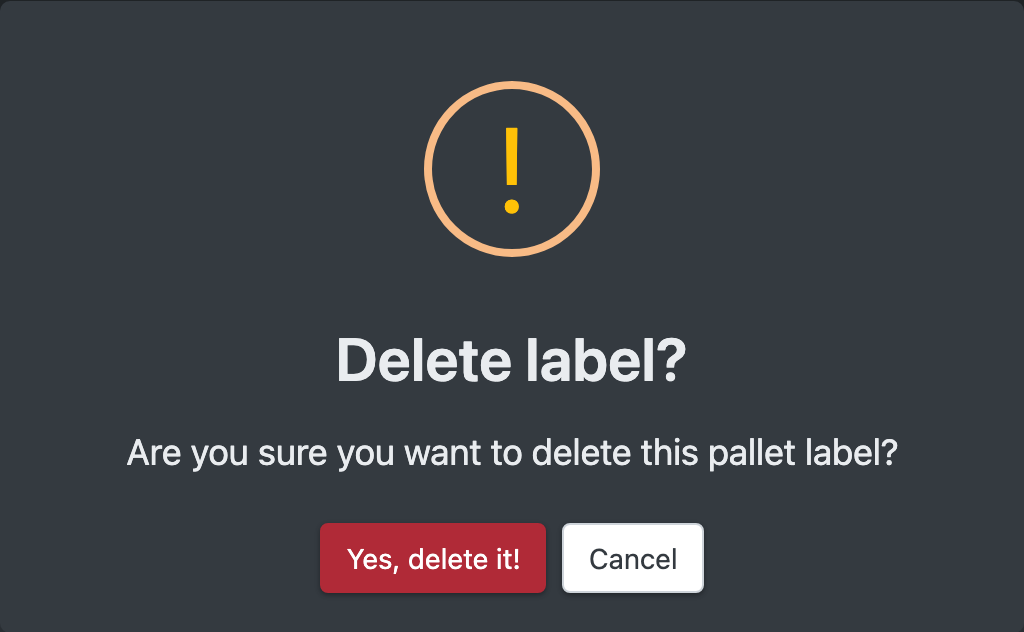
- To delete a label, click Delete label (Label löschen) and confirm "Are you sure you want to delete this pallet label?". X-Sitter confirms with "The pallet label has been removed". The stock itself stays unchanged.
Columns
At the top you see the number of pallets. Shelf stock and additional articles on an already occupied pallet location do not count as a pallet of their own – just like in the stock overview. They are counted separately as without own pallet (ohne eigene Palette) and marked with a grey badge.
Good to know
- Pallet labels are scanned during relocation and pallet rides. A deleted label can no longer be found there.
- To create a new label, use Print pallet labels in the stock overview. When importing stock via a product import template, you can also create pallet labels, see Import templates.
- Labels without stock are cleaned up automatically every night.