
Pallet rides
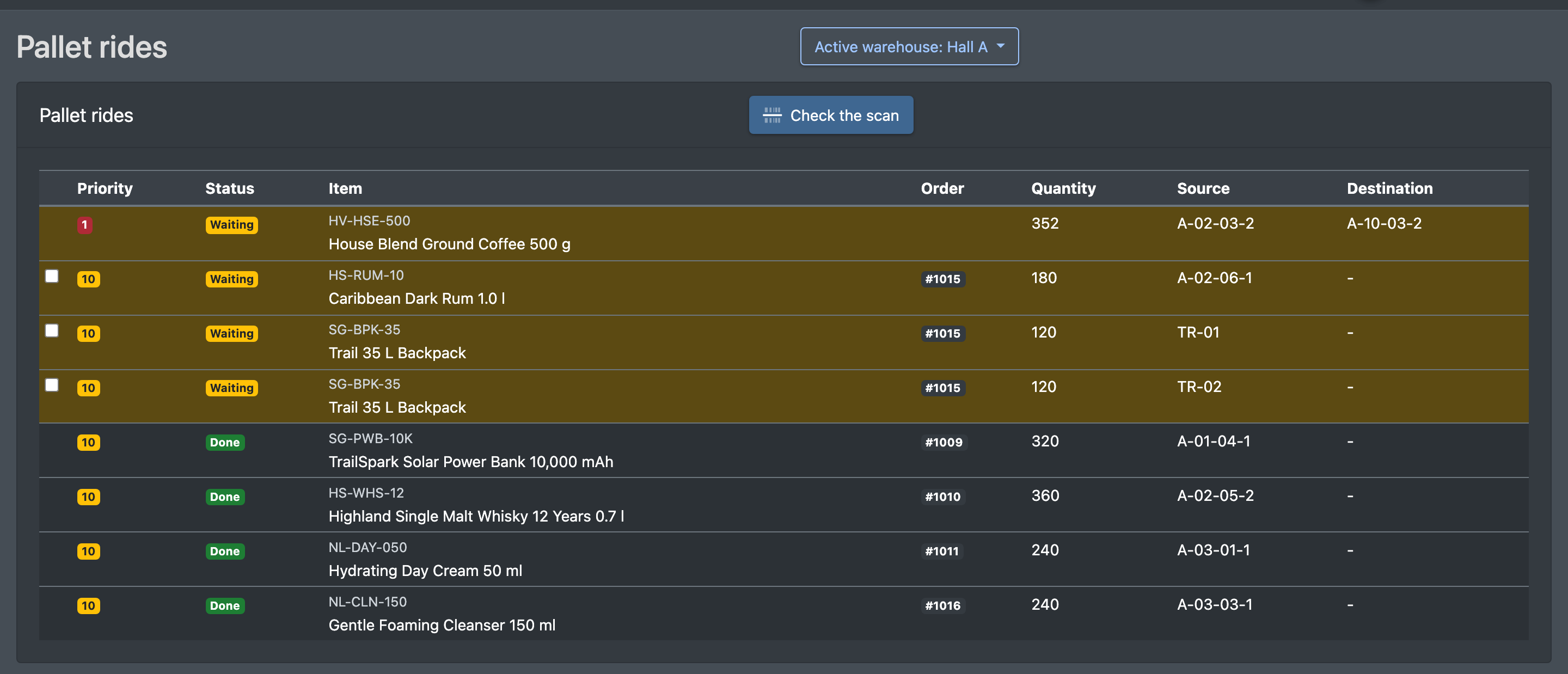
Restocking and transport tasks for forklift drivers – take over a task, scan the pallet, scan the destination.
Pallet rides are tasks for forklift drivers. A pallet has to be fetched from a source storage place and brought either
- to a target storage place – restocking (replenishing the pick place), or
- to a deposit location / shipping station – transport (e.g. full pallets for an order).
The tasks are created automatically from picklists and restocking rules. The driver takes them over and confirms them by scanning the pallet and the destination. In the menu the page is called Pallet rides (Palettenfahrten).
Before you start
- Your user needs the permission Pallet rides (Palettenfahrten) – ask your administrator.
- You do not create pallet rides manually. They are created by:
- the restocking logic during picking or after a reported short pick – see Picking;
- picklists with preselected full pallets – these become transport tasks without a fixed destination; the driver decides where to bring them – see Create a picklist.
- Storage place types must allow pallet rides. For place types set to "item pick only" no pallet rides are ever created – see Warehouse settings.
- Pallets need a pallet label – see Putaway. Deposit locations need a barcode for transports – see Deposit locations.
Step by step
- Open WMS › Storage › Pallet rides (WMS › Lager › Palettenfahrten). Open tasks with priority 1 are at the top.
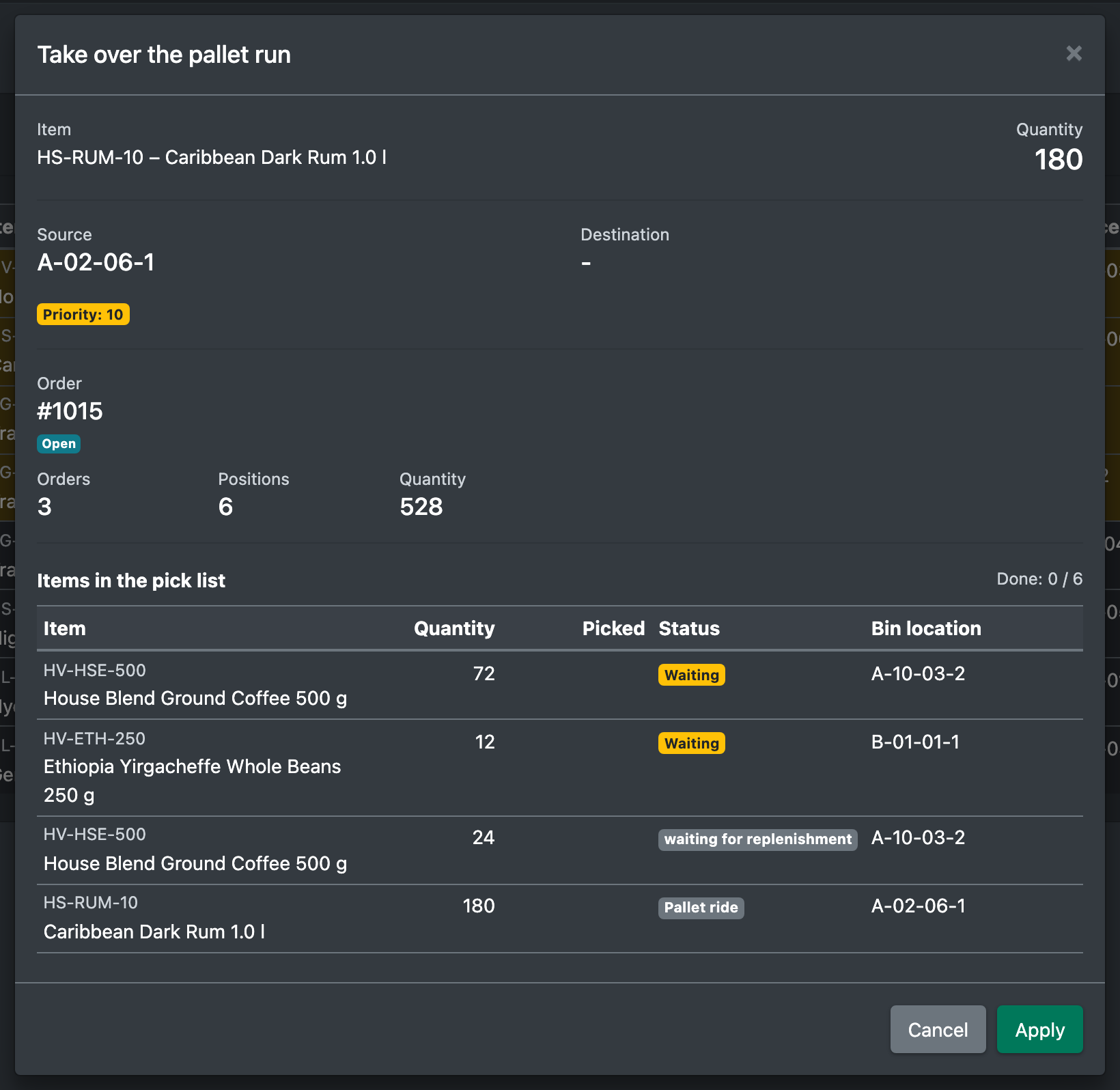
- Select one or more tasks and click Apply selection (Auswahl übernehmen). The dialog Take over the pallet run (Paletten-Fahrt übernehmen) shows details such as the positions of the picklist and what has already been picked. Confirm – you see "Task has been taken over".
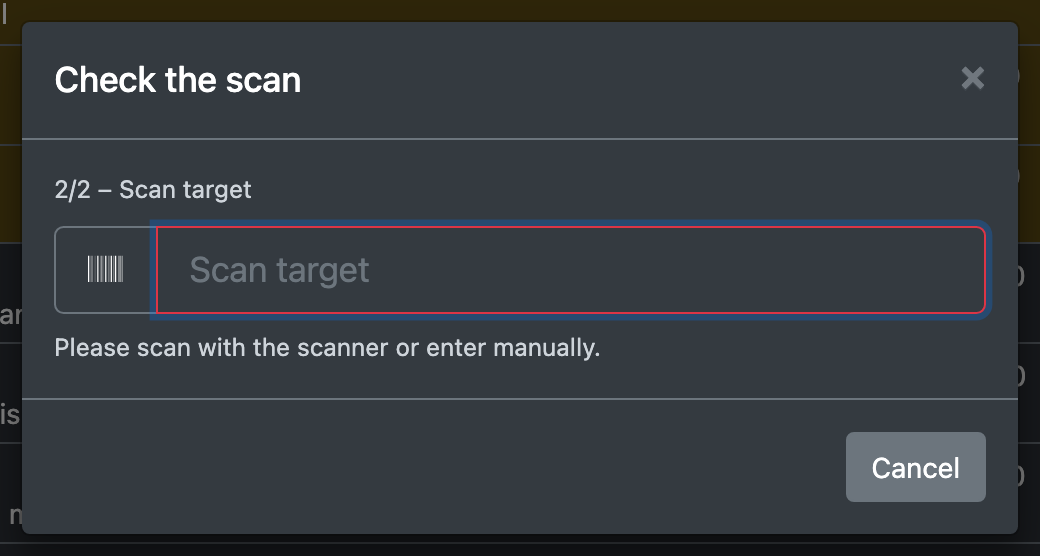
- Click Check the scan (Scan prüfen) and first scan the pallet. You see "Pallet detected. Please scan the target."
- Scan the destination: the storage place (for restocking) or the barcode of the deposit location (for transport). You see "Pallet stored correctly at its destination".
Columns
Statuses
Wrong scans are counted on the open tasks for this item.
Good to know
- After restocking, the goods are at the pick place and the picker can continue – see Picking.
- Transports provide pallets at the shipping station for Loading.
- Transit warehouse: transports that start on a place of the type transit can be booked onto a shipping station without a scan – from the Picklist overview or the order details. They then disappear from the forklift list. On transit places an open ride only locks its own pallet, not the whole place. See Transit warehouse.
- Open tasks whose picklist has been finished, cancelled or deleted are cleaned up automatically.