
Deposit locations
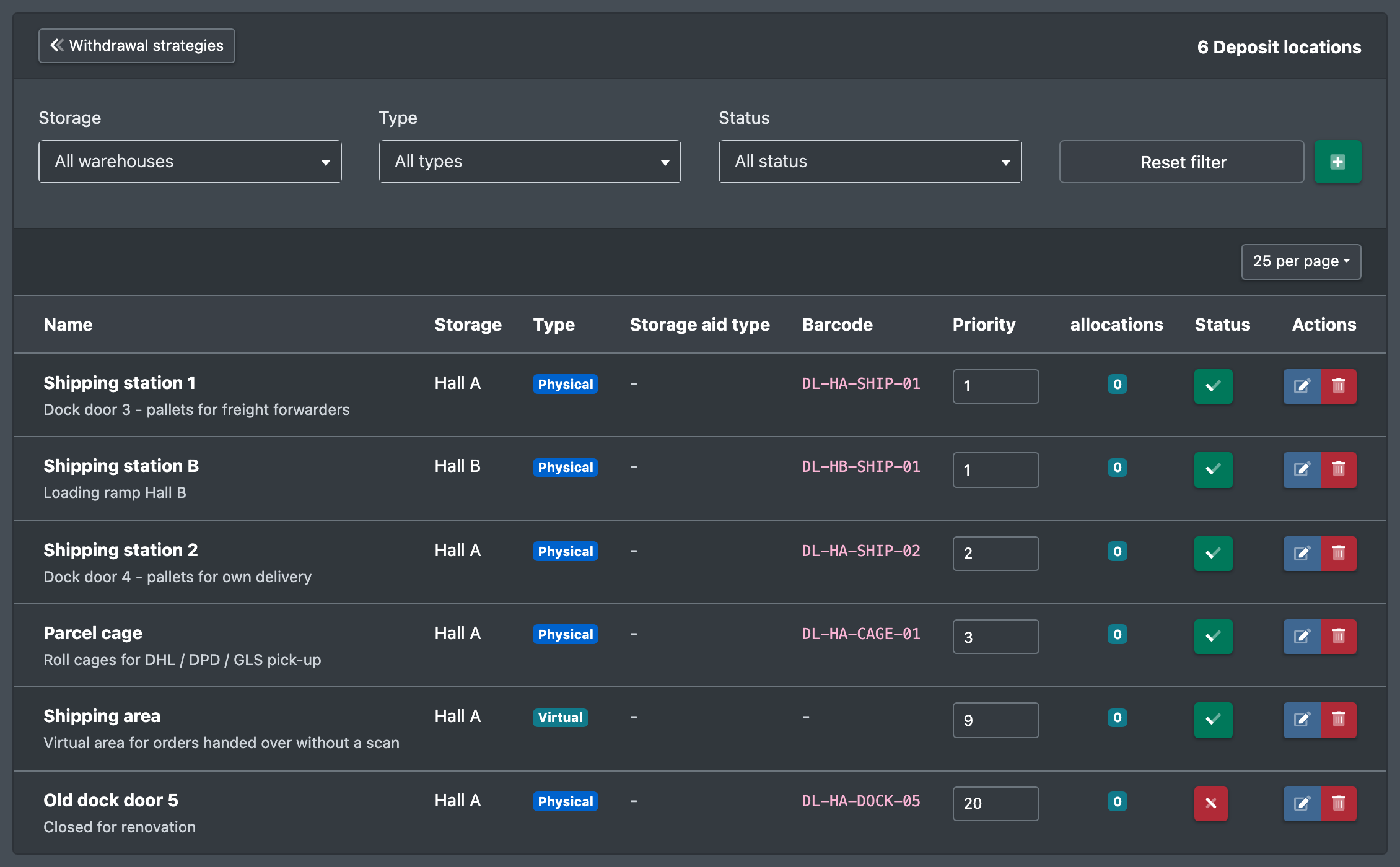
Set up deposit locations such as the shipping station, where pallets are put down outside the normal storage places.
Deposit locations (Ablageorte) are physical or virtual locations outside the normal storage places where goods or pallets are put down – typically the shipping station (Versandbahnhof).
A pallet ride for a pallet order ends when the barcode of the deposit location is scanned. The picklist remembers the deposit location, and the affected orders go to Loading without a parcel label.
Before you start
- Your user needs the permission for Deposit locations (Ablageorte) and, to create, edit or delete, the matching permissions – ask your administrator.
- Optional: a storage aid type of the same warehouse.
Step by step
- Open WMS › Warehouse › Deposit locations (WMS › Lager › Ablageorte).
- Click Create new deposit location (Neuen Ablageort anlegen).
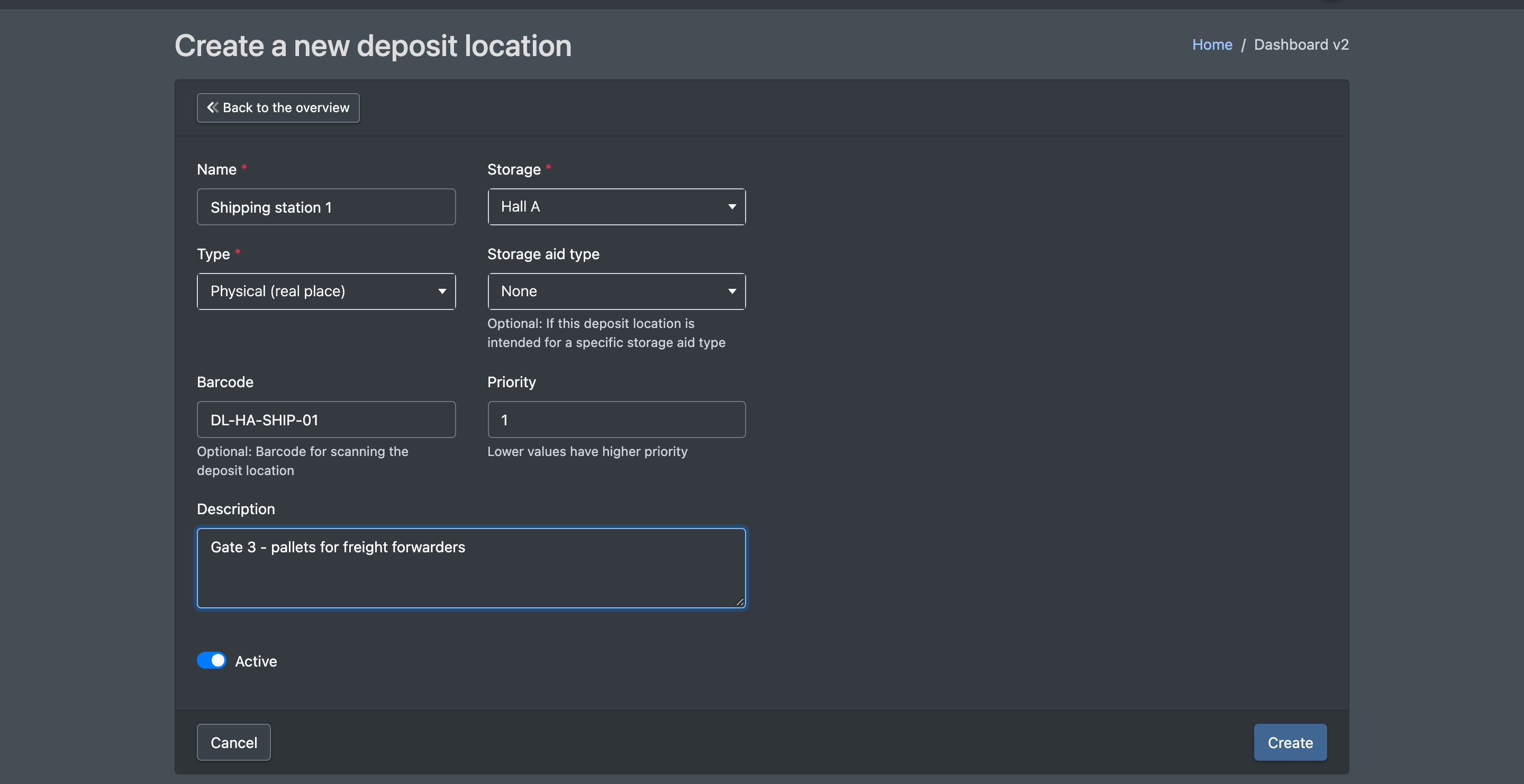
- Enter a Name (Name), e.g. "Shipping station 1", and choose the Warehouse (Lager).
- Choose the Type (Typ): Physical (real location) (Physisch (realer Ort)) or Virtual (e.g. shipping area) (Virtuell (z.B. Versandbereich)).
- Enter a Barcode (Barcode). For a shipping station this is practically required, because it is scanned at the end of the pallet ride.
- Optional: Storage aid type (Lagerhilfsmittel-Typ), Priority (Priorität) and Description (Beschreibung).
- Tick Active (Aktiv) and click Save (Speichern). You see "Deposit location successfully created." (Ablageort erfolgreich erstellt.)
Print the barcode and attach it clearly visible at the shipping station, so the forklift driver can scan it when putting down the pallet.
Fields and options
Where deposit locations are used
- Pallet rides: the target is confirmed by scanning the barcode – see Pallet rides.
- Packing: orders whose pallet has been transported to the shipping station get no parcel label and wait for loading – see Packing.
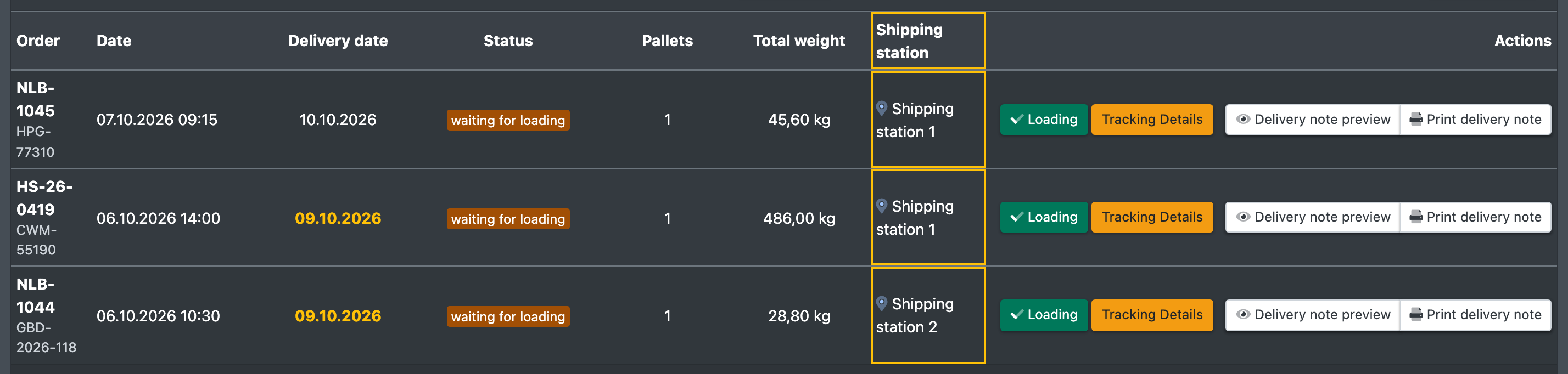
- Loading: the column Shipping station (Versandbahnhof) shows where the pallet stands – see Loading.
- Freight carriers: a deposit location can be the default location of a carrier – see Freight carriers.
Delete a deposit location
Click the delete button and confirm. If assignments exist, the dialog tells you that they will be deleted as well ("… assignments are attached to this deposit location. They will be deleted too."). This cannot be undone.