
Material costs
Charge your clients for consumed material such as cartons or filling material.
With material costs (Materialkosten) you charge a client for material consumed in your warehouse, for example cartons, filling material or pallet wrap. The charge is based on the material consumption recorded for the client in the billing period.
Before you start
- Your user needs the permissions for the order costs and the material costs in the cost settings – ask your administrator. The list of material cost templates requires the order cost permission as well.
- Your materials and packaging units are maintained in the Warehouse settings. They appear in the fields Material and Unit.
- A Billing Category is required, see Service categories.
Step by step
- Open WMS › Settings › Cost settings › Material costs (WMS › Einstellungen › Kosteneinstellungen › Materialkosten).
- Click Create template (Vorlage anlegen).
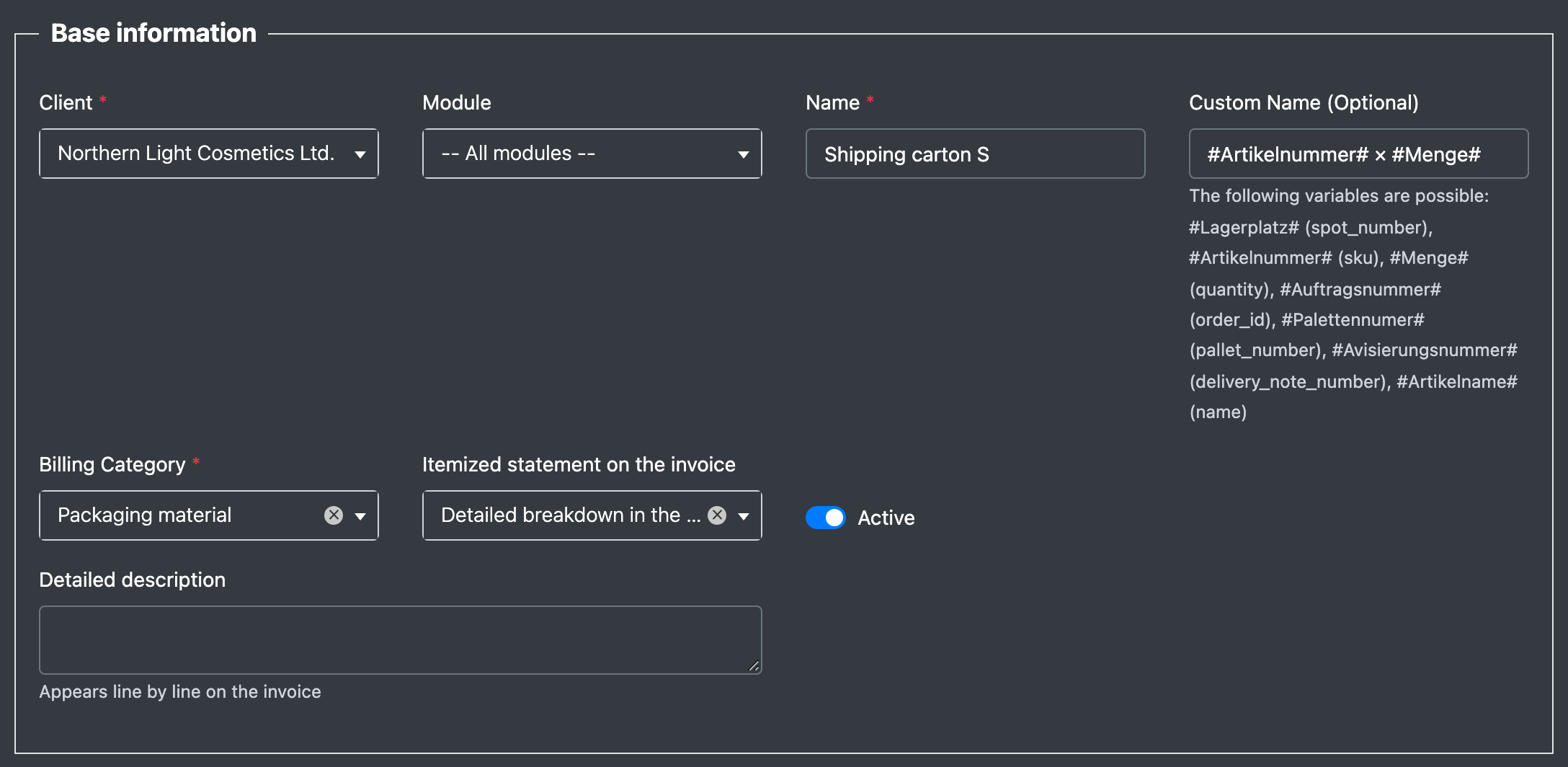
- Section Base information (Basisdaten): choose the Client (Mandant) and optionally a Module (Modul), enter a Name (Name) and optionally a Custom Name (Individueller Name) and a Detailed description (Detailbeschreibung). Choose the Billing Category (Abrechnungs-Kategorie) and the Itemized statement on the invoice (Detail-Darstellung auf Rechnung), tick Active (Aktiv).
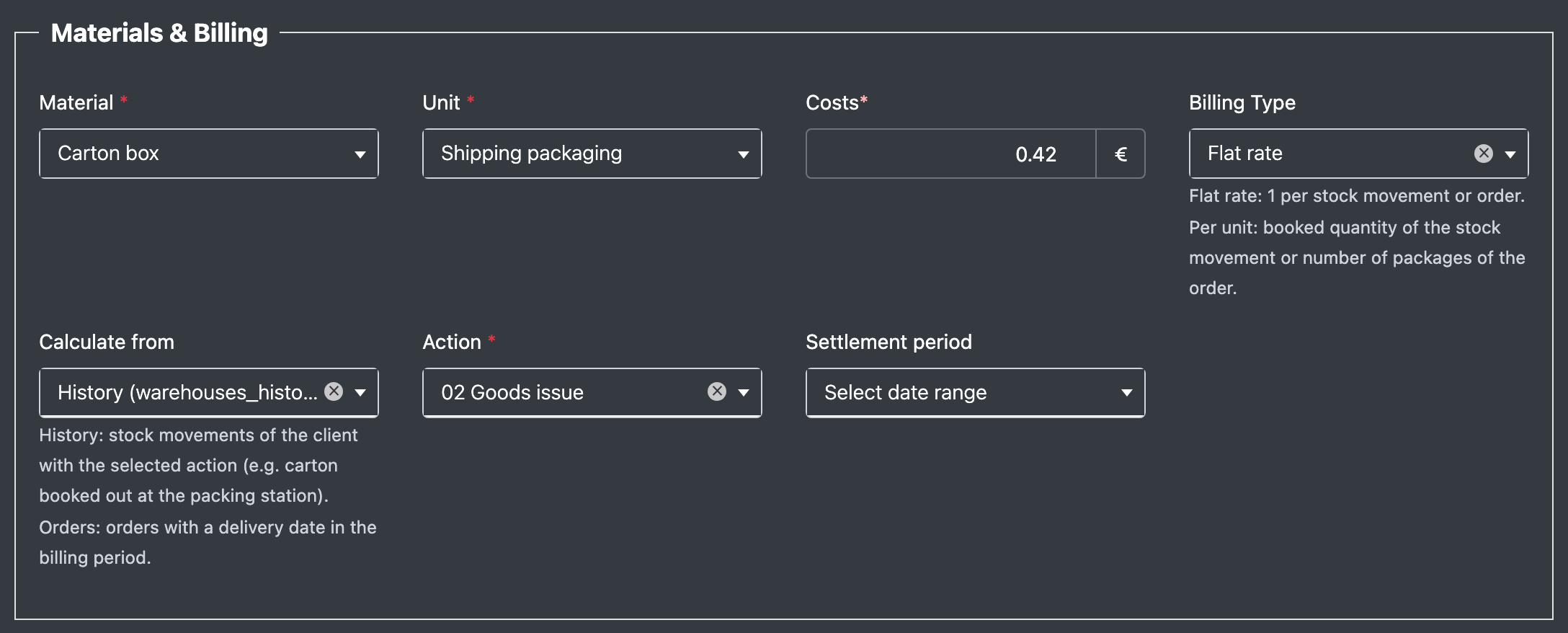
- Section Materials & Billing (Material & Abrechnung): choose the Material (Material) and the Unit (Einheit), enter the Costs (Kosten), choose the Billing Type (Abrechnungs-Typ) and Calculate from (Ermitteln aus). For History also choose the Action (Aktion).
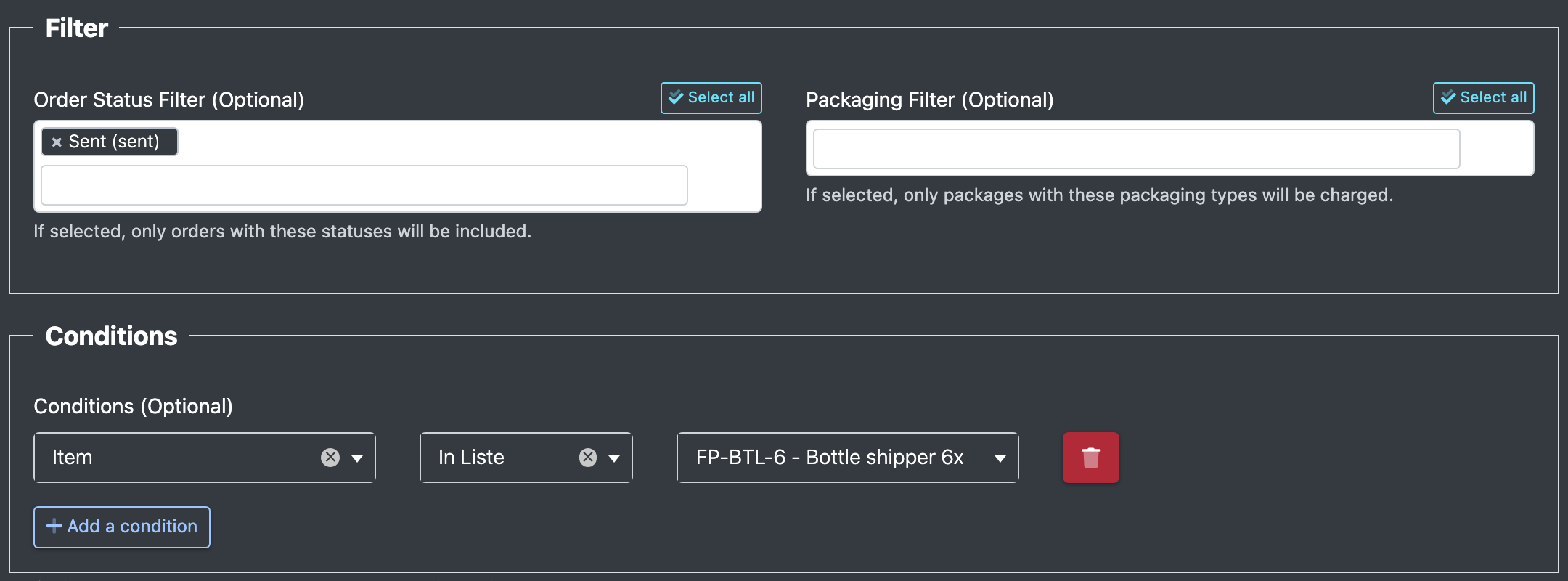
- Section Filter (Filter): optionally choose the Order Status Filter (Auftragsstatus Filter) and the Packaging Filter (Verpackungs-Filter).
- Section Conditions (Bedingungen): optionally restrict the template with Add a condition (Bedingung hinzufügen), field Bin location (Lagerplatz) or Item (Artikel).
- Optionally set a validity period and click Save (Speichern).
Fields and options
How the charge is calculated
- When you open the client statement, X-Sitter takes the stock movements with the template's action (History) or the orders with a delivery date in the billing period (Orders).
- Module, status filter, packaging filter, conditions and the validity period (per date) are checked.
- Flat rate: each matching movement or order is charged once. Per unit: the booked quantity of the movement or the number of packages of the order (with a packaging filter only the matching packages) is charged.
- When a picklist is deleted, the material consumption recorded for it is removed as well.
Good to know / Troubleshooting
- Use Duplicate (Duplizieren) in the list to copy a template. The copy is inactive until you activate it.