
Unloading costs

Charge your clients for goods receipt – per completed advance notice or per pallet or carton.

With unloading costs (Entladekosten) you charge a client for goods receipt: as a flat rate per completed advance notice, or variably per pallet, per carton or per container.
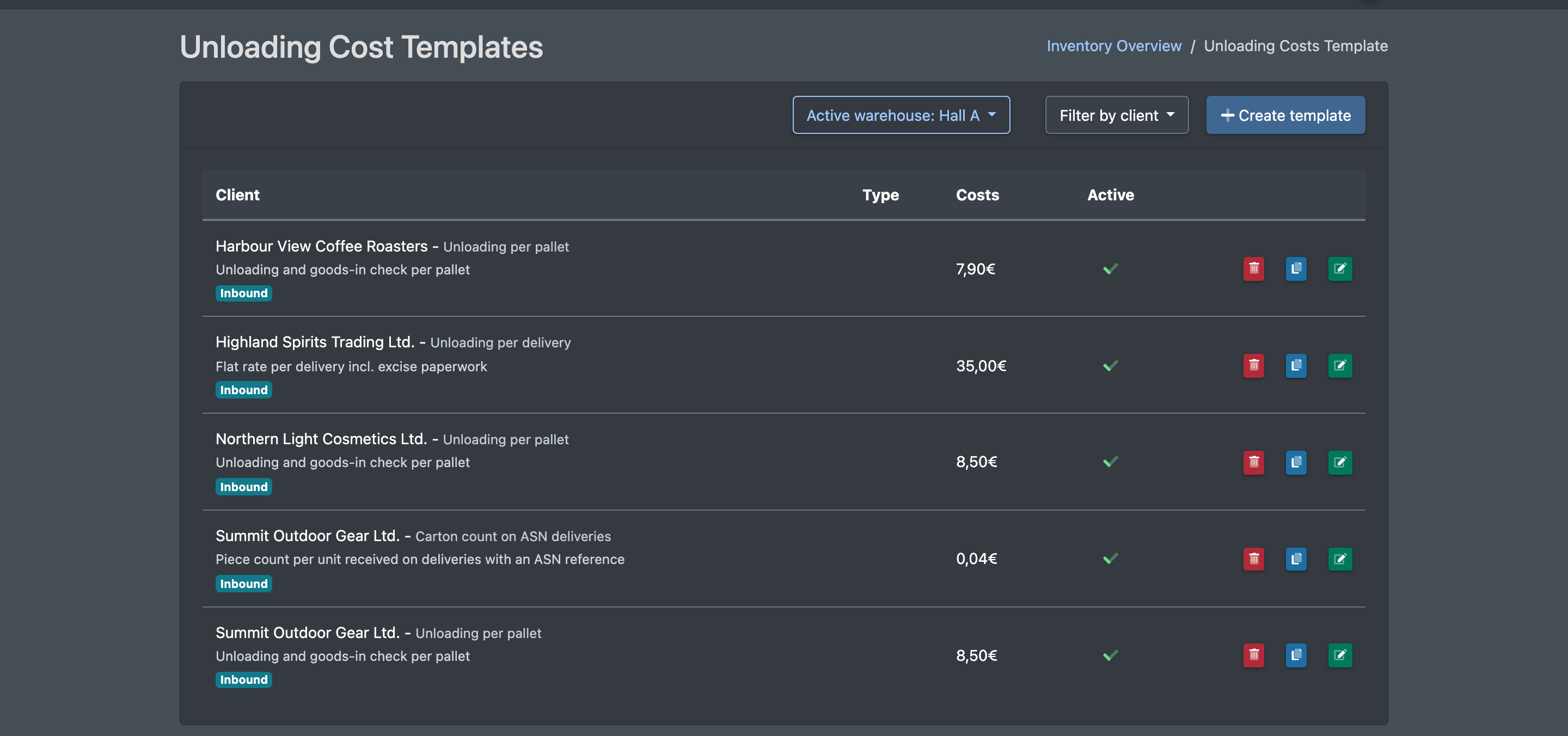
Screenshot: Unloading cost templates list with client filter, columns Client, Type, Costs and Active

Before you start

  • Your user needs the permissions for the unloading costs in the cost settings – ask your administrator.
  • The client exists, see Clients.
  • Goods receipts are done via Advance notices and Unloading. Only closed advance notices are charged.
  • For billing per pallet: the articles have the attribute "units per pallet" maintained, see Edit an article. Otherwise every article with a quantity counts as one pallet.
  • Recommended: Service categories are set up.

Step by step

  1. Open WMS › Settings › Cost settings › Unloading costs (WMS › Einstellungen › Kosteneinstellungen › Entladekosten).
  2. Click Create template (Vorlage anlegen).
  3. Choose the Client (Mandant) and enter a Name (Name) and optionally a Detailed description (Detailbeschreibung).
  4. Choose the Billing Type (Abrechnungs-Typ):
    • Flat rate (per notification) (Pauschal (Pro Avisierung)) – one charge per completed advance notice.
    • Per unit (variable) (Pro Einheit (Variabel)) – also choose the Basis for calculation (Berechnungsgrundlage).
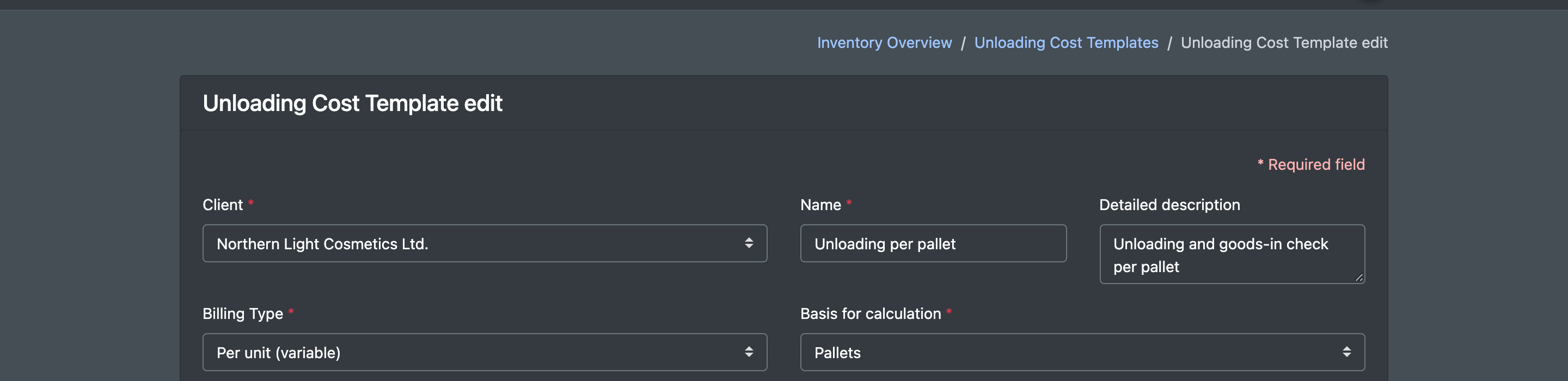
Screenshot: Unloading cost template form with Client, Name, Billing Type "Per unit (variable)" and Basis for calculation "Pallets"
  1. Enter the Costs (Kosten), choose the Billing Category (Abrechnungs-Kategorie) and the Itemized statement on the invoice (Detail-Darstellung auf Rechnung).
  2. Optionally add a condition (Add a condition, Bedingung hinzufügen) and set a validity period.
  3. Tick Active (Aktiv) and click Save (Speichern).
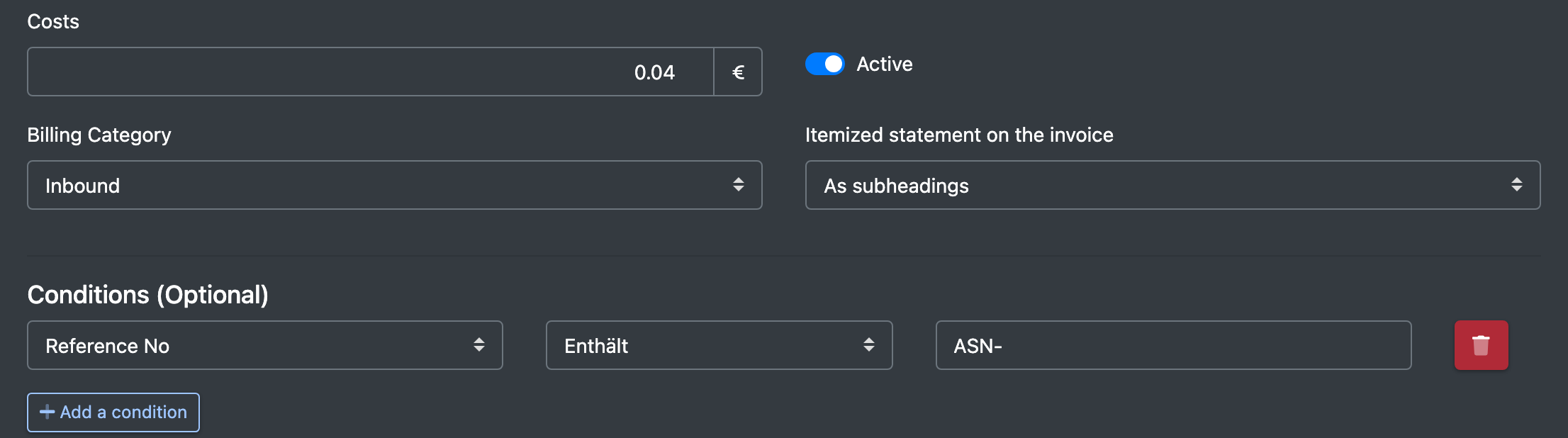
Screenshot: Lower part of the form with Costs, Billing Category, Itemized statement, a condition on the reference number and Active

Fields and options

Field Meaning Required
Client (Mandant) The client you are billing. yes
Name (Name) Name of the item on the statement. yes
Detailed description (Detailbeschreibung) Description of the item on the statement. no
Billing Type (Abrechnungs-Typ) Flat rate (per notification) or Per unit (variable). yes
Basis for calculation (Berechnungsgrundlage) Pallets (Paletten): per article, the delivered quantity ÷ units per pallet, rounded up, summed over the advance notice. Boxes / Packages (Kartons / Pakete): the sum of the quantities actually delivered. Container (Container) and Flat rate (Pauschal): 1 per advance notice. for variable
Costs (Kosten) Price per advance notice or per unit. yes
Billing Category (Abrechnungs-Kategorie) Groups the item on the statement. no
Itemized statement on the invoice (Detail-Darstellung auf Rechnung) No details (Keine Details), As subheadings (Als Unterpunkte, default) or Detailed breakdown in the appendix (Einzelnachweis auf Anlage). no
Conditions (Optional) (Bedingungen (Optional)) A field, an operator (equal, not equal, contains, in list, not in list, greater/less …) and a Value (Wert). Fields: Freight Forwarder / Carrier (Spedition / Carrier, the deliverer of the advance notice), Supplier (Lieferant, not recorded on advance notices, so it is always empty) and Reference No (Referenznummer, the delivery note number of the advance notice, otherwise its order number). no
Active (Aktiv) Only active templates are charged. –

How the charge is calculated

  • X-Sitter charges the client's advance notices with the status closed whose last change lies within the billing period.
  • In the detailed breakdown, each advance notice appears as "WE-" followed by its delivery note number (or its number if there is no delivery note number).
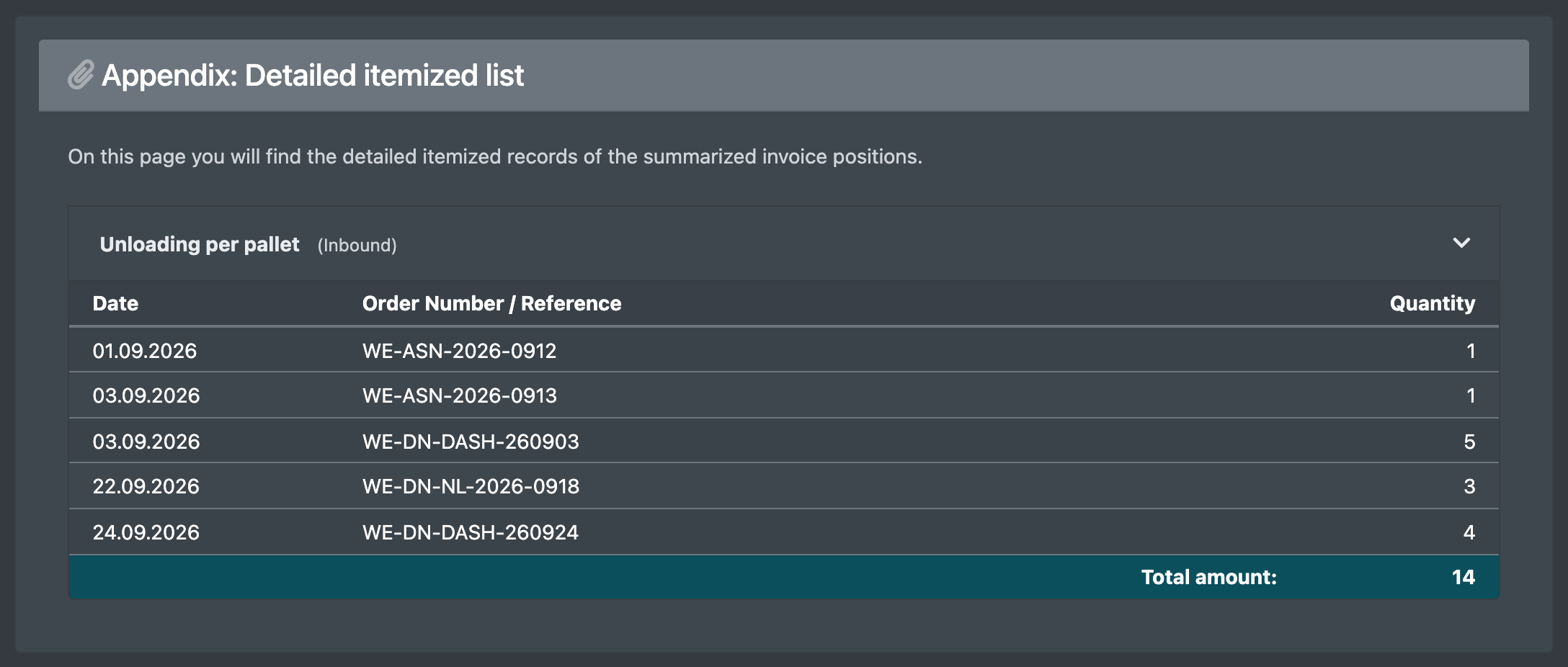
Screenshot: Client statement appendix with unloading cost lines "WE-…" per advance notice

Good to know / Troubleshooting

Message Cause Solution
The entry has been saved / The entry has been updated (Der Eintrag wurde gespeichert / Der Eintrag wurde ge-updated) The template was saved. –
Should the entry really be removed? (Soll der Eintrag wirklich entfernt werden?) Confirmation before deleting. Confirm – you see "The entry has been removed" (Der Eintrag wurde entfernt).
No unloading costs on the statement The advance notice is not closed yet, or it was closed outside the billing period. Complete the goods receipt, check the billing period.
Too many pallets charged "Units per pallet" is missing on the articles. Maintain the attribute on the articles.
  • Use Duplicate (Duplizieren) in the list to copy a template. The copy is inactive until you activate it.