
Count inventory
Count the rows assigned to you with the hand scanner – scan the place, scan the article, enter the quantity, without seeing the stock
On the counting screen (Inventur zählen) you count the rows your site manager gave you as count tasks in the physical inventory. The screen is made for the hand scanner: scan the place, scan the article, enter the quantity. You count blind – the screen never shows the stock. If your count deviates from the stock, X-Sitter asks you once to count again. Your site manager then decides on the discrepancies.
This is not the cycle count during picking, which pops up in the picking process.
Before you start
- Your user needs the permission Count inventory (Inventur zählen). Ask your site manager if the menu entry is missing.
- Your site manager has assigned a row to you, see Physical inventory. You also see your open rows on the dashboard widget My stock count (Meine Inventur), see Dashboard.
- A warehouse is selected – the one in which the row lies.
Step by step
- Open WMS › Warehouse › Count inventory (WMS › Lager › Inventur zählen), or click Count now (Jetzt zählen) on the dashboard widget.
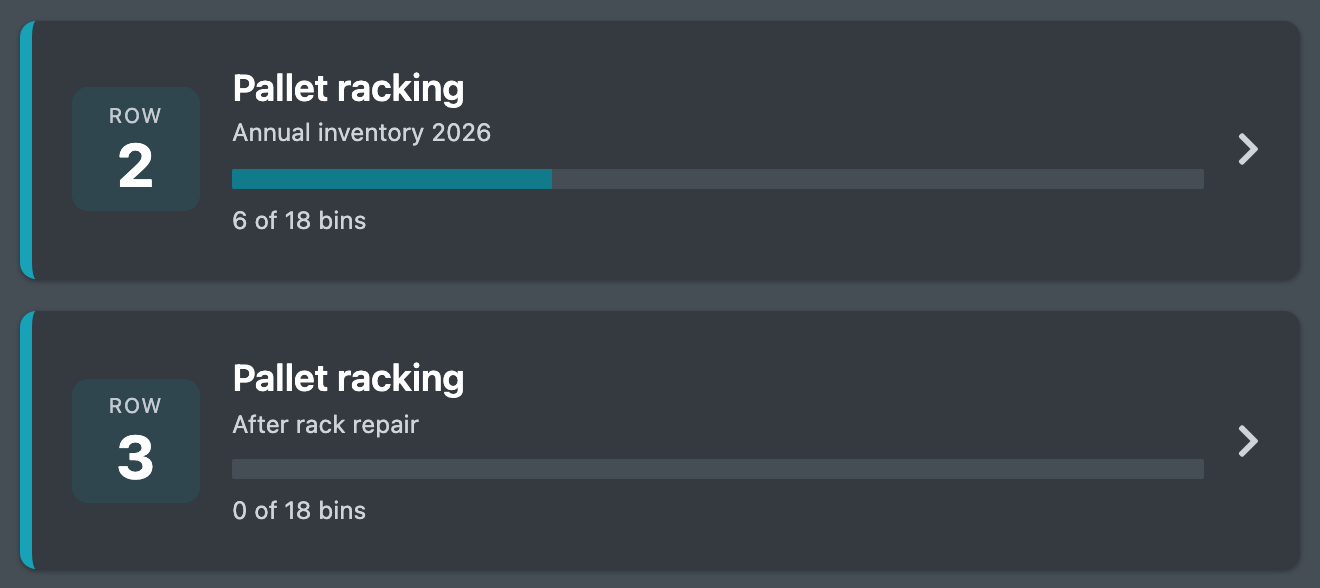
- You see your open count tasks as cards: row, area, compartments (if only some are to be counted), the note of your site manager and the progress. Tap the row you want to count.
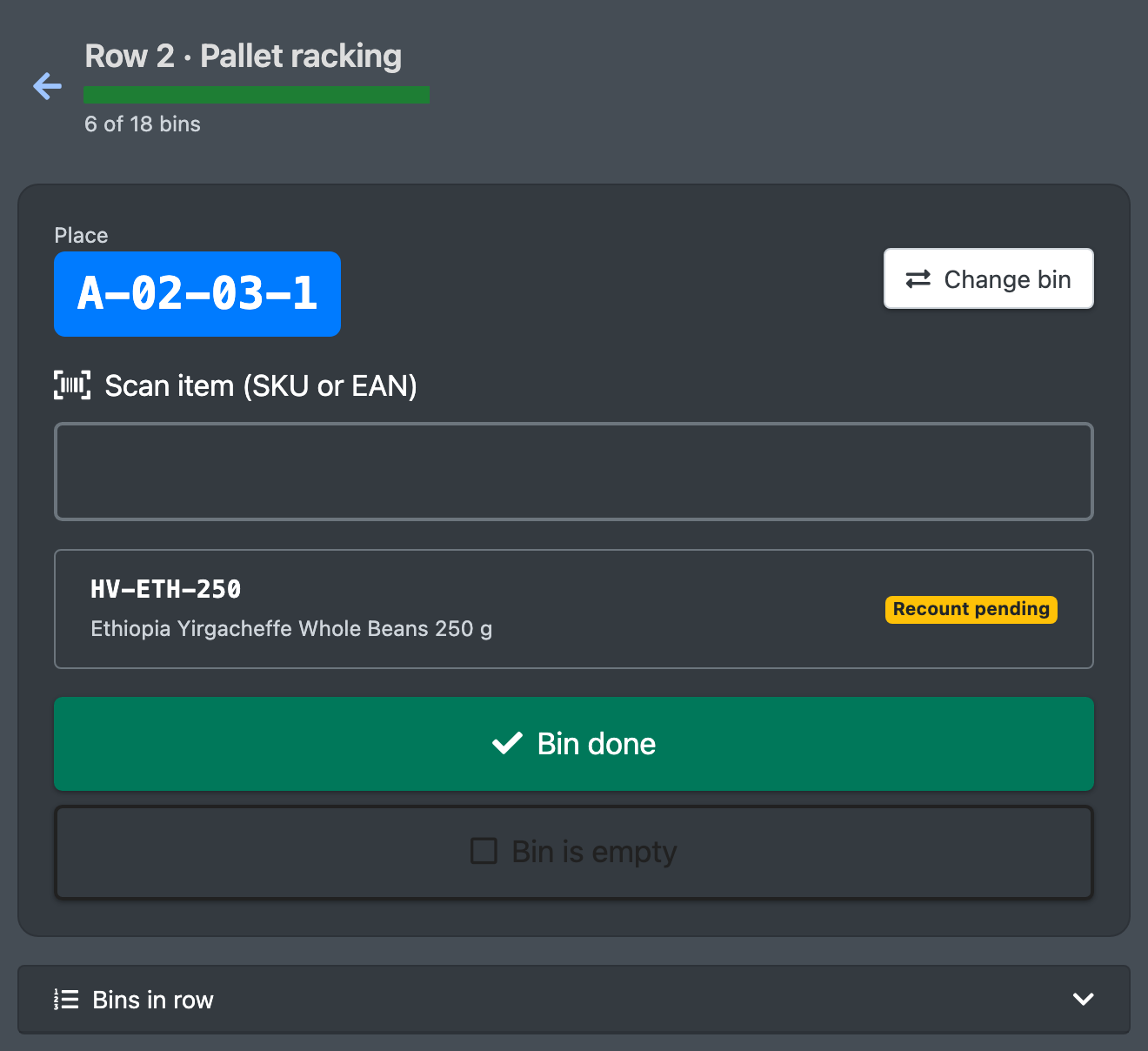
- At the top you see row and area and the progress. Under Next bin (Nächster Platz) X-Sitter suggests the next place in walking order.
- Scan the place into Scan Storage Bin (Lagerplatz scannen). You can also scan another place of the row – the order is up to you. The first scan starts the task (status Counting for your site manager).
- Scan an article into Scan item (SKU or EAN) (Artikel scannen (SKU oder EAN)). X-Sitter shows the article number and name.
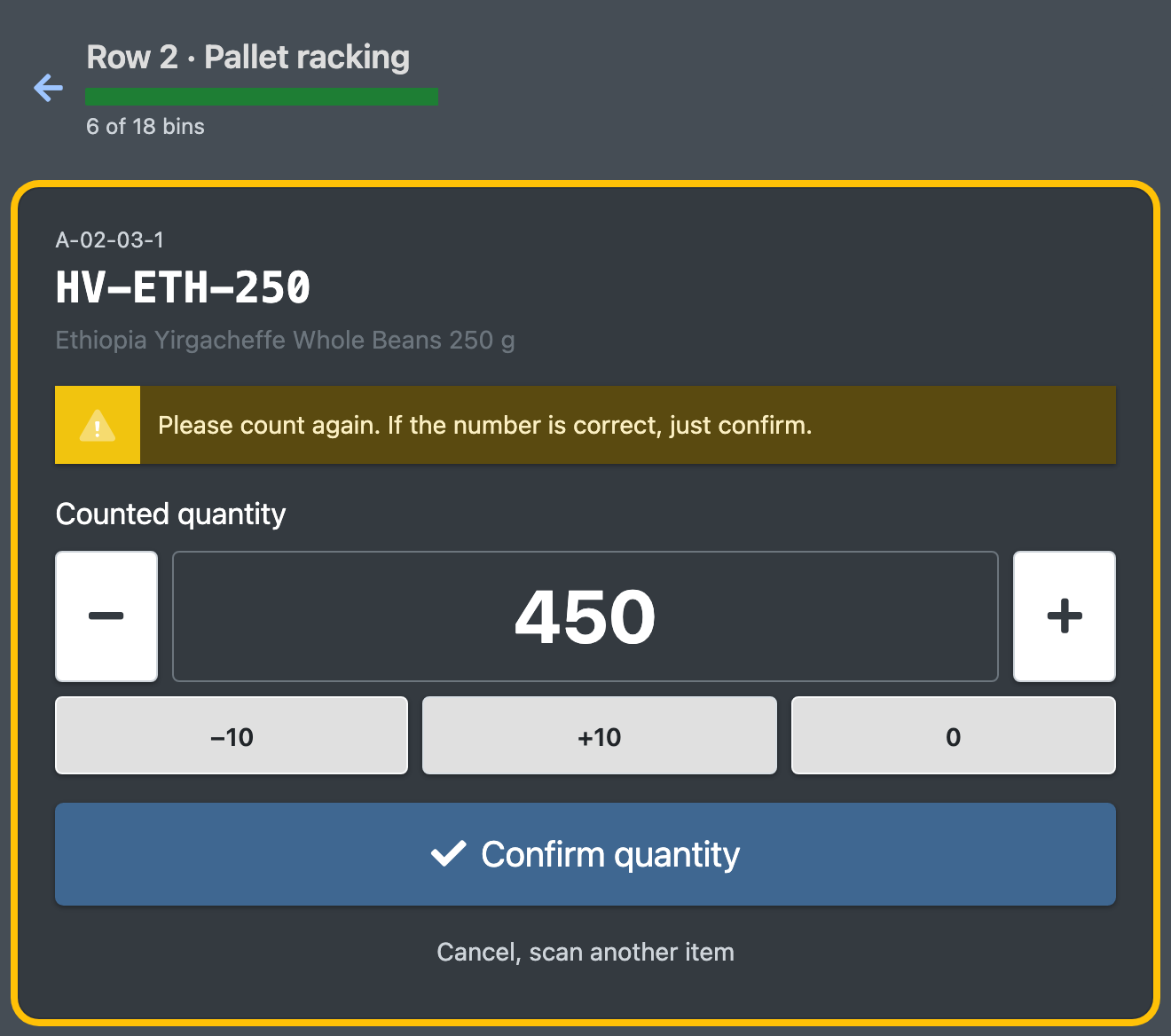
- Enter the counted quantity in Counted quantity (Gezählte Menge). Use the buttons − / + (1 piece), −10 / +10 or 0, or type the number. Click Confirm quantity (Menge bestätigen) or press Enter.
- If the quantity matches the stock, X-Sitter says "Saved" (Gespeichert) and you scan the next article. If it deviates, X-Sitter asks: "Please count again. If the number is correct, just confirm." (Bitte noch einmal zählen. Stimmt die Zahl, einfach bestätigen.) Your first number stays in the field. Count again and confirm – the second count is final, X-Sitter does not ask a third time.
- Repeat steps 5–7 for every article on the place. The list below the scan field shows what you have counted on this place – only counted (gezählt) or Recount pending (Nachzählung offen), never a quantity.
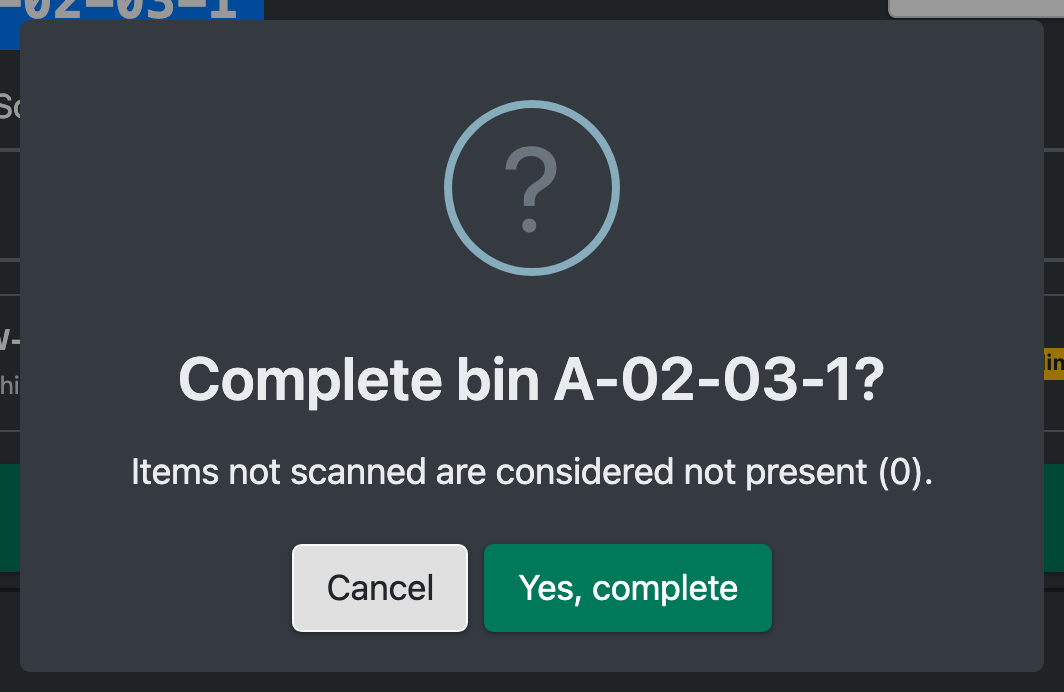
- When everything on the place is counted, click Bin done (Platz fertig) and confirm "Yes, complete" (Ja, abschließen). Articles that are on the place according to the system but that you did not scan count as not present (0).
- If the place is empty, click Bin is empty (Platz ist leer) instead and confirm "Yes, bin is empty" (Ja, Platz ist leer). Everything the system shows on this place is counted as 0.
- X-Sitter confirms with "Bin completed" (Platz abgeschlossen) and goes back to the place scan with the next suggestion. Simply scan the next place.
- After the last place you see "Row fully counted" (Reihe fertig gezählt): "Thanks! The count is now with the site manager." Click To my count tasks (Zu meinen Zählaufträgen) for the next row.
More functions
- Change bin (Platz wechseln) – back to the place scan without finishing the current place.
- Cancel, scan another item (Abbrechen, anderen Artikel scannen) – leaves the quantity without saving.
- Bins in row (Plätze der Reihe) – folds out all places of the row: done places are marked done (erledigt) or empty (leer), an arrow points to the next place.
- Walked on and scanned the next place instead of an article? X-Sitter recognizes the place and switches to it.
- Scanned the same article again? The new quantity replaces your final count – without a stock check.
- The back arrow at the top leads to the list of your count tasks. You can continue a task later; done places stay done.
Good to know / Troubleshooting
- You count the article per place, all batches and pallets together.
- A recount you leave open when finishing the place keeps your first count.
- If a scanner fires the article barcode into the quantity field, X-Sitter refuses it: quantities have at most 6 digits.