
WMS attributes
Define your own additional fields for stock entries, separate from the article attributes in the article master data.
Under WMS attributes (WMS Attribute) you define your own attribute fields whose values belong to individual stock entries in the warehouse – not to the article itself. Attributes that describe the article (e.g. colour, material, dimensions) belong in the article master data instead – see Attribute fields.
Before you start
- Your user needs the permissions for the WMS Settings menu and the page Attributes (Attribute) – ask your administrator.
Create an attribute
- Open WMS › Settings › Attributes (WMS › Einstellungen › Attribute). The page WMS attribute fields (WMS Attribut Felder) opens.
- Click New WMS attribute (Neues WMS Attribut). The form Create WMS attribute field (WMS Attributfeld anlegen) opens.
- Fill in the fields (see table below).
- Click Save (Speichern). You see "The WMS attribute was created" (Das WMS Attribut wurde angelegt) or, when editing, "The WMS attribute was updated" (Das WMS Attribut wurde aktualisiert).
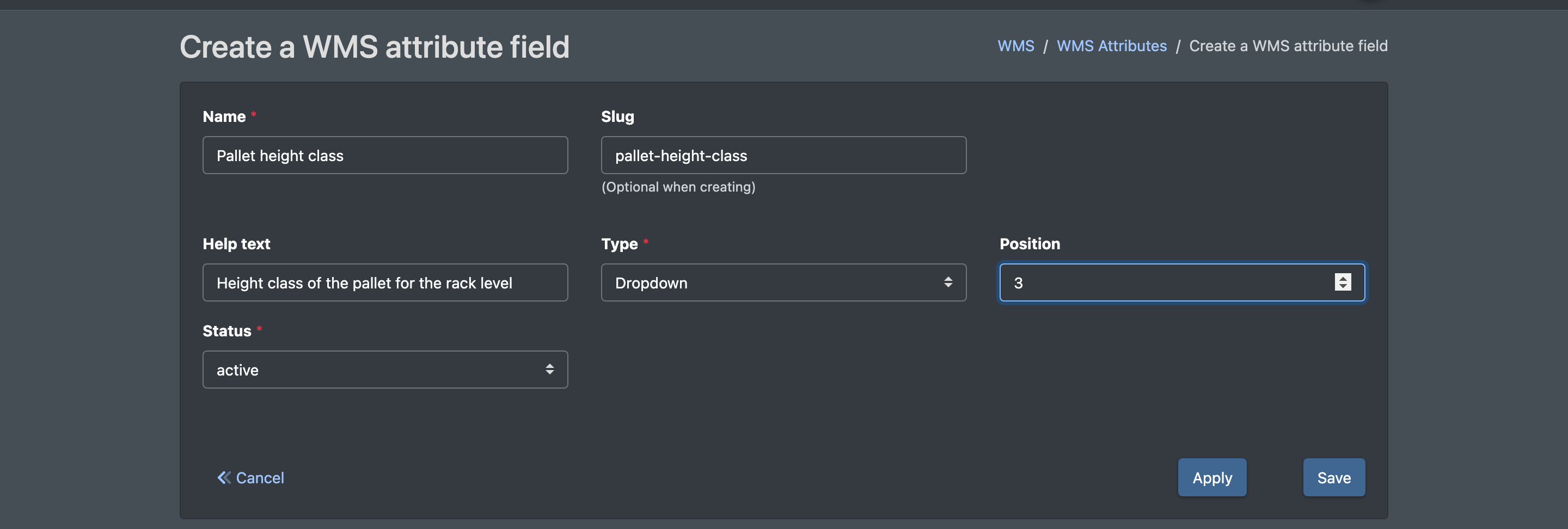
Fields and options
Delete attributes
- Tick one or more attributes in the list.
- Click Delete (Löschen). You see "The attribute was removed!" (Das Attribut wurde entfernt!) or "… attributes were removed!" (… Attribute wurden entfernt!).
The standard WMS screens (putaway, stock overview, picking) do not show or fill WMS attribute values. If you plan to use them in your processes, contact X-Sitter support first.