Attribute fields

Define the data fields of your articles – name, SKU, EAN, prices, dimensions, texts and the special fields that control the warehouse.

Attribute fields are the actual data fields of an article: name, SKU, EAN, price, dimensions, texts, storage area and so on. The fields decide what is available in the article, in the overview, in imports and exports and as columns in the stock overview of the warehouse.

A field must exist before you can fill it with an import or show it in the catalogue.
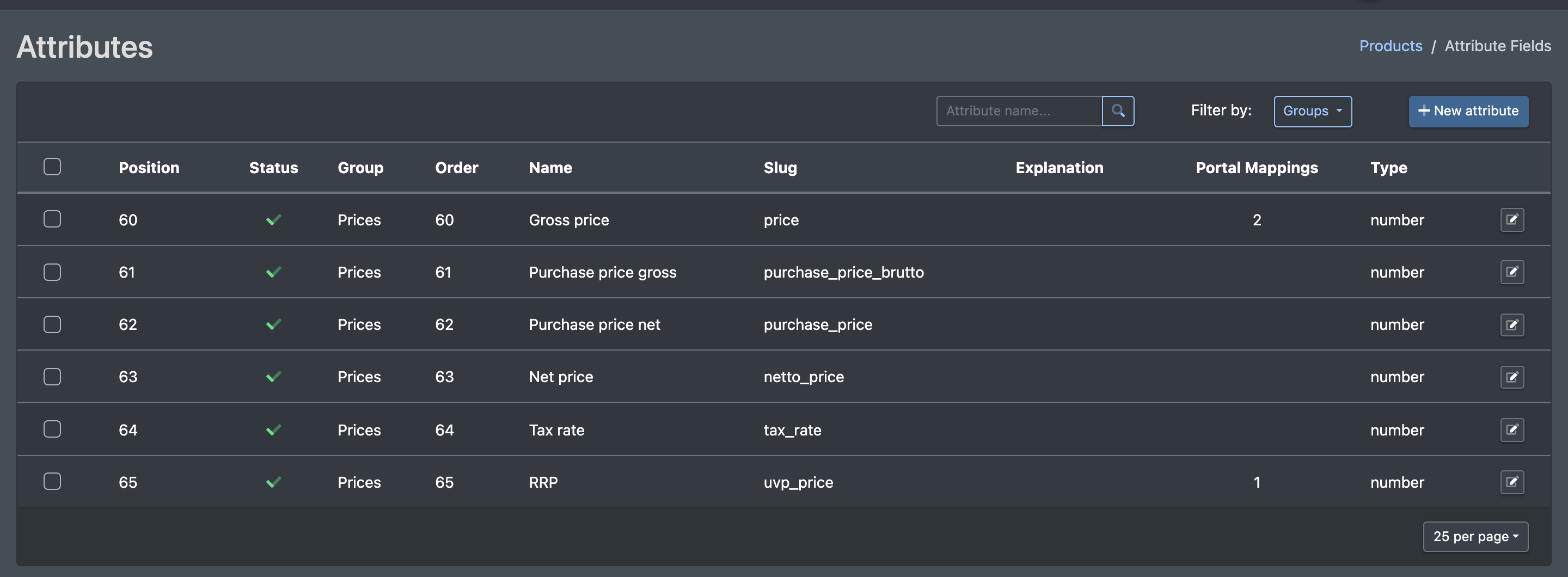
Screenshot: Attribute fields overview with columns Name, Slug, Type, Group, Position, Status and Portal Mappings

Before you start

  • Your user needs the permission for the attribute management. Ask your administrator if the Attributes menu is missing.
  • At least one attribute group exists, see Attribute groups.

Step by step

Create a field

  1. Go to Catalogue › Attributes › Fields (Katalog › Attribute › Felder). The list shows name, slug, type, group, position, status and portal mappings. Use Filter by (Filtern nach) to show one group or All (Alle), and the search to find a field by name.
  2. Click New attribute (Neues Attribut). The form Creating an Attribute Field (Attributfeld anlegen) opens.
  3. Fill in the form, see the table below.
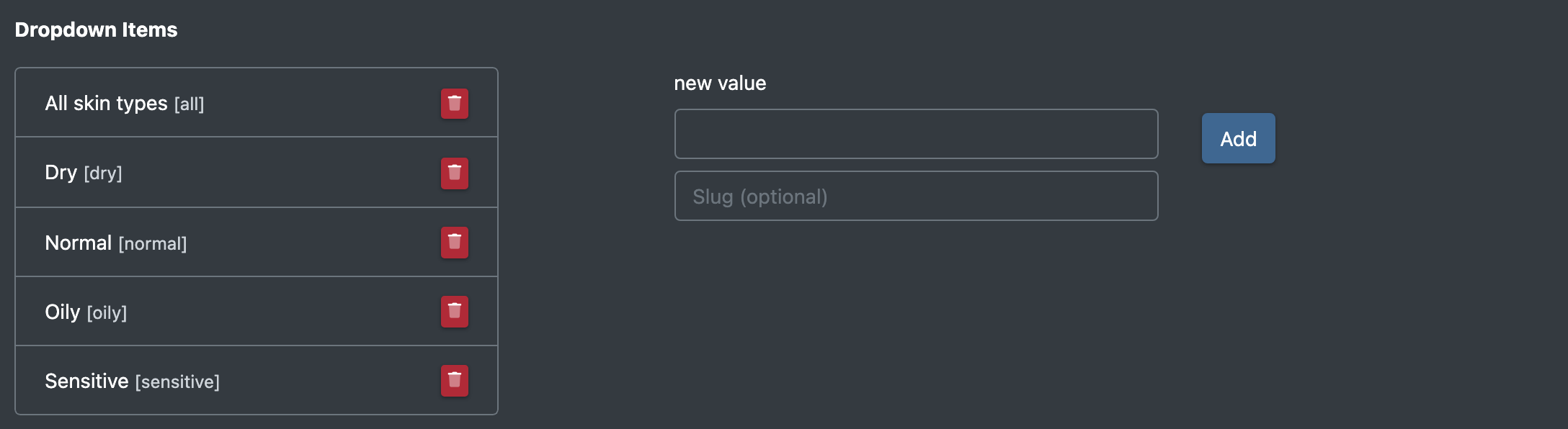
  4. For the types Dropdown and Table, add the possible values (or columns) one by one.
  5. Click Save (Speichern). You see "The attribute has been created".
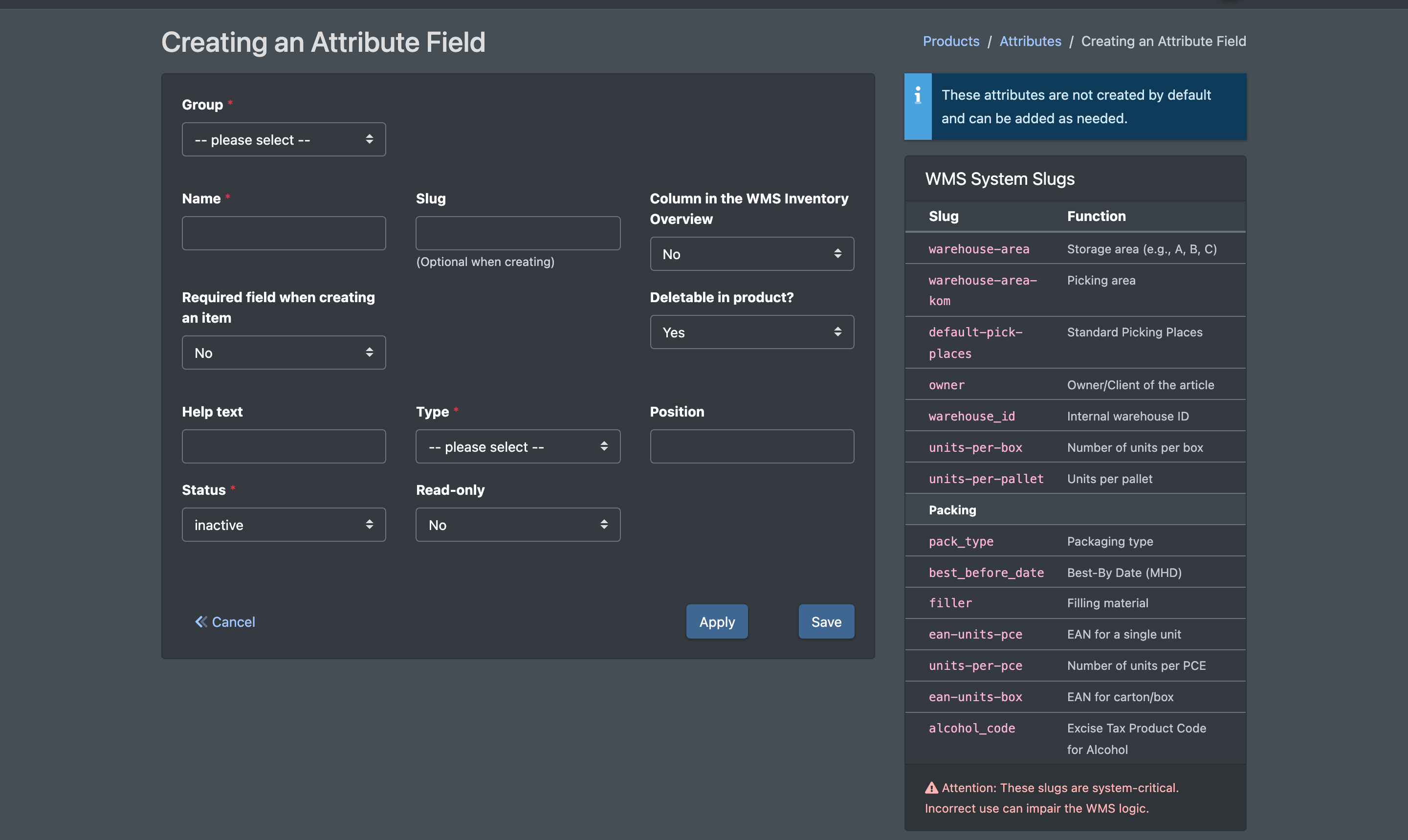
Screenshot: Form "Creating an Attribute Field" with group, name, slug, type and the WMS system slugs list on the right

Edit a field

Click the field in the list. The form Edit attribute field (Attributfeld bearbeiten) opens. Change the values and click Save. You see "The attribute has been updated".

Delete fields

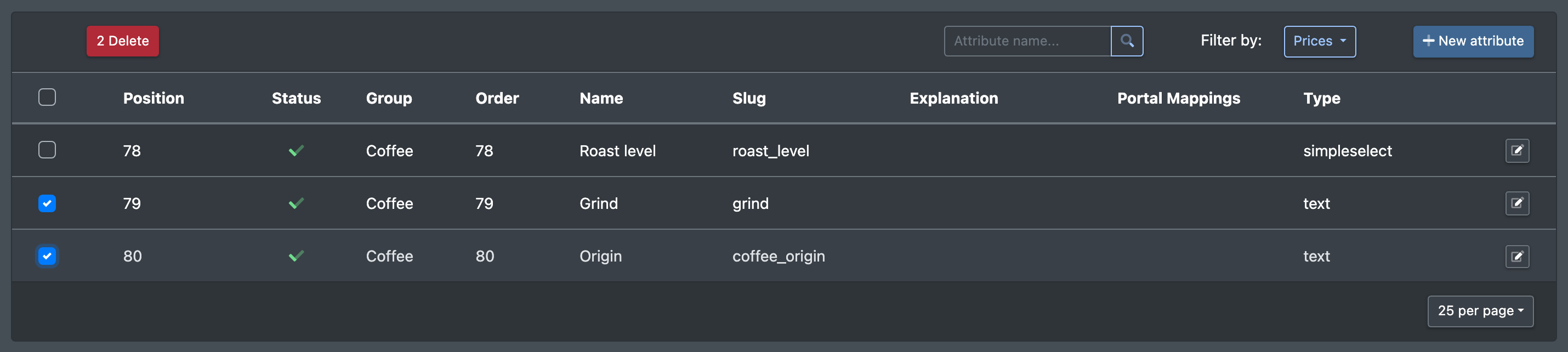
Tick one or more fields in the list and click Delete (Löschen). You see "The attribute has been removed!" (or the number of removed attributes).

Screenshot: Attribute fields list with two fields ticked and the Delete button

Fields and options

Field Meaning Required
Group (Gruppe) The attribute group the field belongs to Yes
Name The label shown to users Yes
Slug Technical key. Leave it empty when creating – X-Sitter builds it from the name (Optional beim anlegen). Must be unique per company No
Type (Typ) Text, Textfield (Textfeld), HTML Editor, Number (Nummer), Boolean, Dropdown, Dropdown (multiple) (Dropdown (mehrfach)), Table (Tabelle), Date (Datum), Date + Time (Datum + Zeit) Yes
Unit (Einheit) Optional unit, grouped by currency, lengths, area, volume, time, packing (piece, pair, box), weights (mg, g, kg) and power (W, kW, A, V) No
Help text (Hilfstext) Explanation shown with the field No
Position Order within the group No
Status active / inactive Yes
Read-only (Readonly) The value cannot be changed in the article No
Column in the WMS Inventory Overview (Spalte in WMS Bestandsübersicht) Shows the field as a column in the Stock overview No
Required field when creating an item (Pflichtfeld bei Artikel-Anlage) Must be filled when an article is created No
Deletable in product? (Im Produkt Löschbar?) Whether the attribute can be removed from an article on its edit page No
Portal Mappings For each marketplace, the marketplace attribute this field is linked to No
Screenshot: Drop-down values section of a "Dropdown" field with several options added

WMS system slugs

Some slugs have a special meaning for the warehouse. A field with exactly one of these slugs controls warehouse logic. The list is also shown on the right of the Creating an Attribute Field page. These fields are not created by default – add them when you need them.

Slug Function
warehouse-area Storage area (e.g. A, B, C)
warehouse-area-kom Picking area
default-pick-places Standard picking places
owner Owner / client of the article
warehouse_id Internal warehouse ID
units-per-box Number of units per box
units-per-pallet Units per pallet
pack_type Packaging type
best_before_date Best-before date – activates the best-before query when putting away, see Edit an article
filler Filling material
ean-units-pce EAN for a single unit
units-per-pce Number of units per PCE
ean-units-box EAN for carton/box
alcohol_code Excise product code for alcohol

The slugs name, sku, ean and price are used by the article overview and its search.
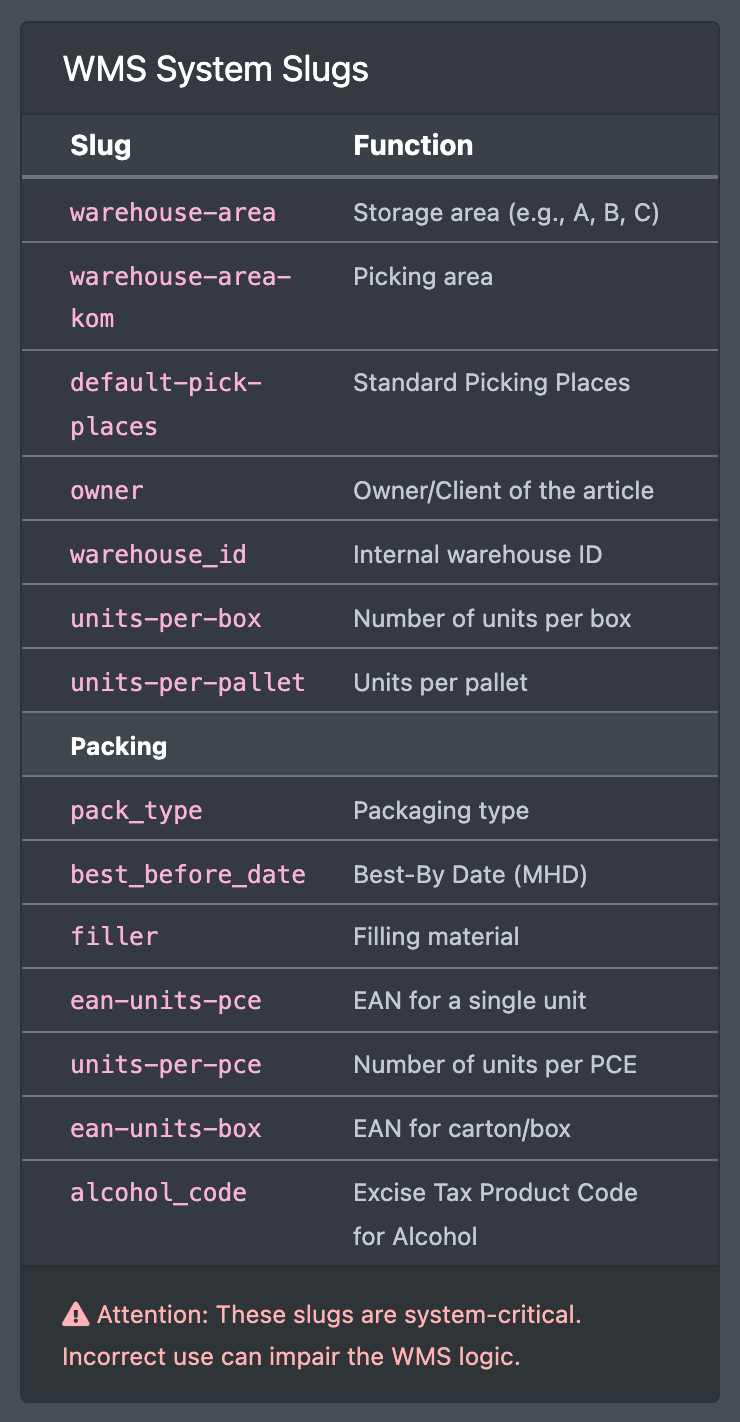
Screenshot: The "WMS System Slugs" box on the right side of the field form

Good to know

  • Drop-down values are stored as option/value pairs. If you leave the value empty, it is taken from the option. Duplicate options are removed.
  • You can also add a field directly in an article with Add Attribute, see Edit an article.

What to do next

Troubleshooting

Message Cause Solution
The field name is already included in this group (Der Feldname ist in dieser Gruppe bereits enthalten) The slug already exists in this group Choose another slug or edit the existing field