Bulk processing

Filter articles by conditions and change many fields of all matching articles in one step, with a preview before anything is saved.

Bulk processing changes many fields of many articles at once. First you filter the articles with conditions – for example "price greater than 10" and "category is one of …". Then you define changes that are applied to every matching article – for example "raise the price by 5 %" or "add a category". Before anything is saved, a preview shows the old and the new value.
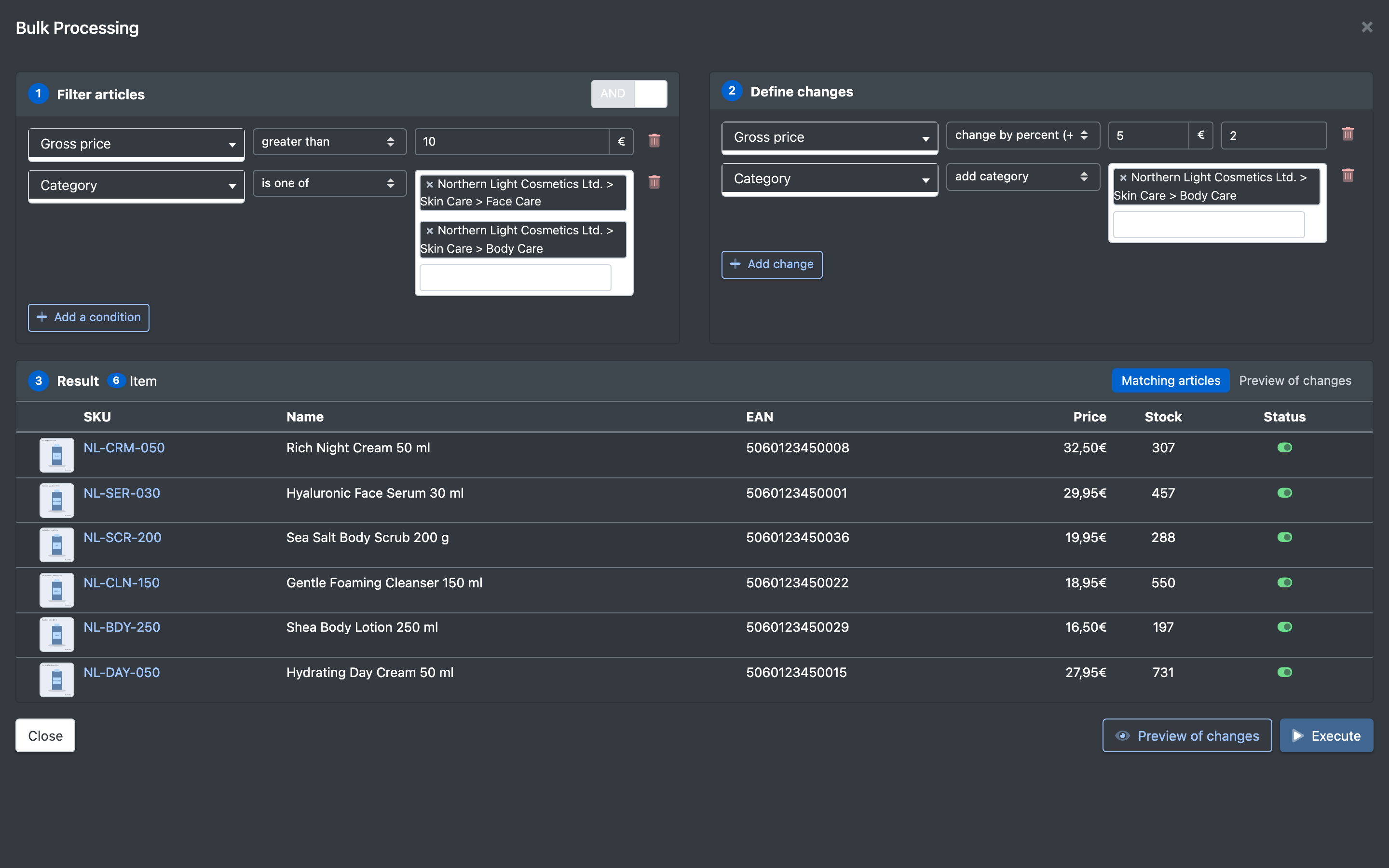
Screenshot: Full-screen bulk processing overlay with the three areas "Filter articles", "Result" and "Define changes"

Before you start

  • Your user needs the permissions for product actions and for bulk processing – ask your administrator. Without them you see Keine Berechtigung für die Massenverarbeitung (no permission for bulk processing).
  • You can filter and change the attribute fields of your company and of your logistician. See Attribute fields.
  • To assign categories or product groups, they must exist. See Categories and Product groups.

Step by step

  1. Open Catalogue › Overview (Katalog › Übersicht) and choose Product Actions › Bulk Processing (Produkt Aktionen › Massenverarbeitung). A full-screen overlay opens.
  2. In the area Filter articles (Artikel filtern), choose how conditions are combined:
    • AND (UND) – an article must meet all conditions.
    • OR (ODER) – an article must meet at least one condition.
  3. Click Add a condition (Bedingung hinzufügen) and choose field, operator and value. Add as many conditions as you need. Without any condition, all articles of the catalogue are affected.
  4. Under Result (Ergebnis) you see the number of Matching articles (Gefundene Artikel) and a table with SKU, EAN, name, price, stock and status.
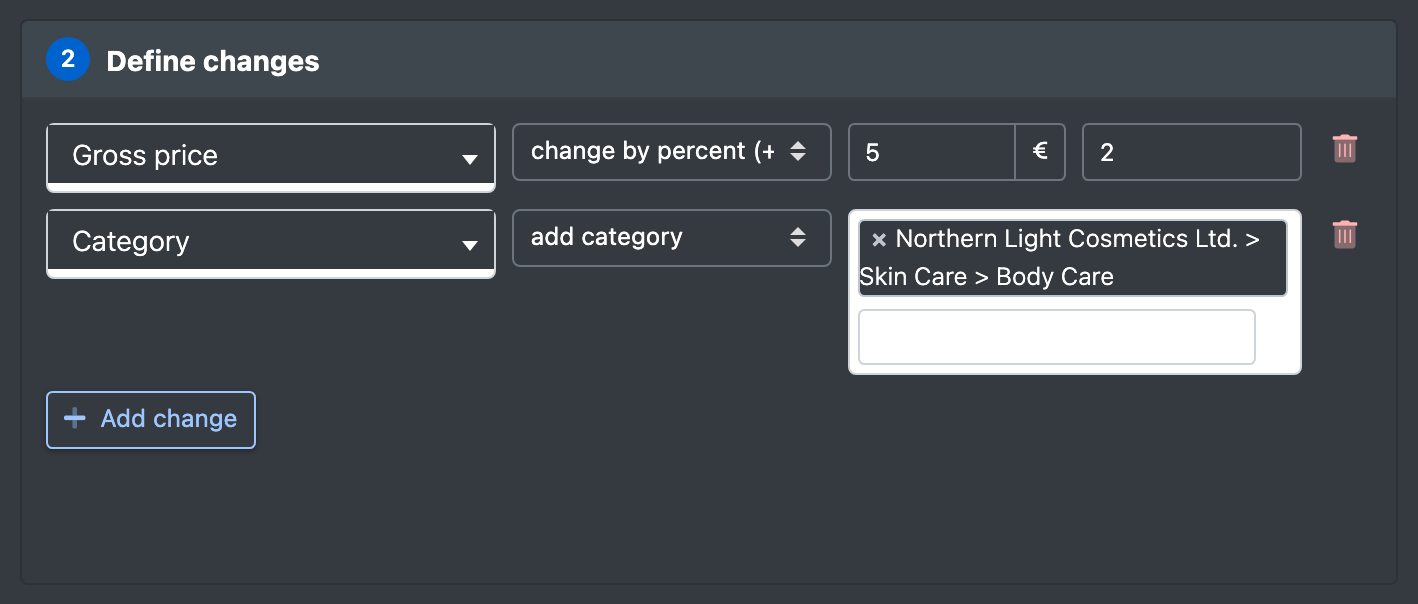
  5. In the area Define changes (Änderungen definieren), click Add change (Änderung hinzufügen), choose the field and the action and enter the value(s). Every change is applied to all matching articles.
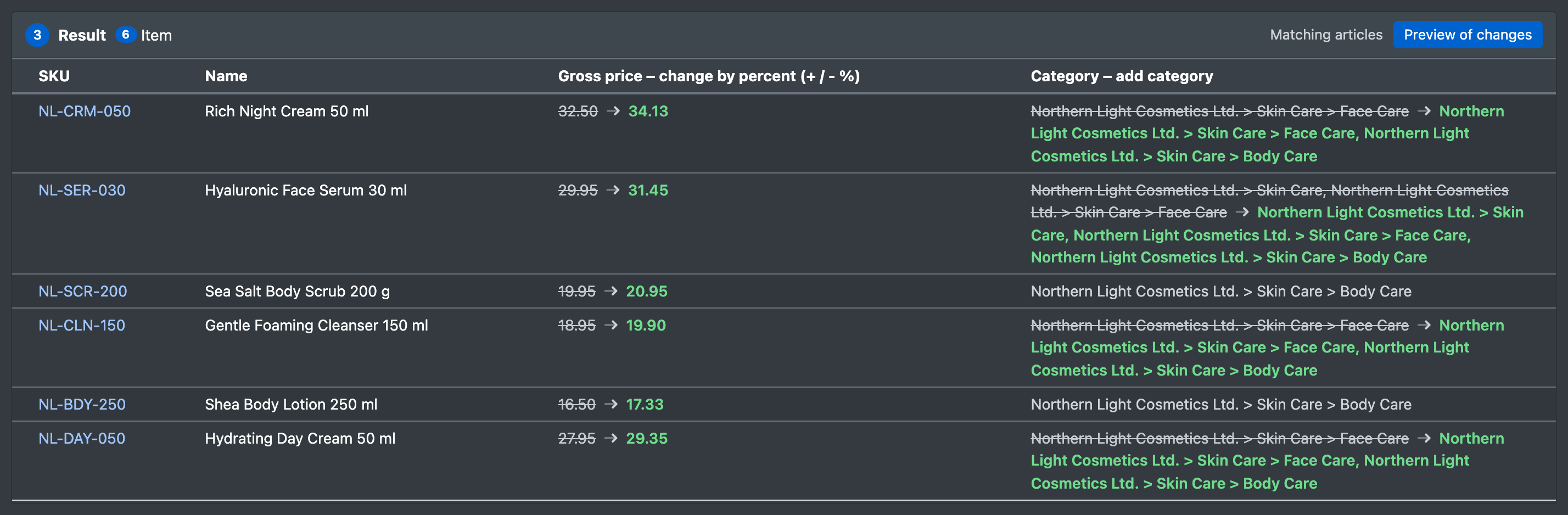
  6. Click Preview of changes (Vorschau der Änderungen). For the first 25 articles you see old and new values: struck through = old value, bold = new value, grey = no change. Nothing is saved yet.
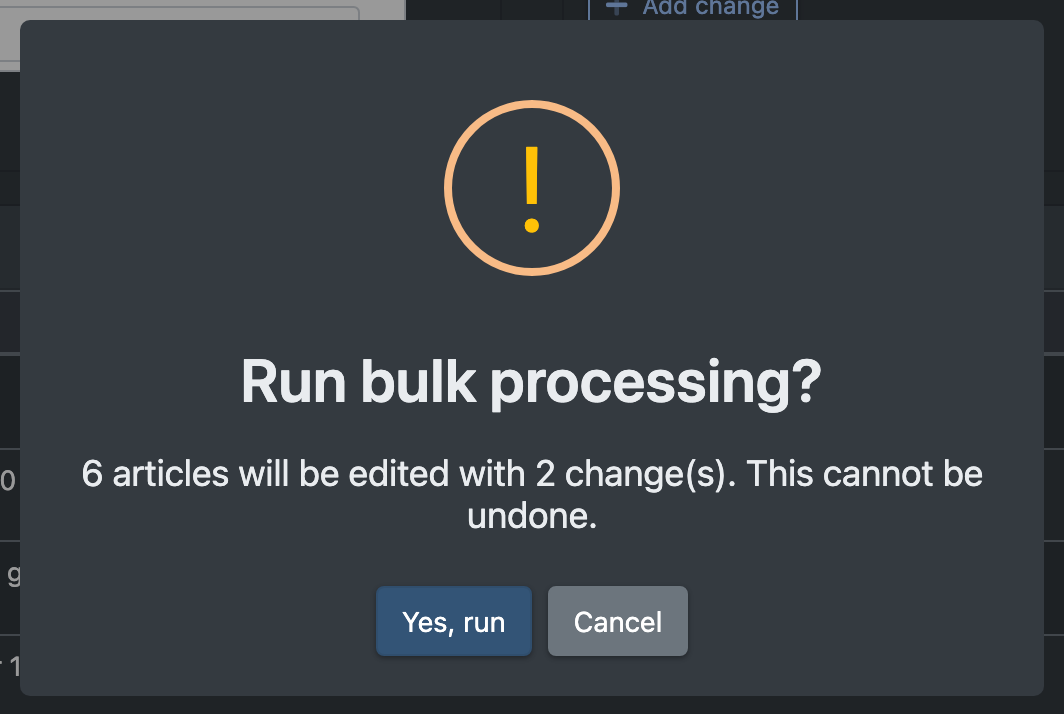
  7. Click Execute (Ausführen). The question Run bulk processing? (Massenverarbeitung ausführen?) tells you how many articles will be changed with how many changes – and that this cannot be undone. Confirm with Yes, run (Ja, ausführen).
  8. The result shows … articles have been processed (… Artikel wurden verarbeitet) with the number of changed and skipped articles.
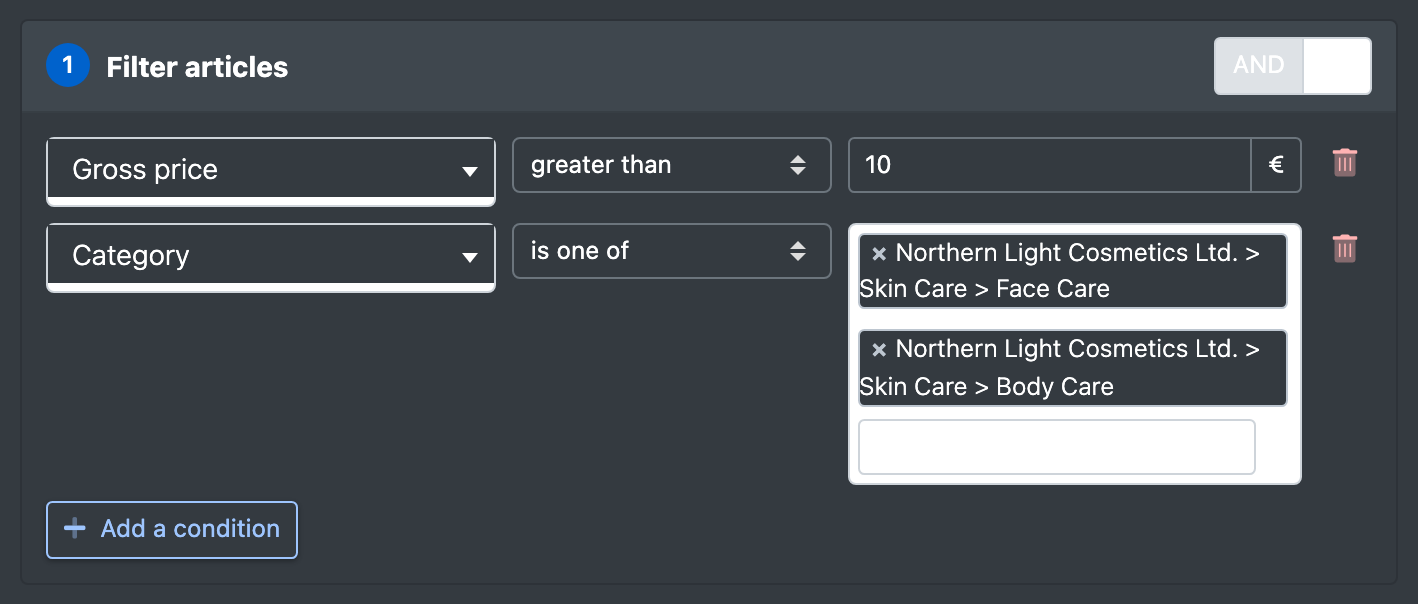
Screenshot: Area "Filter articles" with AND selected and two conditions (price greater than 10, category is one of …)
Screenshot: Area "Define changes" with a change "Price – change by percent (+ / - %) – 5" and a change "Category – add category"
Screenshot: Preview of changes with old values struck through and new values in bold
Screenshot: Confirmation dialog "Run bulk processing?" with the "Yes, run" button

Fields and options

Master data (Stammdaten)

Field Filter operators Change actions
Status (active / inactive) (Status (aktiv / inaktiv)) is active, is inactive set to
Created on (Angelegt am) equals, before, after, between – (filter only)
Category (Kategorie) is one of, is none of, is empty, is not empty add category, remove category, replace categories with
Product group (Warengruppe) is one of, is none of, is empty, is not empty set to, remove
Available stock (Verfügbarer Bestand) equals, greater/less than (or equal), between – (filter only)
Portal: online (Portal: online) is one of, is none of (portals) set online (online setzen), set offline (offline setzen), resend (erneut senden)
Portal: active (Portal: aktiv) is one of, is none of (portals) – (filter only)

Available stock is the available quantity in the warehouses of your logistician.

The two portal fields only appear if you may edit at least one sales channel portal. resend sends the articles to the chosen portals again: they are switched to active, set offline until the portal confirms them and queued for publishing – the overview shows the badge Earmarked (vorgemerkt) until then (Article overview).

Attributes (Attribute)
Attribute type Filter operators Change actions
Text contains, does not contain, equals, not equals, starts with, ends with, is one of, is none of, is empty, is not empty set to, append, prepend, search & replace, clear
Number equals, not equals, greater/less than (or equal), between, is empty, is not empty set to, add (+ / -), change by percent (+ / - %), round to decimal places, clear
Date equals, not equals, before, after, between, is empty, is not empty set to, clear
Yes/No is yes, is no, is empty, is not empty set to, clear
Dropdown is one of, is none of, is empty, is not empty set to, clear
Dropdown (multiple) contains one of, contains all of, contains none of, is empty, is not empty replace with, add values, remove values, clear
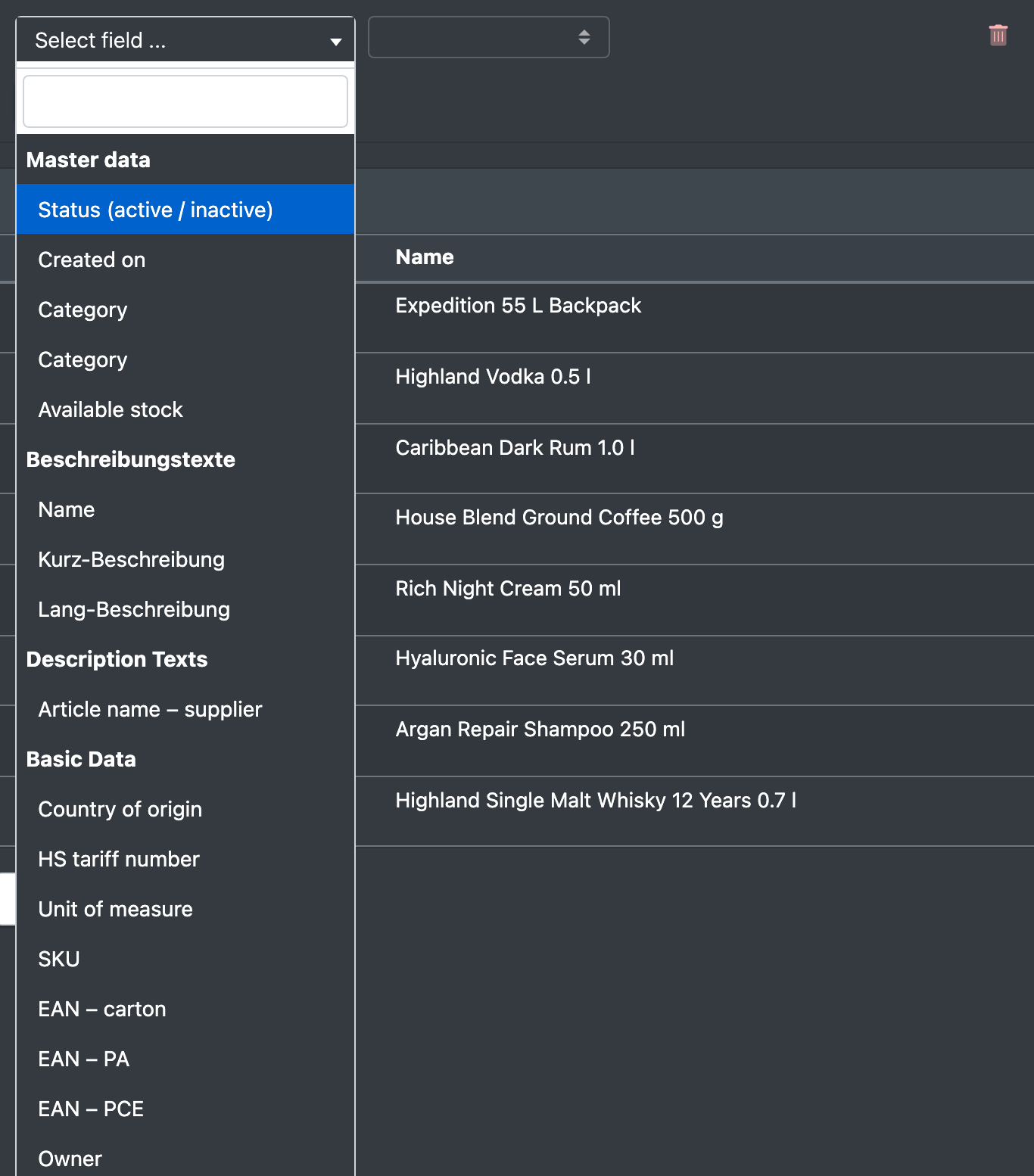
Screenshot: Field dropdown of a condition opened, showing the groups "Master data" and the attribute groups

Good to know

  • Large selections are processed in blocks, so even thousands of articles are possible.
  • Changed articles count as edited: connected sales channels pick up the new values with their next transfer.
  • Typical uses: raise prices by a percentage (Prices), move articles to another category, fill an empty attribute for a group of articles.
  • For a quick change of a few articles you have selected in the overview, the older filter sidebar is an alternative.
Message Cause Solution
Keine Berechtigung für die Massenverarbeitung The permission for bulk processing is missing Ask your administrator
Please complete all conditions and changes. (Bitte alle Bedingungen und Änderungen vollständig ausfüllen.) A row is incomplete Fill in field, operator and value – or remove the row
Please define at least one change. (Bitte mindestens eine Änderung definieren.) No change was added Click Add change
No article matches the conditions. (Kein Artikel entspricht den Bedingungen.) The filter finds nothing Loosen the conditions
„…“ erwartet eine Zahl / ist keine gültige Zahl / ist kein gültiges Datum Wrong format Enter a valid number or date
Bitte mindestens eine Kategorie wählen / … Warengruppe wählen The multiple selection is empty Choose at least one value
Bitte einen Wert für „…“ angeben A value is missing Enter the value