
Import outer packaging
Import packaging units per article (piece, inner pack, carton, pallet) with dimensions, EANs and quantities from a CSV file.
This import reads a CSV file with the packaging units of your articles – single piece, inner pack, carton and pallet – and stores dimensions, EANs and the number of units per packaging as attributes of each article. The warehouse uses these values, for example to know how many units fit into a carton or onto a pallet.

Before you start
- Your user needs the permissions for the import and for the outer packaging import – ask your administrator.
- The articles already exist in your catalogue with the item numbers used in the file. Rows with unknown item numbers are skipped.
- The target attribute fields exist (see the table below). The standard fields for length, width and height are created automatically if your company does not have them yet. All other fields – for example
units-per-ct– must exist as attribute fields with exactly this slug, otherwise their values are not stored.
Step by step
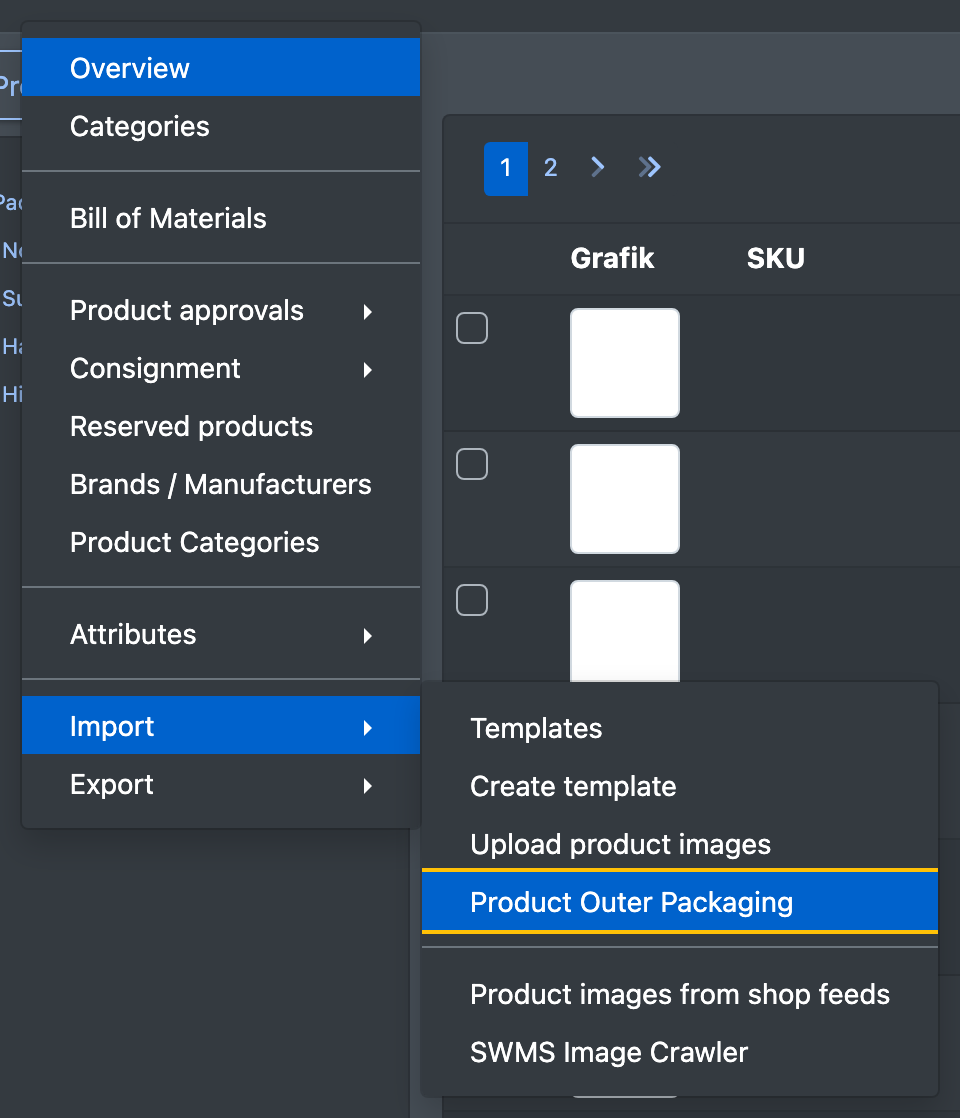
- Open Catalogue › Import › Product Outer Packaging (Katalog › Import › Artikel Umverpackung).
- Click Choose file and select your CSV file.
- Click Absenden (submit).
- The message "N Zeilen wurden eingelesen" tells you how many rows were imported.
File format
- CSV file with semicolon as separator.
- The first line is a header and is skipped.
- One row per article and packaging unit. An article with four packaging units therefore has four rows.
All other columns are ignored.
Which attributes are written
Empty cells do not overwrite existing values.
Good to know
- The import only finds articles of your own company by their item number.
- The file is deleted after the import.
- For all other article data, use the flexible import templates.