
Forgot password
Request a new password by email if you have forgotten yours.
If you have forgotten your password, you can request a new one yourself. For security reasons this works in two steps (double opt-in): first you receive an email with a confirmation link, and only after you click that link does X-Sitter send you a new password.
You use the same procedure to get your very first password, see First login.
Before you start
- Your email address is stored in your X-Sitter user. If you only log in with a username and no email address is stored, ask your administrator to set a new password for you.
- You can receive emails at this address (check your spam folder, too).
Step by step
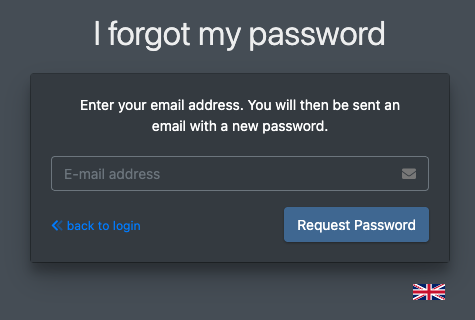
- Open the login page and click Forgot password? (Passwort vergessen?) below the login form.
- Enter the E-mail address (E-Mail Adresse) of your X-Sitter user.
- Click Request Password (Passwort anfordern).
- X-Sitter shows Password Request sent (Passwort Anfrage versendet). You can close this page.
- Open the email from X-Sitter and click the reset link in it.
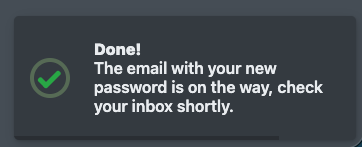
- X-Sitter now generates a new password and sends it to you in a second email. The page confirms this with "Done! The email with your new password is on its way" (Geschafft! Die E-Mail mit Deinem neuen Passwort ist unterwegs, schau gleich nach.).
- Log in with the new password, see Log in, two-factor authentication and log out.
- Right after logging in, replace the generated password with your own one in your Profile.
The reset link can only be used once. As soon as your new password has been sent, the link becomes invalid. If you need another password, request a new link.