
Your profile
Change your name, email address, username, password and profile picture.
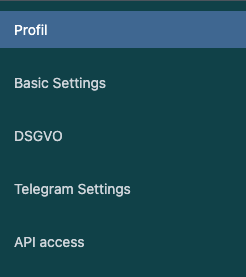
In your profile you maintain your own user data: salutation, profile picture, first and last name, email address, username and password. Every logged-in user can open their own profile – no extra permission is needed.
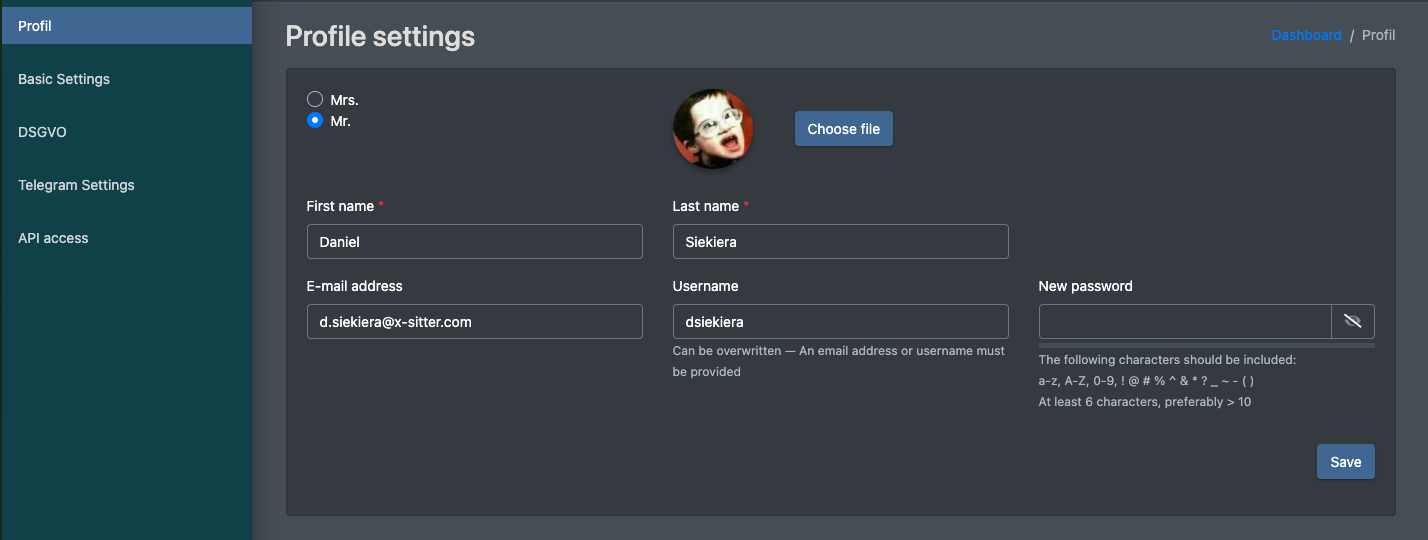
Open your profile
- Click your name (with your profile picture) in the top right corner.
- Click Settings (Einstellungen).
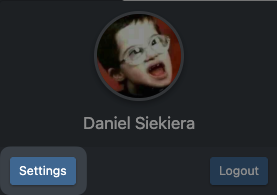
- The page Profile settings (Profil Einstellungen) opens. The menu on the left also leads to your other personal settings:
- Profile (Profil) – this page
- Basic Settings (Grund - Einstellungen), see Basic settings
- DSGVO, see Data protection (DSGVO)
- Telegram Settings (Telegram Einstellungen), see Telegram notifications – only with the matching permission
- API access (API Zugang) – API tokens, see X-Sitter API – only with the matching permission
Change your data
- Choose the salutation Mrs. (Frau) or Mr. (Herr).
- Optional: upload a profile picture with Choose file (Datei wählen). JPG and PNG images are accepted.
- Change First name (Vorname), Last name (Nachname), E-mail address (E-Mail Adresse) or Username (Benutzername) as needed.
- Click Save (Speichern). X-Sitter confirms with Your profile has been updated. (Dein Profil wurde aktualisiert.).
Change your password
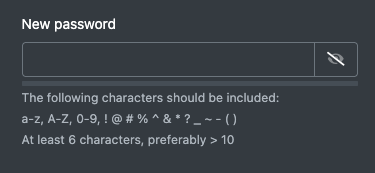
- Enter your new password in the field New password (Neues Passwort). Click the eye icon to show what you have typed.
- The bar below the field shows how strong the password is.
- Click Save (Speichern).
Leave the field empty if you do not want to change your password.
warning Choose a strong password
Use at least 6 characters, better more than 10, and mix lowercase and uppercase letters, digits and special characters such as ! @ # % ^ & * ? _ ~ - ( ).
Fields and options
Good to know / Troubleshooting
If you change your email address or username, use the new value the next time you log in.