Company settings (portal, e-mail, SMTP)
Under Administration › Settings you maintain the basic settings of your company: the portal name, your address for PDF documents, legal documents as PDF, the next credit note number, default alcohol tax rates, the sender of your e-mails and – if you want – your own SMTP mail server.
The page only stores your values. Every field you leave empty uses the X-Sitter default, which is shown as a placeholder. If you empty a field again, it switches back to the default.
Before you start
- Your user needs the permission Settings (company) in the Administration area of the permissions tree. Ask your administrator.
Step by step
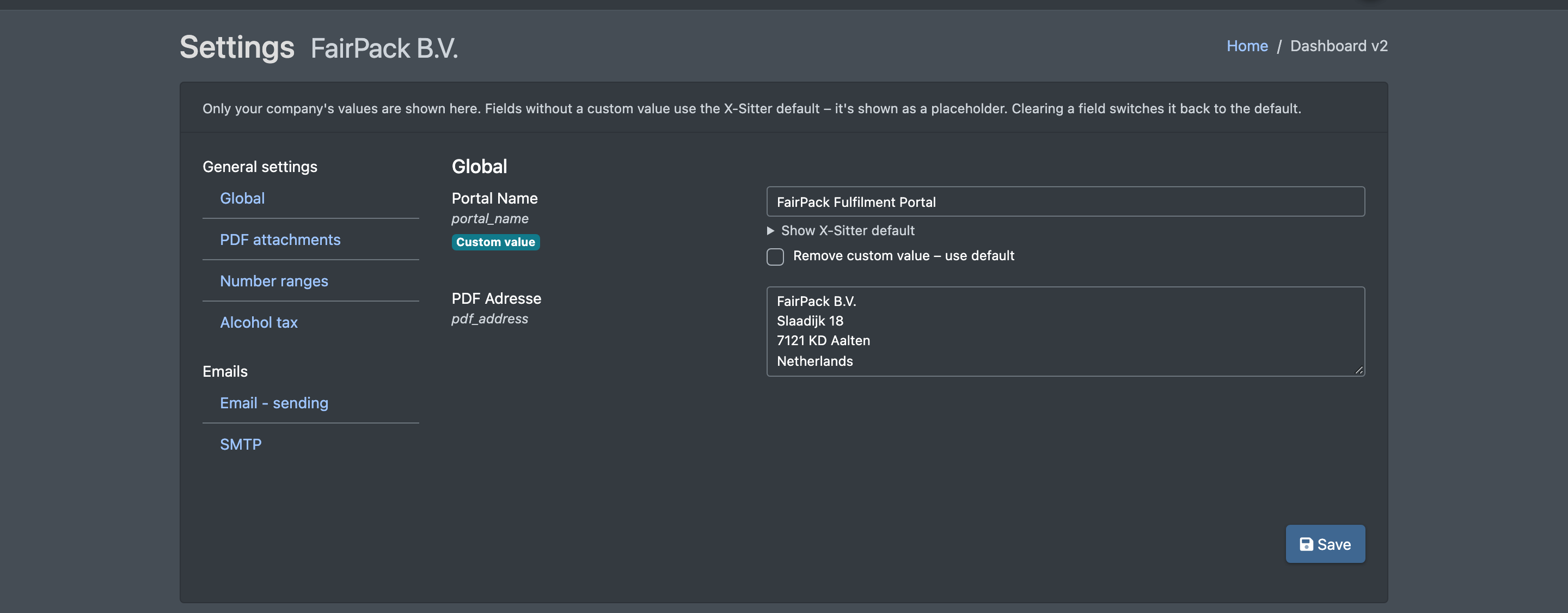
- Open Administration › Settings (Administration › Einstellungen). Your company name is shown next to the title.
- Choose a section in the menu on the left, e.g. Global or SMTP.
- Enter your own values. Each field shows a badge:
- Default active (Standard aktiv) – no own value, the X-Sitter default applies,
- Custom value (Eigener Wert) – your own value is used.
- Click Show X-Sitter default (Standard von X-Sitter anzeigen) below a field to see the default.
- To go back to the default, empty the field or tick Remove custom value – use default (Eigenen Wert entfernen – Standard verwenden).
- Click Save (Speichern). You see "The settings have been saved" – or "Nothing was changed".

Sections and fields
Which sections you see depends on your setup. The menu is split into General settings (Grundeinstellungen) and Emails (E-Mails).
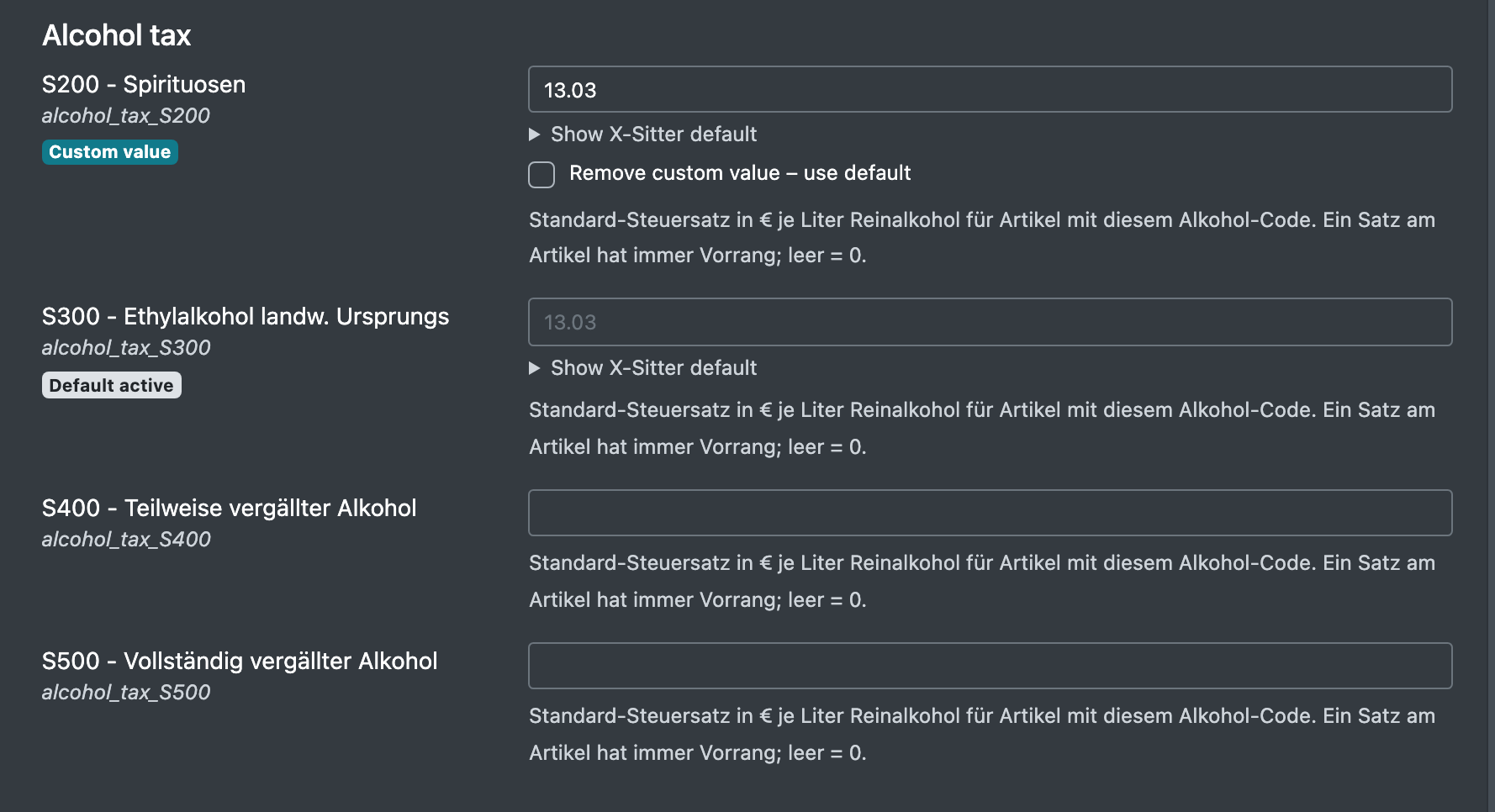
The alcohol tax rates are used by the alcohol tax ledger. Header, footer and sender apply to the e-mails from your e-mail templates.
Using your own SMTP server
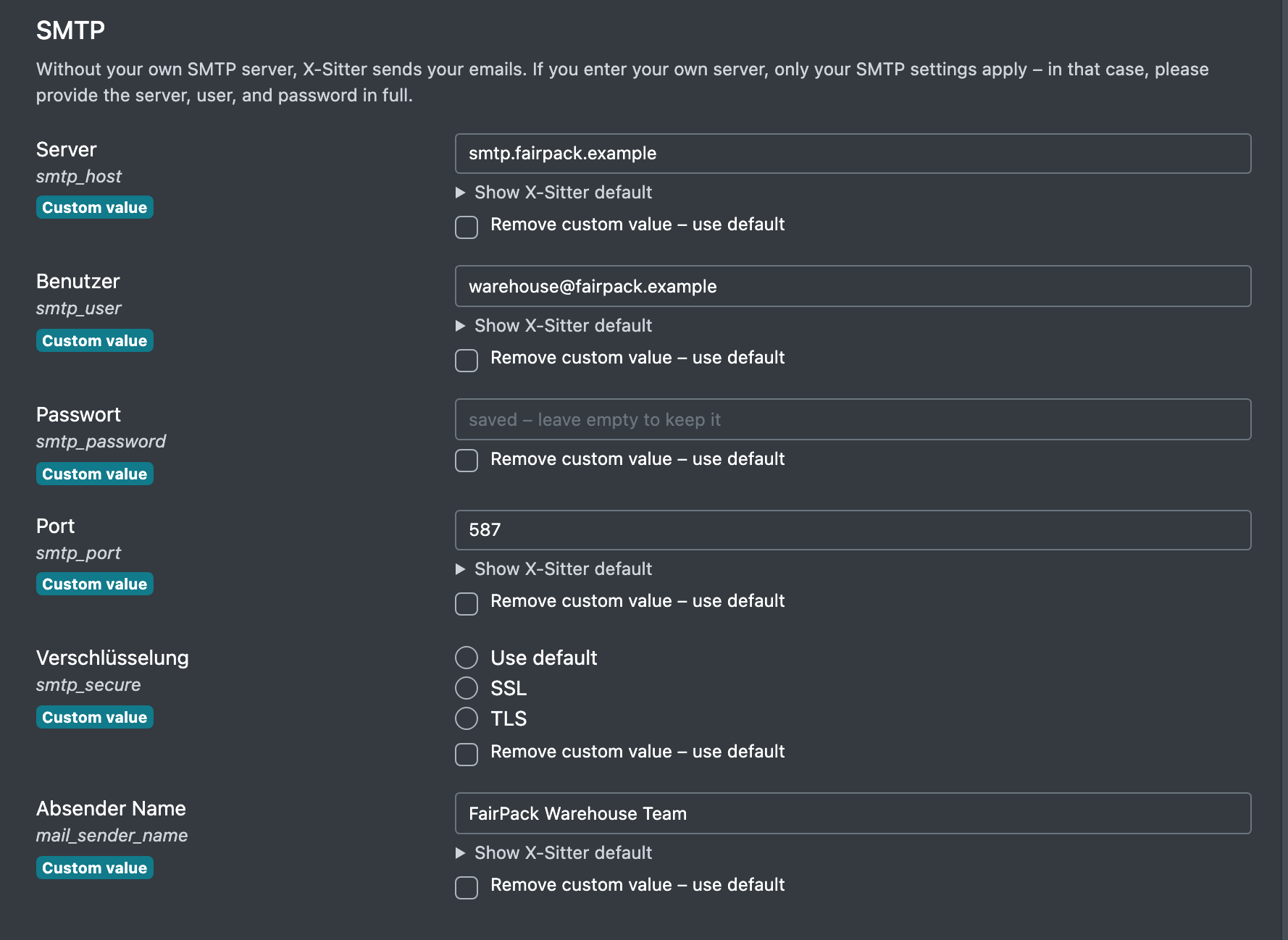
Without your own SMTP server, X-Sitter sends your e-mails through its own mail server. If you enter your own server, only your SMTP settings are used – nothing is taken from the X-Sitter defaults. So enter server, user and password completely.
- Open the section SMTP.
- Enter Server, User, Password, Port (e.g. 587) and choose Encryption.
- Optionally enter a Sender name.
- Click Save.
As long as X-Sitter's mail server is used, your e-mails are sent from the X-Sitter system address and your Sender email is set as the reply-to address, so answers still reach you.
Passwords are never shown again after saving. The field says "saved – leave empty to keep it" (gespeichert – leer lassen, um es zu behalten). Only enter a new password if you want to change it.