
Report: By company
Count the orders of a company per sales channel – per day, month or year, as a chart and a table.
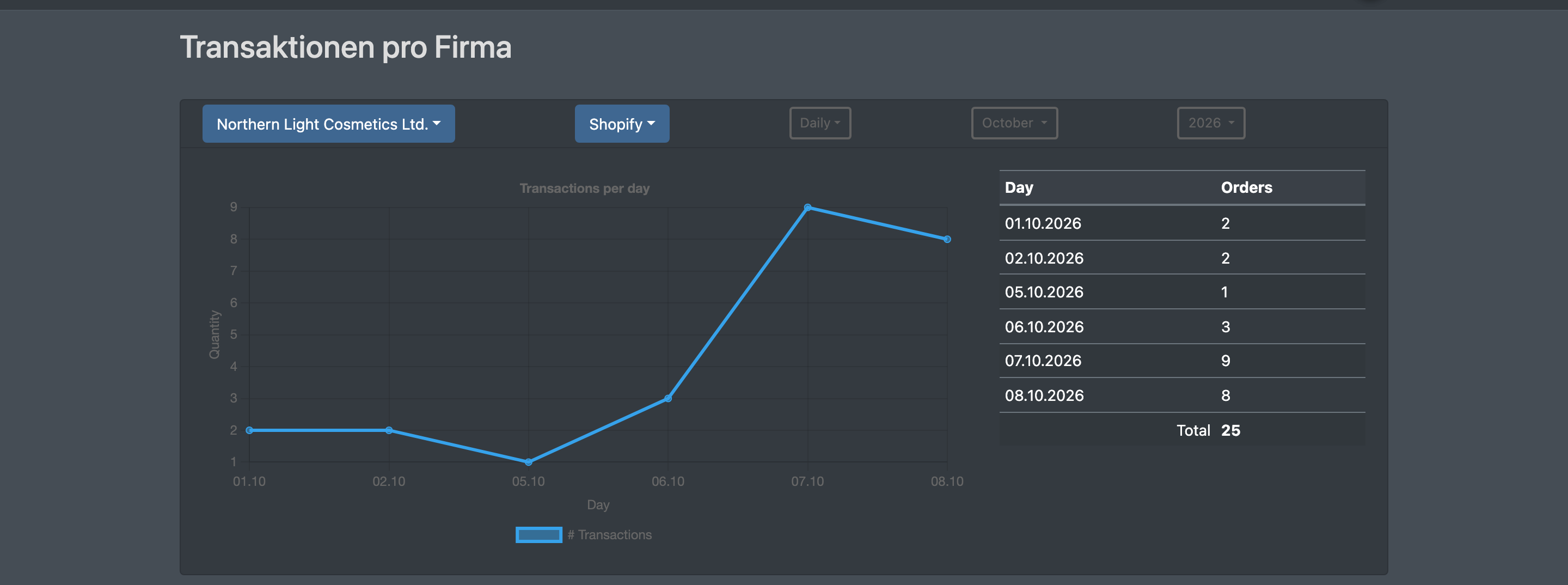
The By company report (nach Firmen) counts how many orders a company received through one of its sales channels. You choose the company, the sales channel and whether the orders are counted per day, per month or per year. The result appears as a line chart and as a table with a total.
Before you start
- Your user needs the permissions for Reports and Reports › Companies (Reporte › Firmen). Ask your administrator if the menu entry is missing.
- As a logistician you can evaluate your own company and all of your clients. As a client you only see your own company.
- The report counts the orders that came in through the sales channels of the company, see Jobs & connections. JTL, Amazon and PayJoe are not offered as a channel here.
Step by step
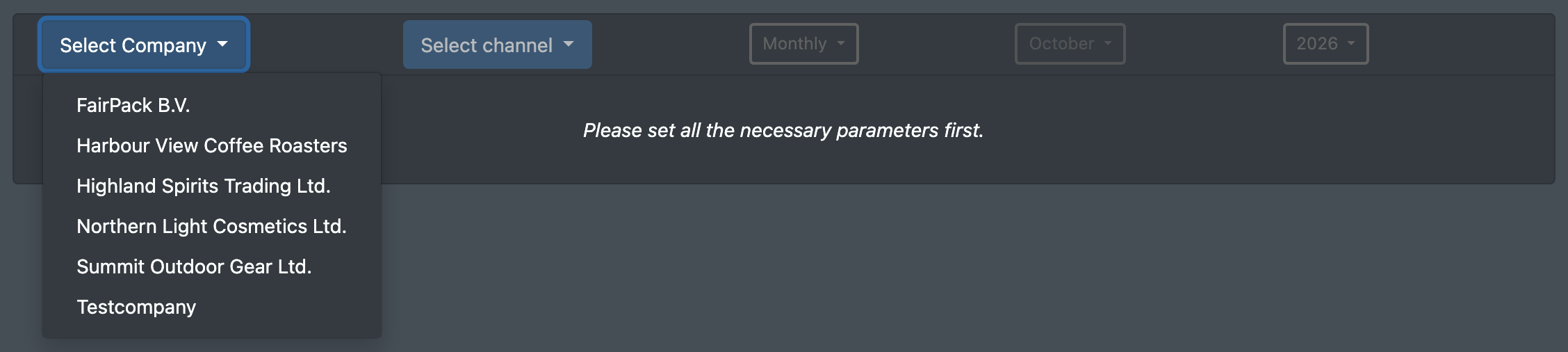
- Open Reports › By company (Reporte › nach Firmen) in the top menu. The page is titled Transactions per company (Transaktionen pro Firma). Until everything is chosen you see "Please set all the necessary parameters first." (Bitte erst alle erforderlichen Parameter setzen.)
- Click Select Company (Firma wählen) and choose the company.
- Click Select channel (Kanal wählen) and choose the sales channel. The button only becomes active once a company is chosen.
- The result appears right away. By default it is Monthly (Monatlich) for the current year.
- Change the range, the month or the year if needed – the result reloads after each choice:
- Daily (Täglich): one value per day of the chosen month and year. Only with this range can you choose the month.
- Monthly (Monatlich): one value per month of the chosen year.
- Annual (Jährlich): one value per year, over all years. The chosen year does not matter here.

Fields and options
Result
Every order of the company with an order date in the period counts, whatever its status. Days, months or years without orders do not appear in the table or the chart.
Good to know / Troubleshooting
When you choose another company, choose the channel again – the result below only reloads once a channel is selected.
For revenue and sales figures per article use the Article list and the Single article report.