
Supplies
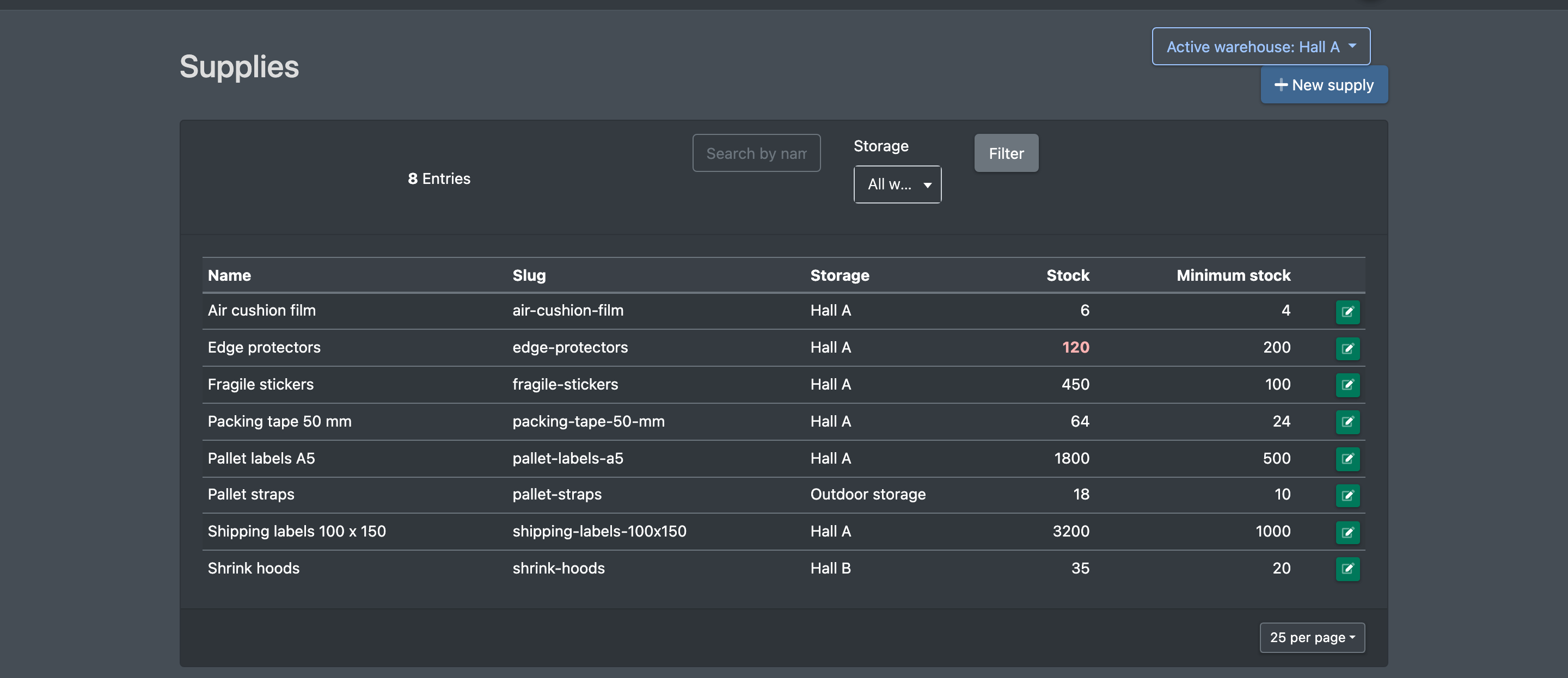
Keep a simple list of consumables such as stretch film or adhesive tape per warehouse, with current stock and minimum stock.
Under Supplies (Hilfsmittel) you keep the consumables and working materials of a warehouse, for example stretch film or adhesive tape, with their current stock and minimum stock. It is a simple master data list per warehouse.
Before you start
- A warehouse exists – see Warehouses.
- Your user needs the permission Supplies (Hilfsmittel) and, to create or edit, the edit permission – ask your administrator.
Step by step
- Open WMS › Warehouse › Supplies (WMS › Lager › Hilfsmittel).
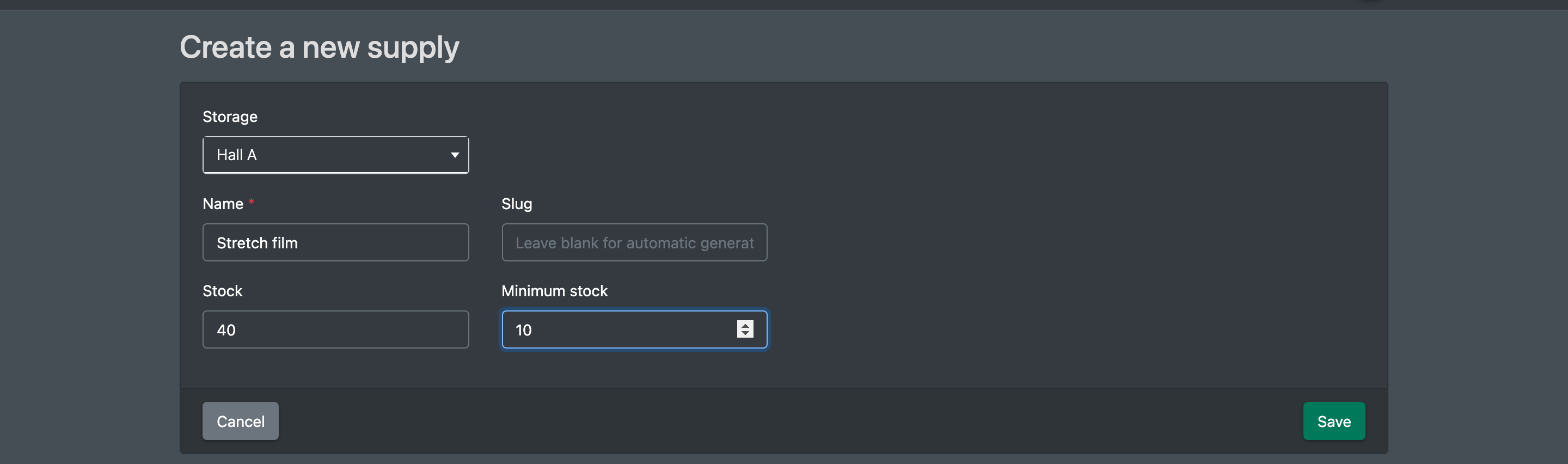
- Click New supply (Neues Hilfsmittel). The form Create new supply (Neues Hilfsmittel anlegen) opens.
- Choose the Warehouse (Lager) and enter a Name (Name).
- Optional: enter a Slug (Slug). Leave it empty to have it created automatically from the name.
- Enter the current Stock (Bestand) and the Minimum stock (Mindestbestand).
- Click Save (Speichern). You see "Supply successfully created." (Hilfsmittel erfolgreich erstellt.) or, when editing, "Supply successfully updated." (Hilfsmittel erfolgreich aktualisiert.)
To find an entry, use the search Search by name or slug (Suche nach Name oder Slug) and the filter Warehouse (Lager, "All warehouses"), then click Filter (Filtern).
Fields and options
Supplies are not booked out automatically, and there is no automatic warning when the minimum stock is reached – update the stock yourself when you check your consumables. Cartons and other packaging used at the packing station are managed as storage aid types instead.