
Employee assignment
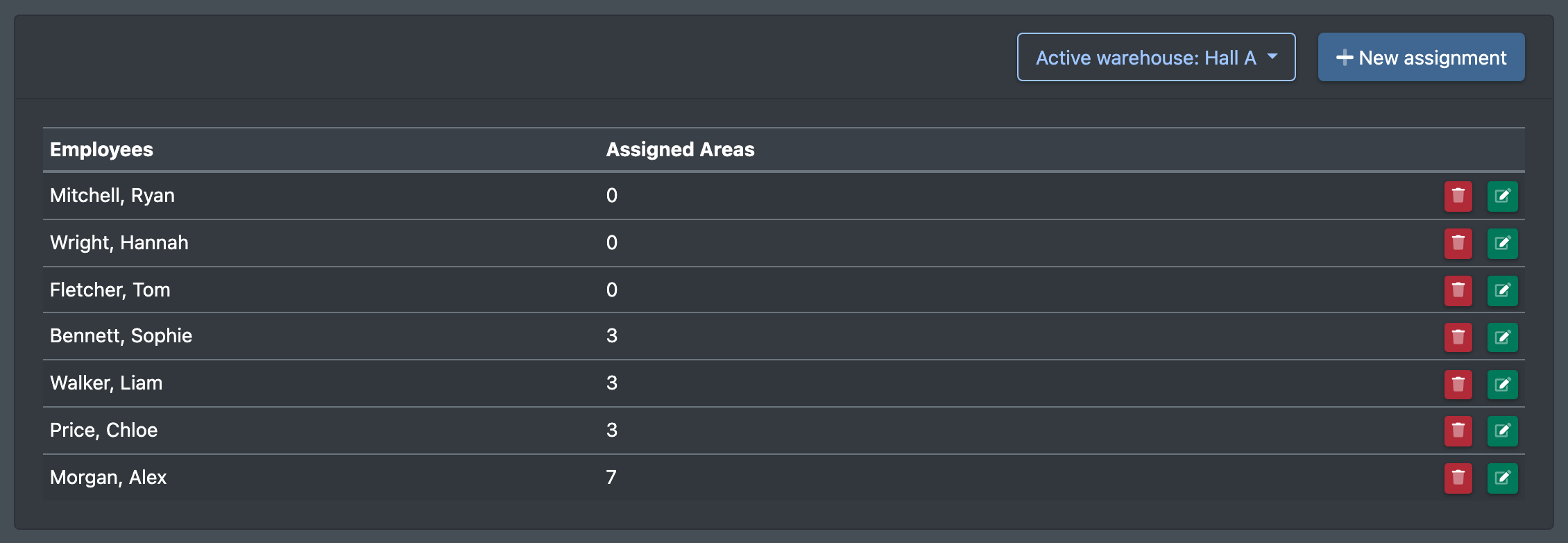
Define in which storage areas of a warehouse an employee works – this limits the place and stock search when rebooking and relocating.
With the employee assignment you define in which storage areas of the current warehouse a user works. The assignment limits the storage place and stock search when rebooking and relocating to these areas, and it decides which areas are offered as targets in the relocation.
Before you start
- The current warehouse has storage areas – see Storage areas. Otherwise you see "No storage areas are available. Please create storage areas first." (Keine Lagerbereiche verfügbar. Lege zuerst Lagerbereiche an.)
- The employee is a user of your company – see Employees.
- Your user needs the permission Employee assignment (Mitarbeiterzuweisung) and, depending on the task, create, edit or delete – ask your administrator.
Step by step
- Open WMS › Warehouse › Employee assignment (WMS › Lager › Mitarbeiterzuweisung).
- Click New assignment (Neue Zuweisung).
- Choose the Employee (Mitarbeiter).
- Under Storage areas (Lagerbereiche) tick the areas the employee works in. Select all (Alle markieren) ticks every area.
- Click Save (Speichern). You see "Employee assignments were saved" (Mitarbeiterzuweisungen wurden gespeichert).
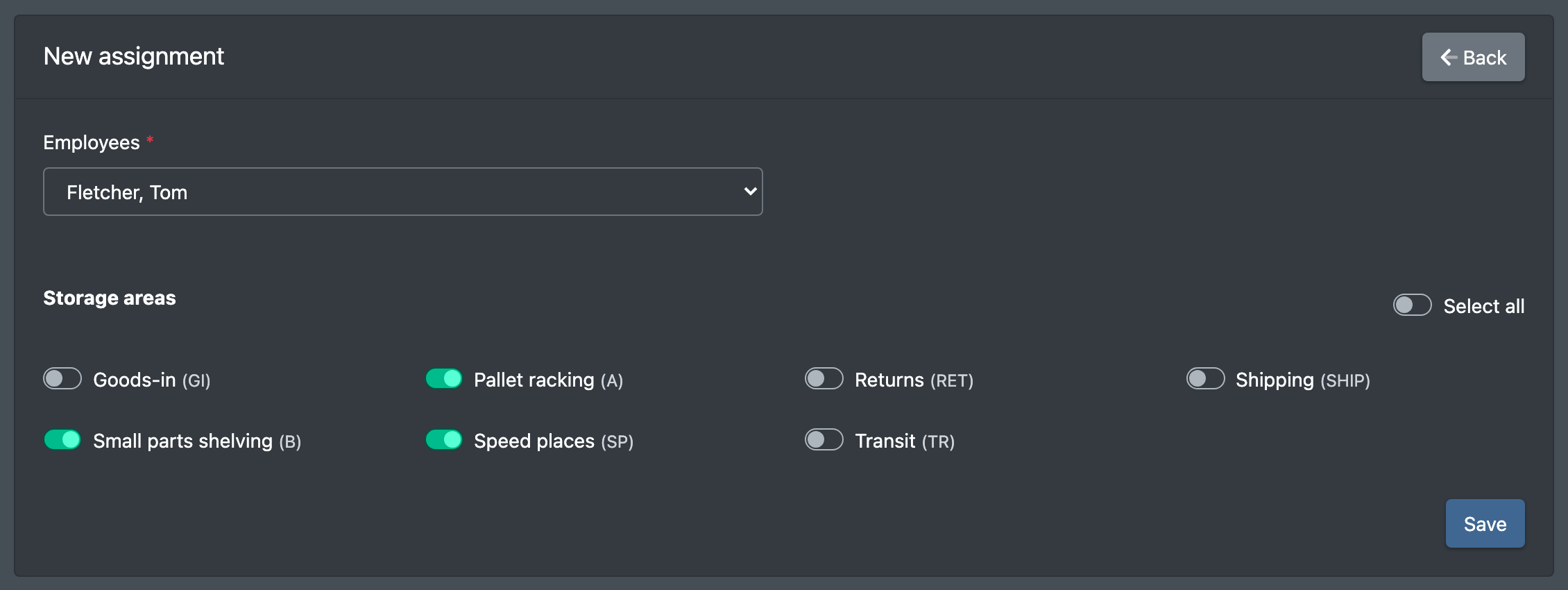
When you save, the existing assignments of this employee for the current warehouse are completely replaced by your new selection. Assignments always apply to one warehouse – repeat them in every warehouse the employee works in.
Fields and options
What the assignment affects
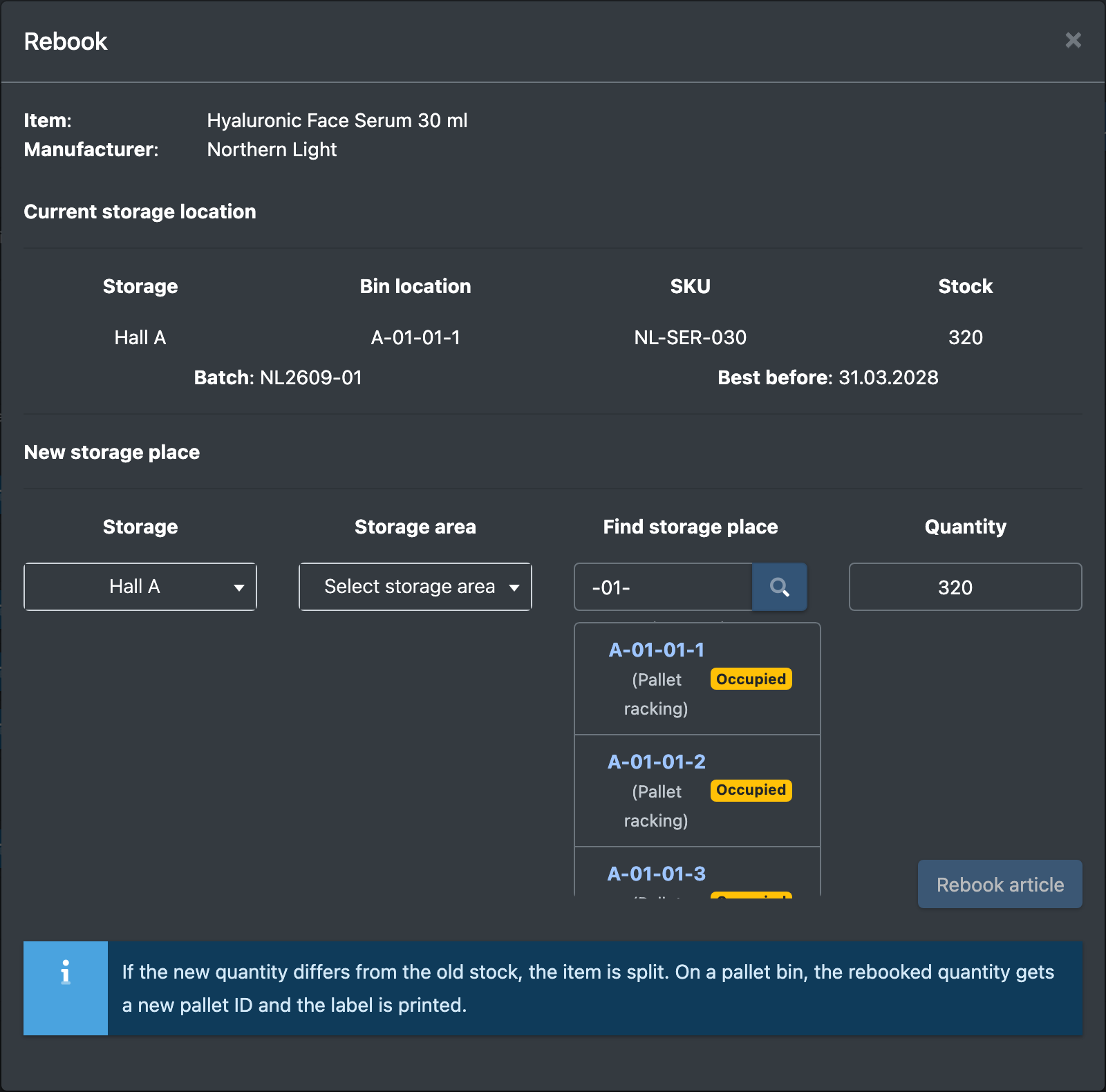
- Rebooking in the stock overview: "Search storage place" in the Rebook (Umbuchen) dialog only shows places in the assigned areas – see Stock overview.
- Relocation: the stock search only shows stock in the assigned areas, and the target area selection offers the assigned areas. Without an assignment, all areas of the warehouse are offered as targets – see Relocation.
- Storage space costs: the place search in the cost settings only shows the assigned areas; without an assignment it shows all – see Storage space costs.
warning Assign areas to everyone who rebooks
Make sure every employee who rebooks or relocates stock has the relevant areas assigned. Otherwise the place and stock search may not find anything.
Good to know / Troubleshooting
- An employee finds no target place when rebooking? Check whether the area of the target place is assigned to them.