
FFN order processing
Once a merchant of the JTL Fulfillment Network (FFN) is handed over to you, X-Sitter does the complete processing for this merchant:
- Waiting outbound orders are accepted after a stock check and acknowledged in FFN.
- Shipped orders and stored goods are reported back to FFN.
- An hourly stock reconciliation brings everything else that changes the stock to FFN: corrections, inventory counts, putaways without advance notice, quality locks.
FFN therefore always keeps the merchant's stock up to date.
Before you start
- The FFN connection exists, see Connect JTL Fulfillment Network (FFN).
- The merchant is assigned to a client, including the FFN warehouse, see FFN merchants. Without a warehouse no goods receipts are reported.
- The client's articles are imported (job FFN products, FFN-Produkte laden). Articles that are still missing are loaded from FFN one by one when an order arrives.
- Stock in X-Sitter: an order is only accepted if the free stock covers it. Without booked goods, every order stays in FFN.
- You have access to Administration › Jobs & connections (Administration › Jobs & Verbindungen), see Jobs & connections.
warning No parallel operation
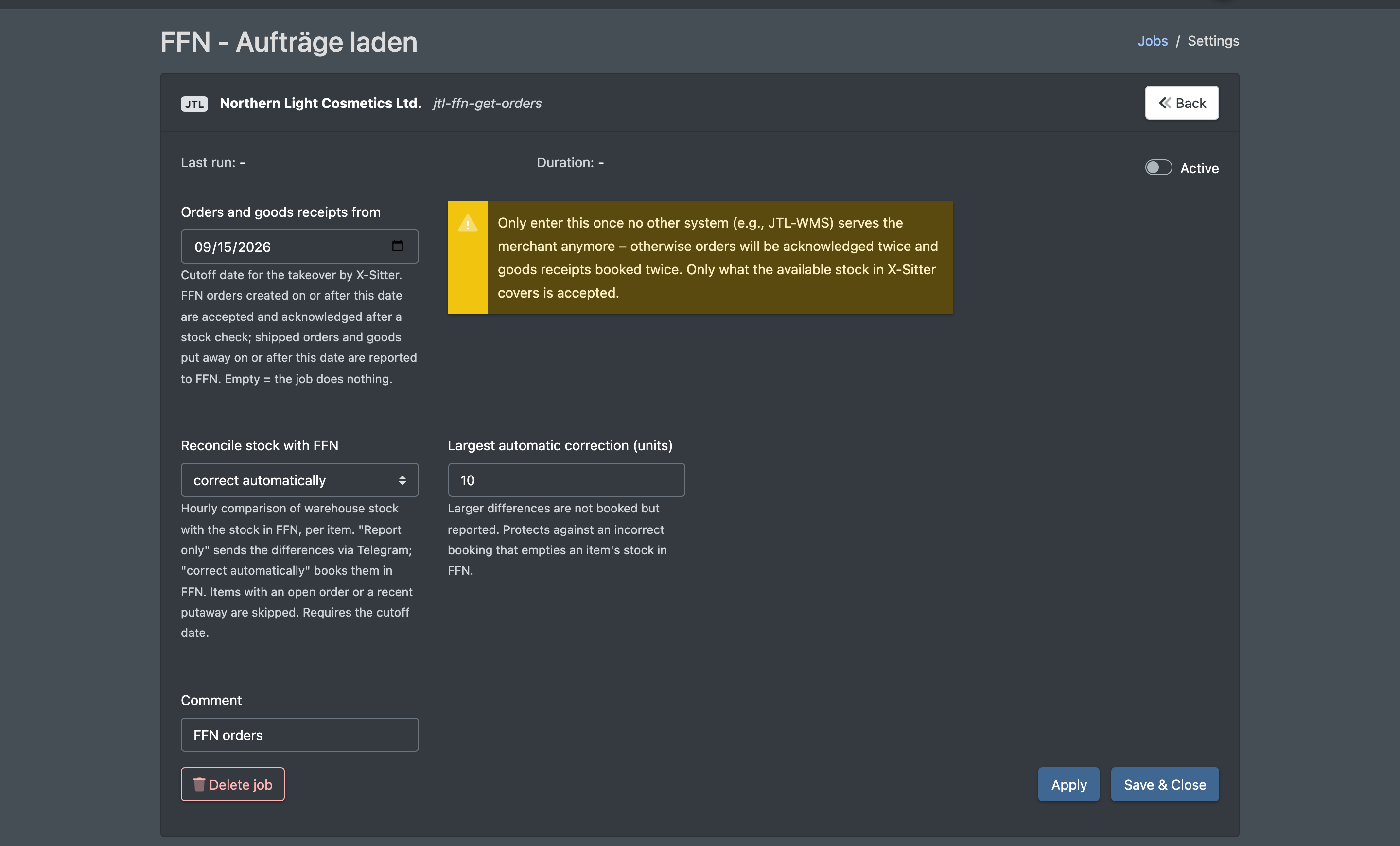
As long as another system (for example JTL-WMS) still serves the merchant, leave the merchant's job inactive or without a cut-off date. Otherwise orders are acknowledged twice and goods receipts are booked twice.
The three switches
Orders only arrive when all three are set:
The card Takeover by X-Sitter (Übernahme durch X-Sitter) on the FFN connection page shows all merchants with an active job, their cut-off date and the link Edit job (Job bearbeiten).
Step by step
- Open ERP Systems › JTL › FFN Dealer Directory and assign the merchant to the client, including the FFN Warehouse (FFN merchants).
- Open Administration › Jobs & connections, choose the client's company, create the job FFN orders (FFN - Aufträge laden) and switch it on.
- Put the client's goods into stock in X-Sitter or take over the existing stock, see Putaway.
- Open the job, enter the takeover date under Orders and goods receipts from and save.
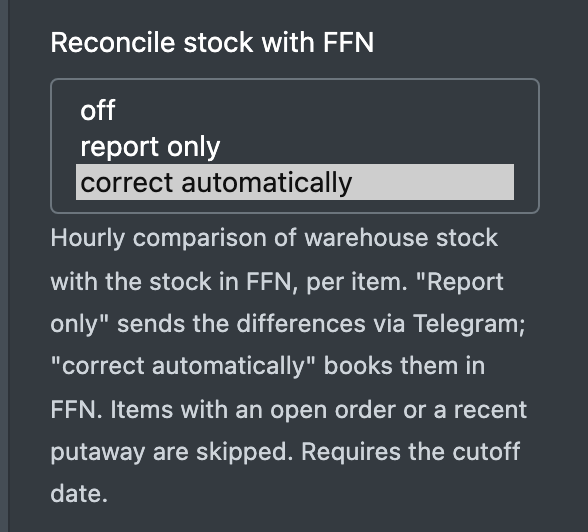
- Optional: set Reconcile stock with FFN to report only first (see below).
- From the next run (every minute), accepted orders appear in the order overview with the source FFN and the status Open (Offen).
Fields and options
The order cut-off date applies per job, i.e. per merchant: every merchant can be taken over on its own day. The advance notice date applies to your whole company and does not depend on any job.
How it works
Accepting an order (every minute)
- X-Sitter reads the merchant's orders that are waiting in FFN.
- Every item must be a known article, and the free stock must cover the quantity. Free stock = stock on storage places without a quality lock, minus the open quantities of all orders in progress. Bill-of-materials headers do not count, their components do (see Bills of materials).
- If the stock is sufficient, the order is created with the status Pending (Wartend), acknowledged in FFN, its documents (e.g. invoice) are loaded, and then it becomes Open (Offen). Only now does the warehouse see it.
- If the stock is not sufficient or an article is unknown, nothing is created. The order stays waiting in FFN and is checked again in the next run.
- If a run is interrupted between creating and opening the order, the next run finishes the order or removes the waiting order again.
After the order has been opened, workflows with the trigger "when an order is imported/created" start, see Workflows.
Cancellations
An order cancelled in FFN is cancelled in X-Sitter as long as it is Open, Pending, Error (Fehler) or Waiting (Wartet). If it is already in progress, it stays and you receive a Telegram message.
Reporting the shipment (every 5 minutes)
For orders with the status Sent (Versendet), X-Sitter sends a shipment notification to FFN with the shipped quantities and one parcel per tracking number. FFN books the stock out and marks the order as shipped. The order history then shows Tracking transferred (Tracking übertragen).
Reporting goods receipts (every 5 minutes)
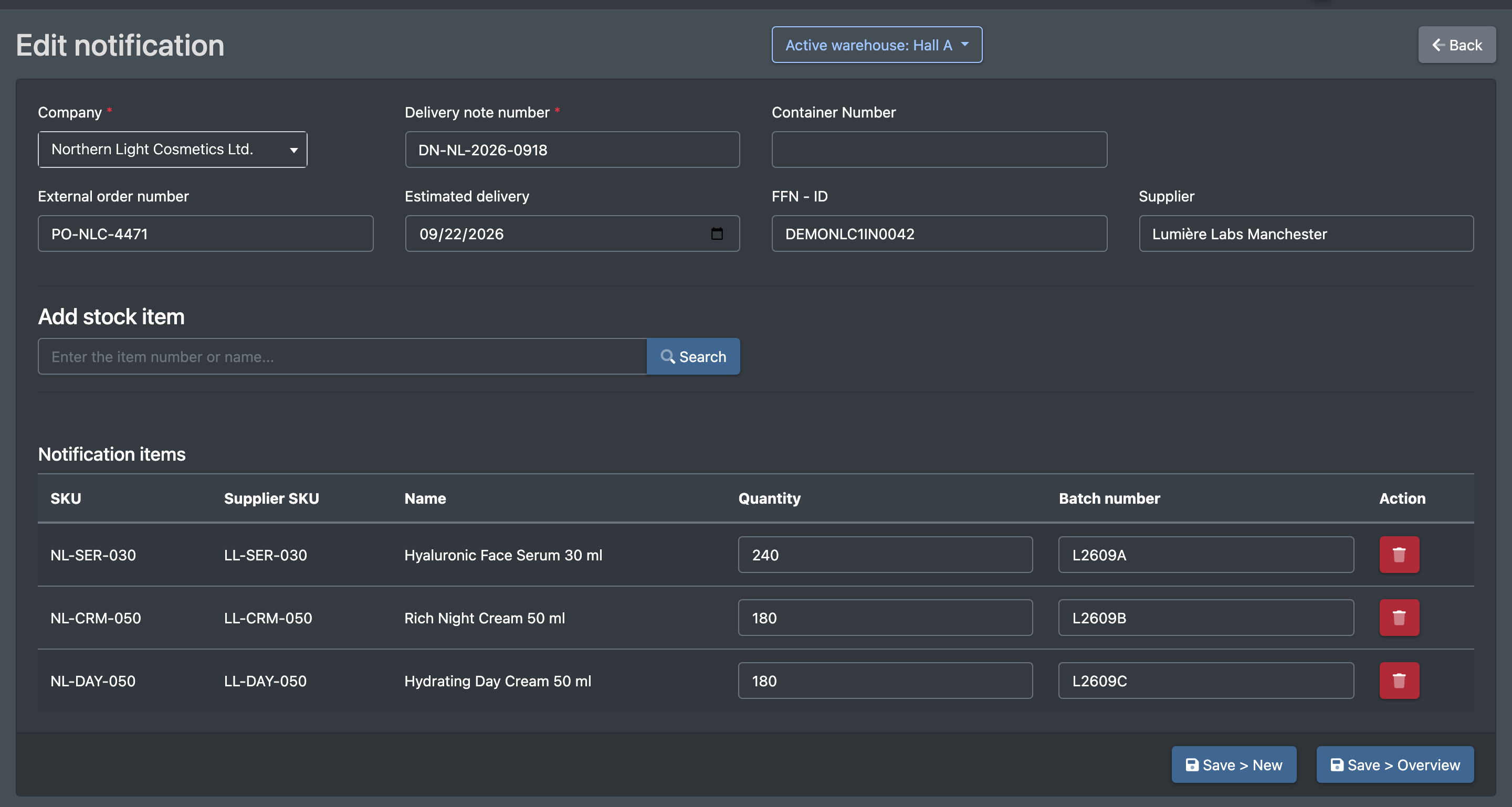
For advance notices that came from FFN, X-Sitter reports the stored quantity per article, batch and best-before date that FFN does not know yet. Putaways wait ten minutes before they are reported, so that you can still cancel them. An advance notice that you close in X-Sitter is closed in FFN as soon as everything has been reported.
Stock reconciliation (every hour)
Switched on per job with Reconcile stock with FFN.
- For every article of the client that is known in FFN, X-Sitter compares its stock with the FFN stock: goods on storage places without a quality lock against the FFN stock (including quantities reserved for orders), quality-locked goods against the blocked FFN stock.
- The difference is the correction. Example: 6 units are booked out in the warehouse, X-Sitter has 94, FFN has 100 – the reconciliation reports or books −6.
- An article is skipped while its stock is on the move: an order with the article is in progress (picked, packed, waiting for loading) or was shipped as an FFN order but not reported yet; the article was put away in the last 30 minutes; a goods receipt for an FFN advance notice has not been reported yet; an earlier correction is still open.
- Report only: the differences arrive by Telegram, the same list at most once a day. Correct automatically: differences up to the limit are booked in FFN with the note "X-Sitter Bestandsabgleich"; larger ones are reported.
- Emergency brake: if more than 20 articles and at the same time more than a quarter of the compared articles differ, nothing is booked, only reported. That many differences are not corrections but stock that has not been booked in X-Sitter yet.
Recommended order when you take over a merchant: first report only – the list shows whether the opening stock in X-Sitter matches the FFN stock – then correct automatically.
What is taken over from FFN
Good to know / Troubleshooting
Most messages arrive by Telegram. Subscribe to JTL-FFN - error (JTL-FFN - Fehler), see Telegram notifications.
Limits
- If a merchant locks an order in FFN to change it, an order that X-Sitter has already accepted is not stopped.
- FFN is only informed once the order is Sent. Partial deliveries before that are not reported.
- The stock reconciliation compares per article, not per batch or best-before date. Products that FFN manages with batch or best-before date are not corrected automatically.
- A putaway that is cancelled after the goods receipt report, and quality locks, are only balanced by the stock reconciliation. Without it, the difference stays in FFN.